
Interstate road travel isn't something I always look forward to. Patchy networks and other nuisances make it a tiring experience in my region.
While I make sure my offline maps and songs are available on my , there are other things I've learned to prioritize before the car leaves the driveway. They make my multihour journeys worth it.
I block my phone from chasing ghosts on the highway
5G and dead zones are energy drainers
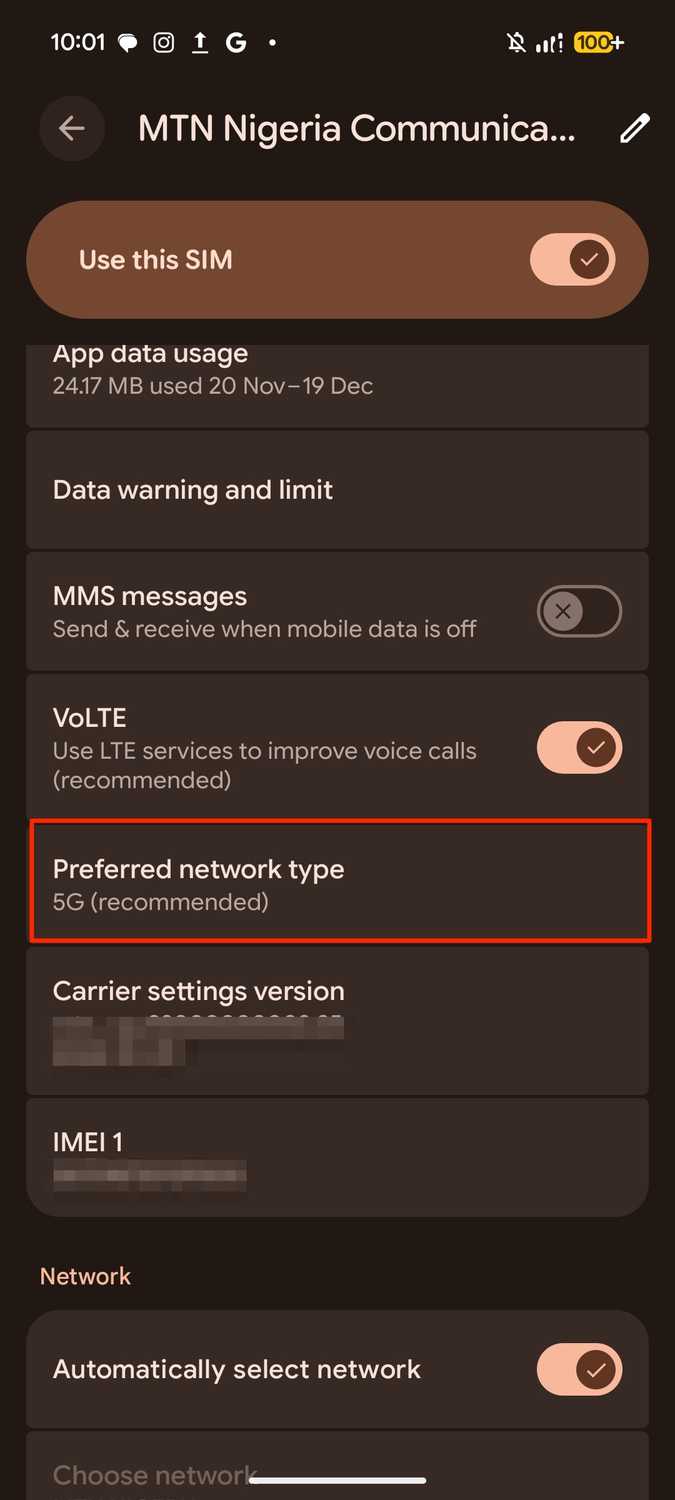
The Preferred network type setting decides which generations of mobile network phones are allowed to use. On Pixel phones, you'll find it under > > .
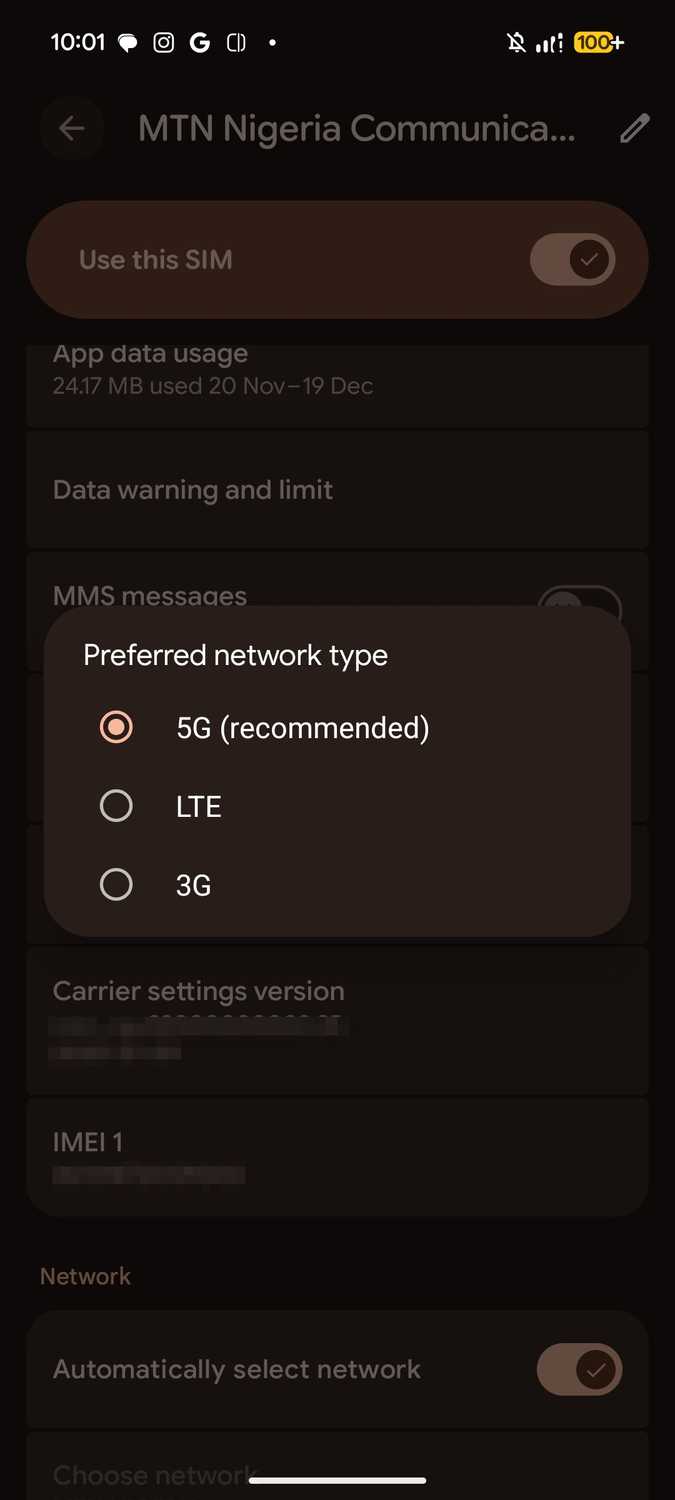
Select a SIM profile, then select 5G (recommended) under Preferred network type.
The default, usually labeled 5G or 2G/3G/4G/5G, lets the phone use 5G where it exists and fall back to 4G, 3G, or 2G where it doesn't.
Choosing Long-Term Evolution (LTE) bypasses 5G, and the phone sticks to 4G, only dropping lower when it has no choice.
I hardly ever touched the setting because I was always locked to the latest generation for a steadier connection. At least, I was until recently.
Data from the Nigerian Communications Commission (NCC) and Ookla put effective 5G coverage in my city at 31% in late 2025, leaving the majority of capable devices on 4G.
It has improved since then. Still, only about 53.1% of 5G-capable devices actively used the network between June 2025 and May 2026.
Other states are worse off because they don't have the same density of towers. So interstate roads will leave you in more patchy stretches, especially around hilly and mountainous terrain in remote areas.
Because the almighty 5G is limited on most of those roads, the best choice to make at that moment is to stop the network search entirely.
You'd be surprised that a phone with no signal doesn't rest. It searches continuously for a tower and retries until it finds one.
If it happens to find a weak signal, the device increases the radio power to hold the connection. It spends more energy and produces heat that contributes to battery wear.
It's why I switch my device to LTE before I leave on long journeys. It offers the most dependable coverage with the least battery cost.
Alternatively, I switch to Airplane mode while already in dead zones.
It turns the cellular radio off completely, so the scanning stops. GPS still works because it only receives signals from satellites, and I can turn Bluetooth back on for my wireless music playback.
You may be tempted to install signal booster apps when your bars drop. But they're gimmicks that can't change your phone's radio. Most just toggle Airplane mode for you, and some are adware.
My phone's background workers can wait
They're not permitted to communicate while I'm away
A combination of background processes contributes to your phone's smart title. Those same processes can work against you in the wrong setting.
A road trip with patchy signals is not where you want your phone pinging every network and tower it passes. Even the relatively minimalist Pixel phones are just as busy.
So I spend time switching off or setting up most of their activities before I leave town.
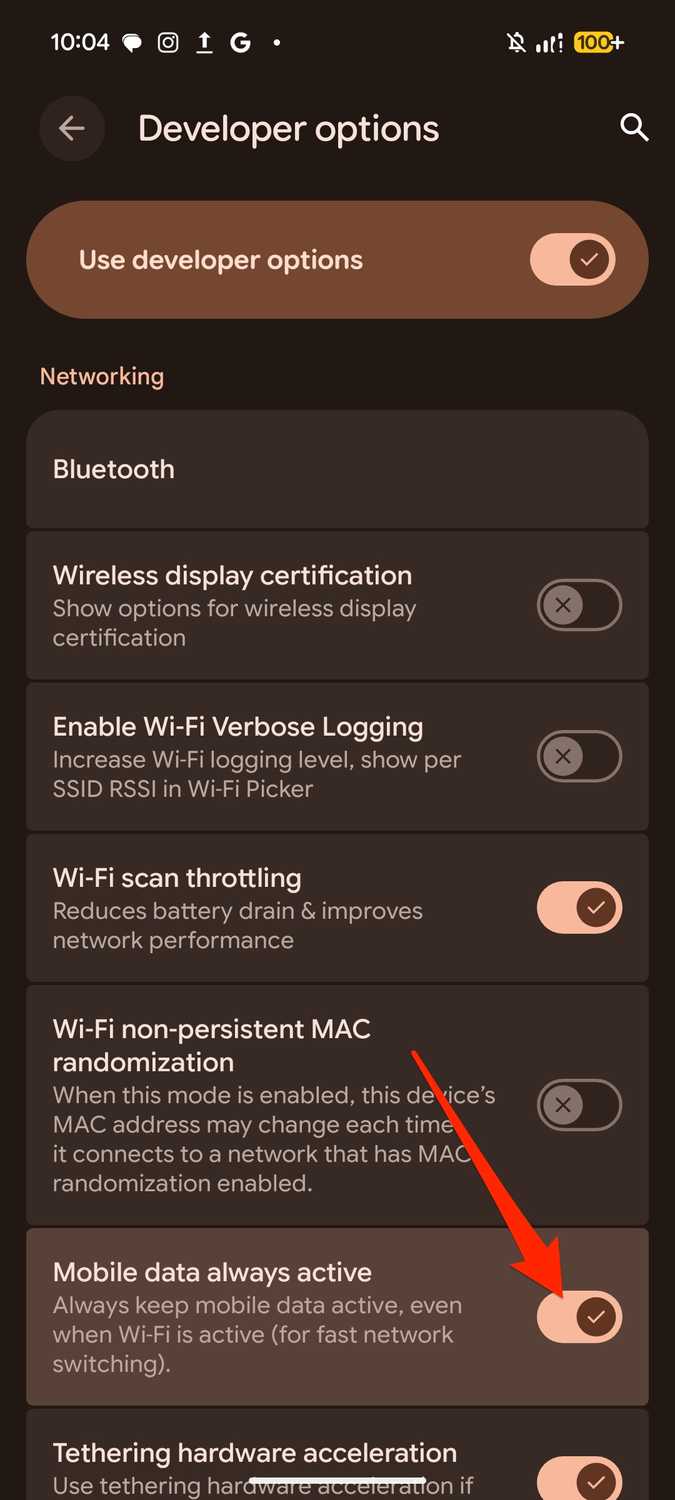
First, I turn off Mobile data always active under in Developer options. It's ideal if you switch between networks frequently, but it affects battery life for most people.
If your Wi-Fi drops, the phone instantly uses mobile data instead of reconnecting from scratch, and both connections run simultaneously.
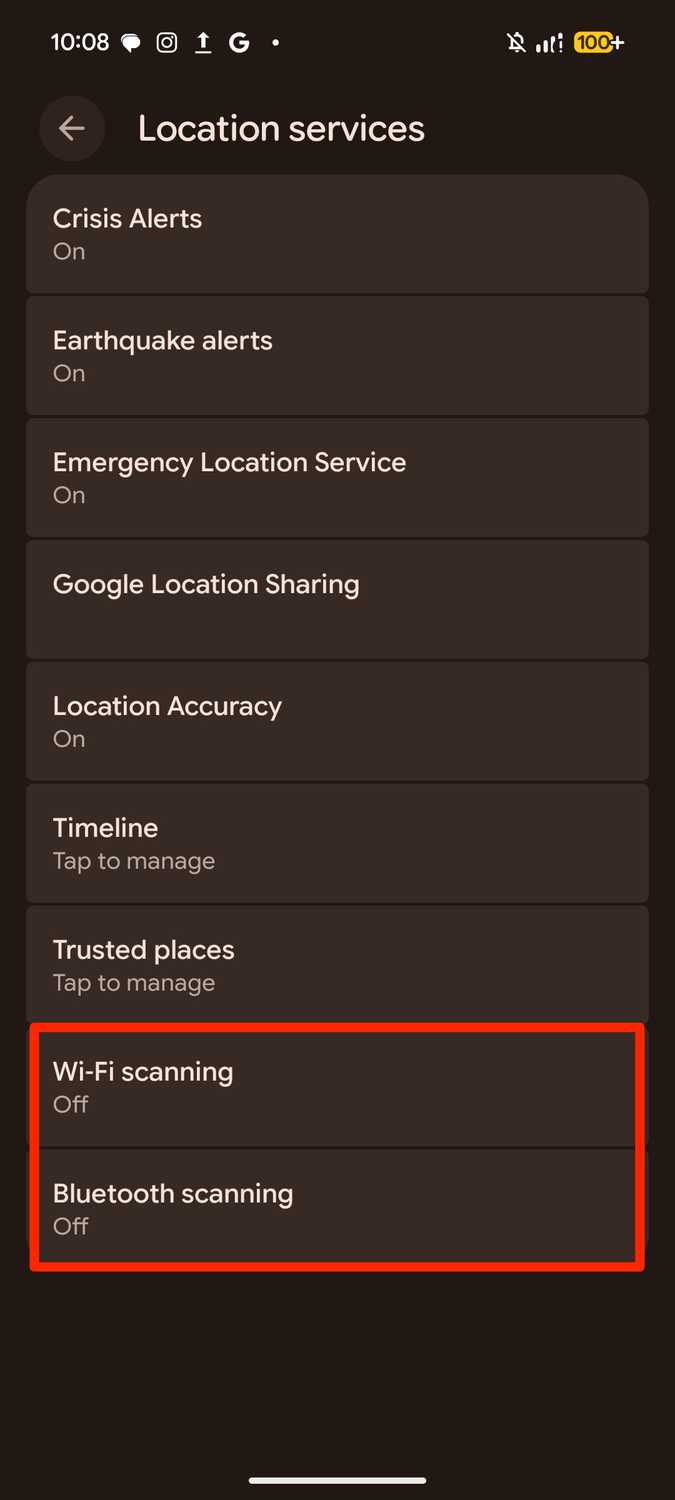
Next, I enter > > Location services to disable Wi-Fi and Bluetooth scanning.
With both on, my phone keeps checking for nearby Wi-Fi networks and Bluetooth devices, even when I've switched them off.
Because my phone's GPS reads satellites directly, disabling the settings doesn't affect navigation on the road.
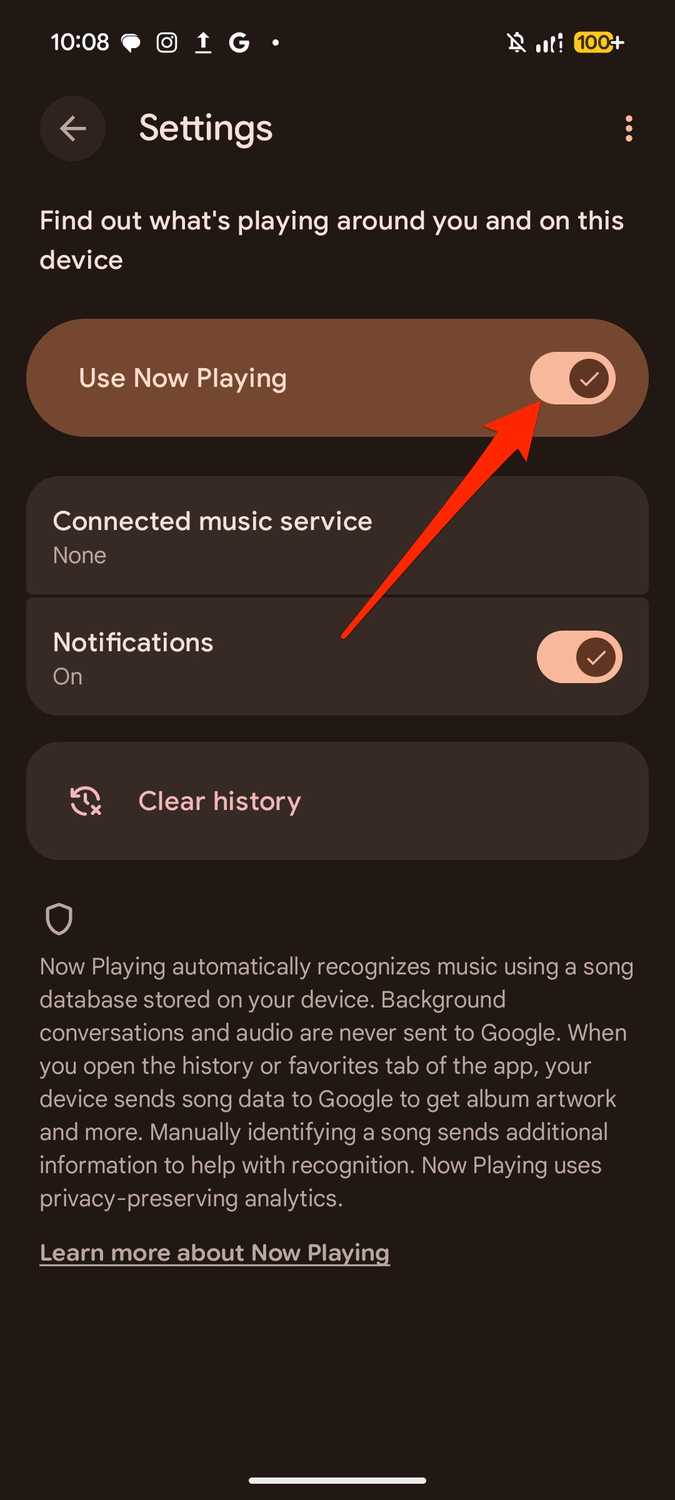
I also make sure to turn off the Pixel-exclusive to stop my phone from listening to the car's music.
Locate the app in your phone's and open it. Then tap the in the upper-right corner to find the .
Then I layer it all up with and keep access to my most essential apps, like Google Maps, Contacts, Phone, and others. Go to > > Battery saver to enable it.
There are more features around the phone that run discreetly in the background, and a road trip is an opportunity to review unnecessary settings.
Frankly, I haven't found the need to turn most of them on again afterward.
Fast charging in cars is not much of a mystery anymore
The secret is hiding in the port
Recently, I learned the technicalities behind fast charging, and it also made me look into car chargers. I've always seen car USB-A ports as useless because they hardly work and are always slow.
I assumed the sun probably fried them after years of the car sitting in a parking lot. Contrary to my beliefs, the real culprit was the port itself by design.
Many built-in USB-A ports in older cars were primarily made for playing music from a flash drive or connecting a phone to the infotainment system. Charging was mostly an afterthought.
A standard USB 2.0 port supplies 5 volts at 0.5 amps, which is just 2.5 watts. Better ports reach 1.5 amps, or roughly 7.5 watts.
Because USB-A connectors lack the Configuration Channel line a phone and charger use to negotiate a higher voltage over USB Power Delivery (PD), my Pixel remains at 5V.
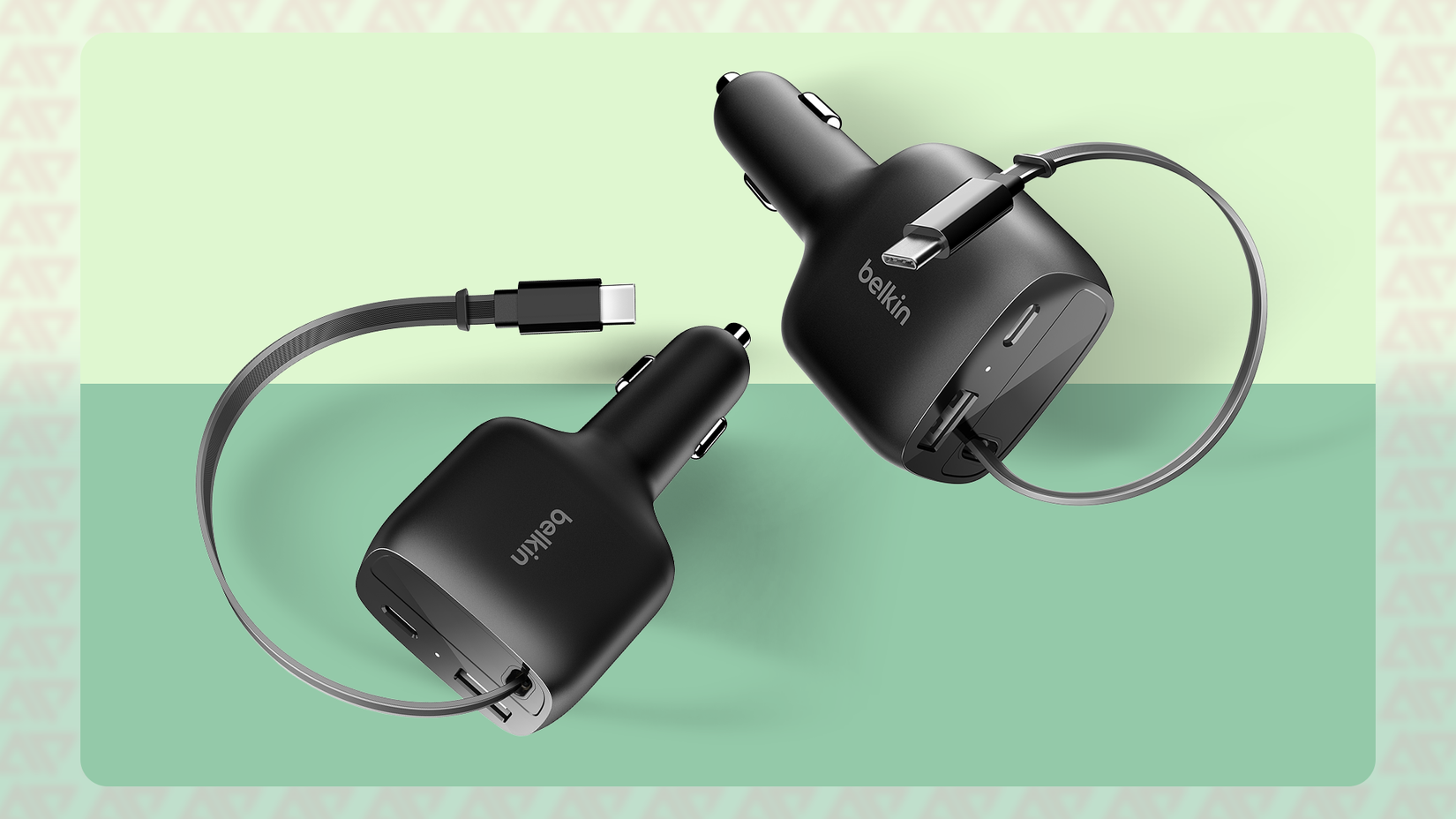
Before my last trip, I bought a USB-C PD charger for the socket in my sister's car to get the higher voltage my phone needs.
Any decent USB-C to USB-C cable should work with it without an electronic marker (e-marker) chip. Such cables carry up to 60W, which is more than my Google Pixel 8 needs.
I also made sure to remove the case and move the phone away from the dashboard to avoid heat, and I turned off the 80% charging limit.
While it protects my battery's health over the long run, I find that it's counterproductive on trips. I need every percent to get through the entire journey and cover unexpected delays.
Go to > > Battery optimization to disable it.
Make small tweaks for long hauls
Your Android settings can break or , and most of them take only a few minutes to change. If you have Android Auto in your car, your advantage goes up a notch.
Your infotainment system will benefit from everything you set up on your phone. For example, you can keep navigation and music on the dashboard while your phone cools off on a vent mount.
You can also use apps like Google Maps on a wider screen.