Sharing a pair of headphones with your partner can be romantic.
Whether you are watching a movie in silence so you don't wake the baby or swaying to Al Green on a spaceship to save the galaxy, this loving exchange brings people closer together, both literally and emotionally.
It's 2026, though, and there are better ways to listen to music and movies without swapping earwax with that special someone.
Android 16 introduced a new Audio Sharing feature that can make these moments even more special for everyone involved. That is, if you can get it to work.
What is Audio Sharing?
The feature that wants to make earbud sharing obsolete
Audio Sharing makes earbud sharing obsolete. It lets users stream audio from one device to multiple Bluetooth-enabled devices.
The feature works through Auracast and Bluetooth Low Energy (LE) Audio, which allows a single device to broadcast audio from music and streaming services to headphones, speakers, and hearing aids.
What devices are compatible with Audio Sharing?
You better be up-to-date on your headphone purchases
This is a classic good-news, bad-news situation for Audio Sharing on Android.
The good news is that most modern phones support Audio Sharing. If you have a smartphone newer than the Samsung Galaxy S23 or the Google Pixel 8 and it's updated to Android 16 or higher, you're good to go!
The bad news is that headphone and earbud compatibility is not nearly as inclusive. Your headphones must be Bluetooth Low Energy (LE) Audio compatible, which is less common than you might hope.
Flagship devices like the Google Pixel Buds, Samsung Galaxy Buds, and Sony WF-1000XM5 are compatible, but the first-generation Pixel Buds Pro won't allow for audio sharing, nor do older options like the Jabra 85h.
To make matters worse, Audio Sharing does not work with Apple AirPods. This isn't surprising given Apple's notoriously closed ecosystem, but with becoming operational between iPhones and Androids, I had high hopes.
This is a notable sticking point for Audio Sharing in 2026. A feature like this needs broad compatibility, and that is not the case for Audio Sharing on Android.
Does Audio Sharing actually work?
It's not just easy enough
My partner and I immediately ran into problems when trying to get Audio Sharing to work.
The lack of compatible devices was a start, but even when we got earbuds that are supposed to be LE Audio compatible, we still ran into issues connecting them.
We aren't alone either. Other users have reported serious connectivity issues, from LE Audio not being enabled by default to being unable to connect two allegedly LE Audio-compatible earbuds.
Audio Sharing could use a better user experience.
How to use Audio Sharing
Share a song today if you can
If you have an Audio Sharing-compatible smartphone and two LE Audio-compatible sets of earbuds, plus the luck required to get the feature to work, we walk you through how to do it yourself.
First, connect both pairs of earbuds, headphones, speakers, or hearing aids to your device's Bluetooth network.
Verify that LE Audio is toggled on in each paired earbud's Bluetooth device settings before starting Audio Sharing.
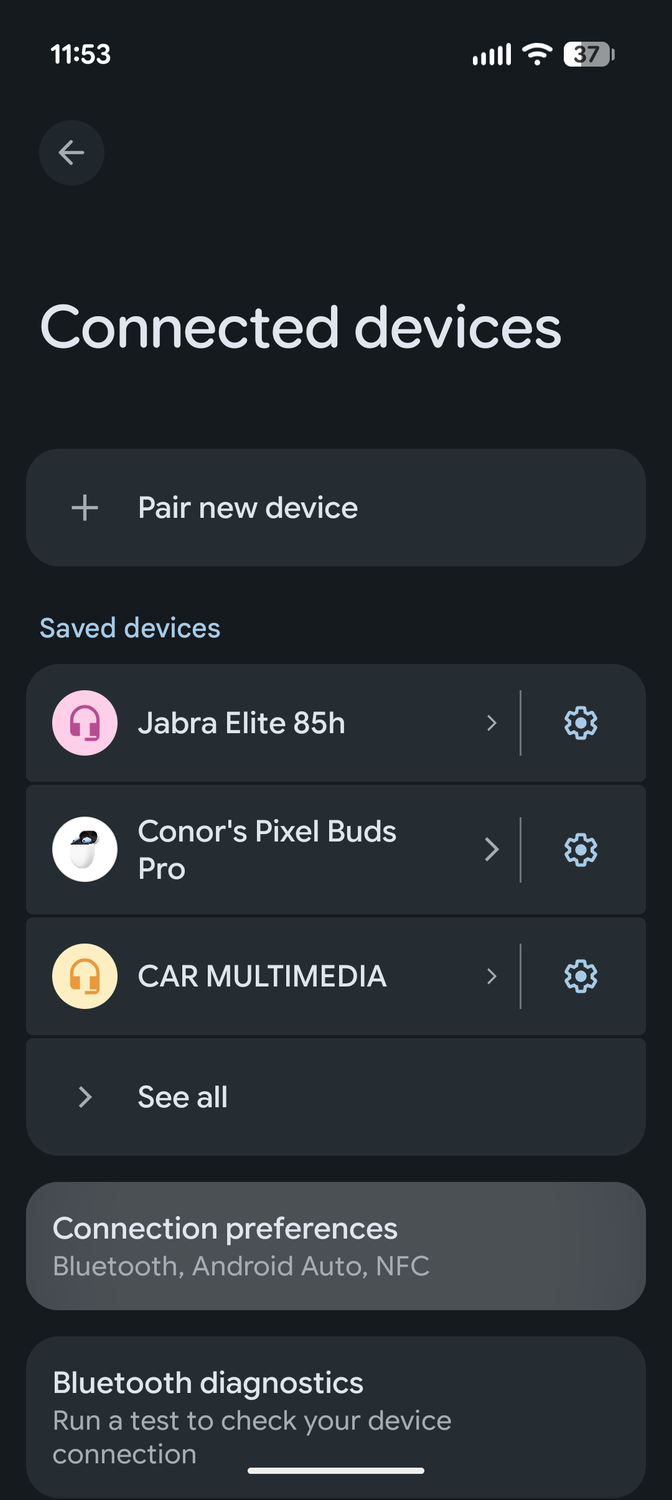
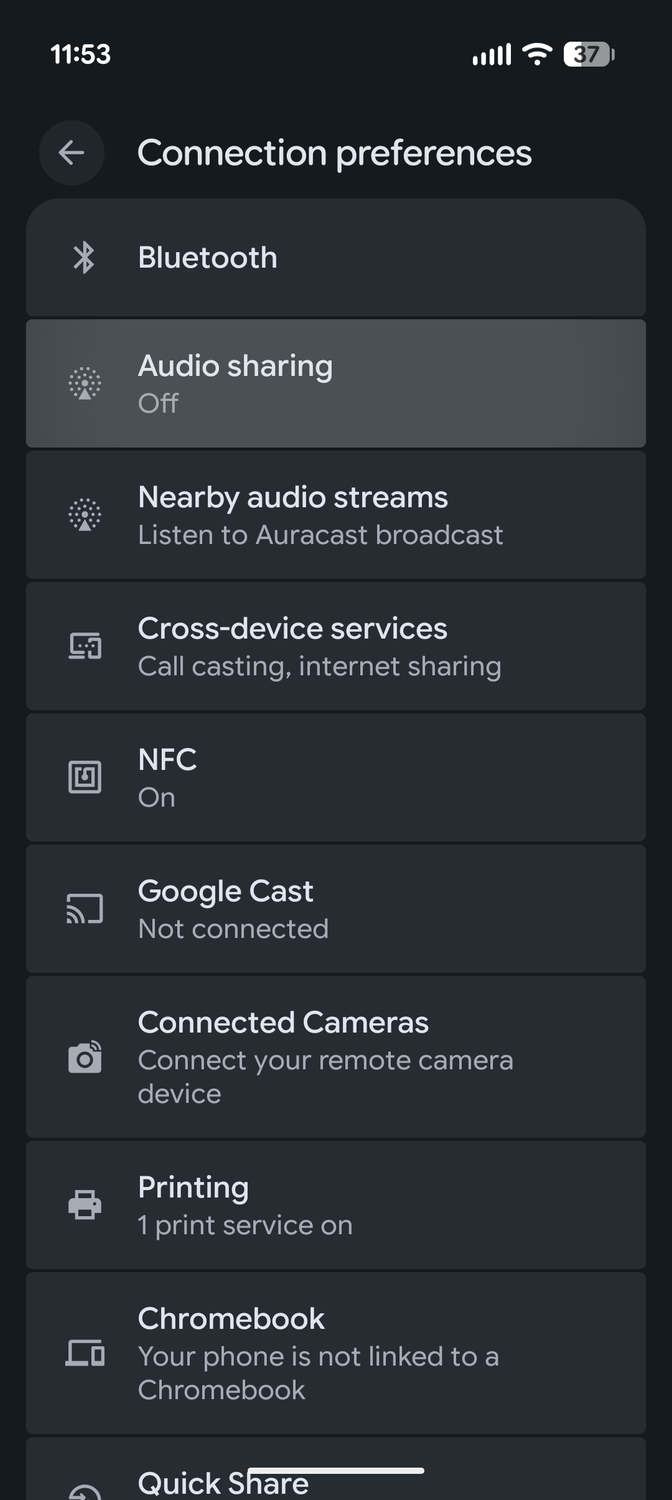
After Connected devices. Under the list of your devices, tap Connection preferences, and you'll see the Audio sharing option at the top beneath .
Samsung devices use a different One UI Auracast menu. Go to , tap the three-dot menu, and select Broadcast sound using Auracast.
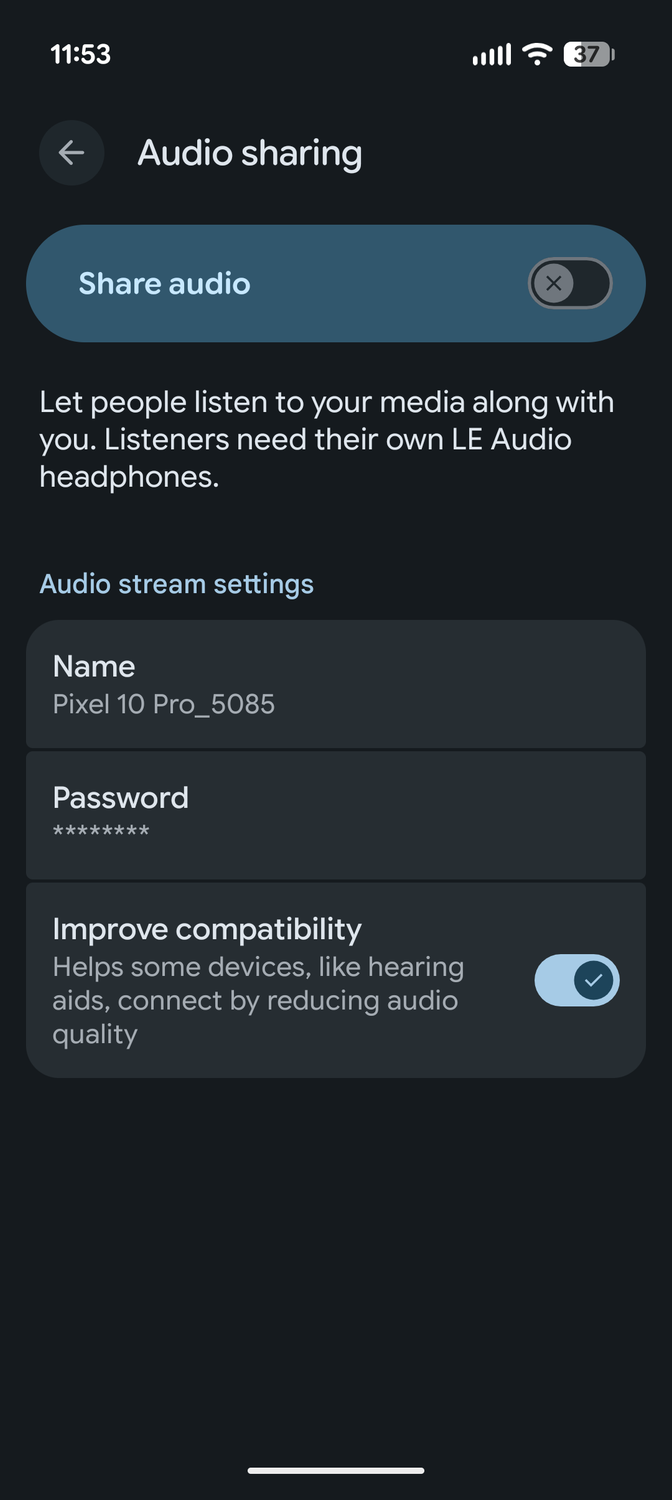
In the Audio sharing settings menu, you'll see a toggle to turn it on, an option to Improve compatibility (if only), and the name and password for your shared audio network.
After you toggle on the Share audio button, you can pick the devices you want to connect and listen to shared audio from one device on both.
The future is bright, though
Audio Sharing is a convenient feature, but the functionality isn't quite there yet.
Limited compatibility, combined with , means swaying to your favorite song with your partner may be less comfortable for now.