
Gemini now has a Memory summary that shows what it thinks it knows about you. Let me tell you one thing first. It's strange to read about yourself from an AI's point of view.
Some of it is right, some of it hasn't been true for a while, and some of it you'd rather it forgot. So naturally, you go looking for the delete button.
But this is Google we're talking about. It's naive to think it's that simple. Gemini got that detail from an old chat, and deleting the memory doesn't touch that chat at all.
Google's help page even tells you to go delete the chats yourself if you want Gemini to stop bringing something up.
Here's how Gemini's records fit together, and the three-step cleanup I use when I want something gone.
Gemini keeps your info in more than one place
And each one has its own delete button

The Memory summary is a short profile of you. It's built from the facts and preferences Gemini has picked up over time, and it's what Gemini leans on to personalize future replies.
It's also where you can see what Gemini thinks it knows and fix anything it got wrong.
Gemini Apps Activity is the full record of your conversations. It holds your chats and anything you shared in them, from photos and files to audio from Gemini Live. This is the raw material Gemini learns from when it builds your memory.
Connected Apps are a different layer altogether. They let Gemini reach into Google's own services, like Gmail and Calendar, as well as third-party apps, to pull in your data or get things done there.
This clears the fact but leaves the chat
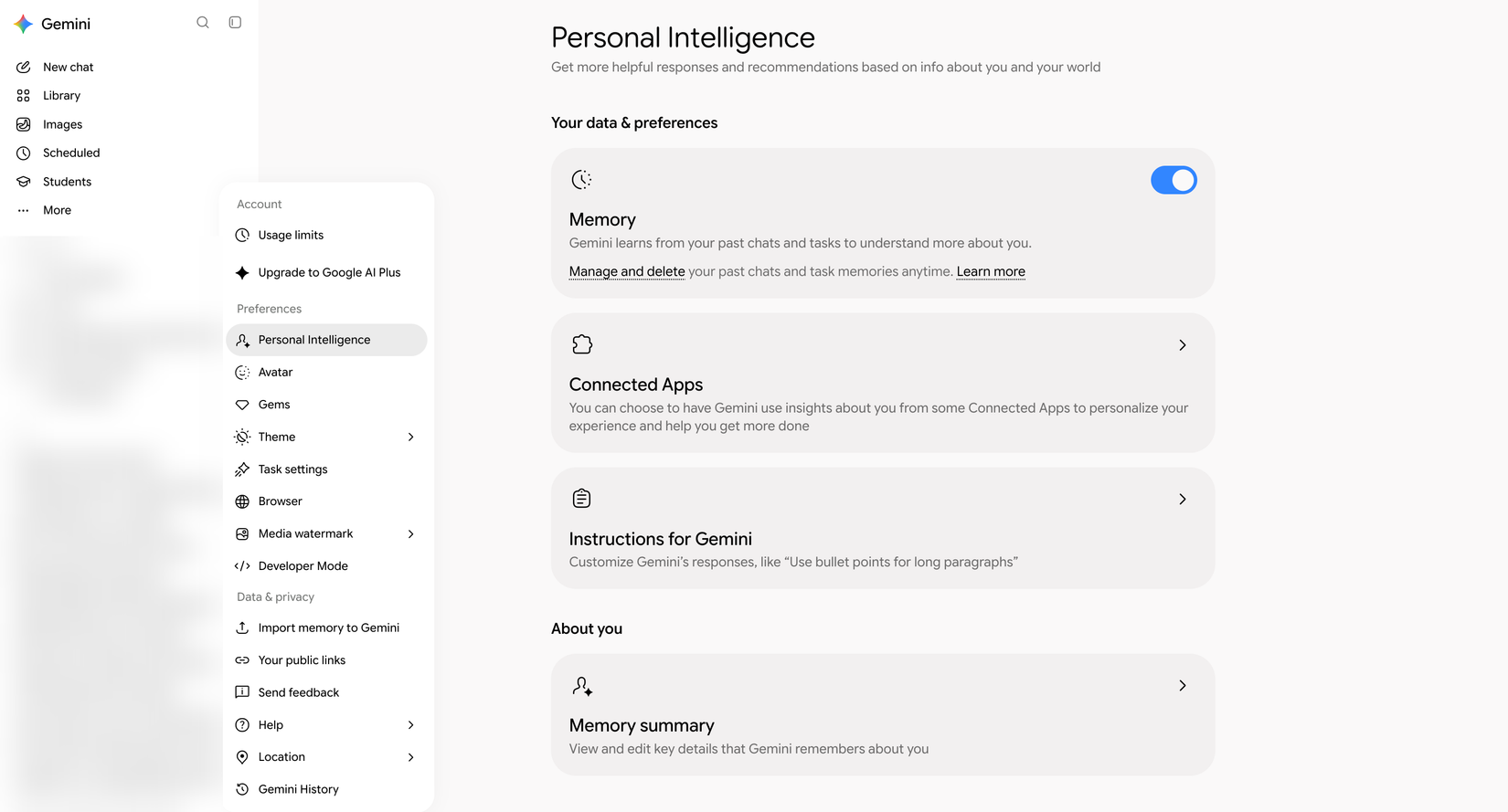
Click the gear icon in the bottom-left corner and head to Personal Intelligence > Memory summary. It's in the same spot in the mobile app.
Take your time going through it. You might find the job you left last year, the city you moved away from, or a diet you gave up after two weeks.
It could be a friend's personal situation you asked for advice about, a surprise gift you were planning, or a budget you mentioned once while comparing phones.
It's all stuff Gemini could bring up at the wrong moment. Delete anything that's out of date or that you'd rather Gemini didn't use anymore.
Deleting it here only removes the memory. Google's own help page says that to make Gemini forget something, you have to delete every chat that mentions it.
Step 2: Delete the chat it came from
Eighteen months is a long time to wait
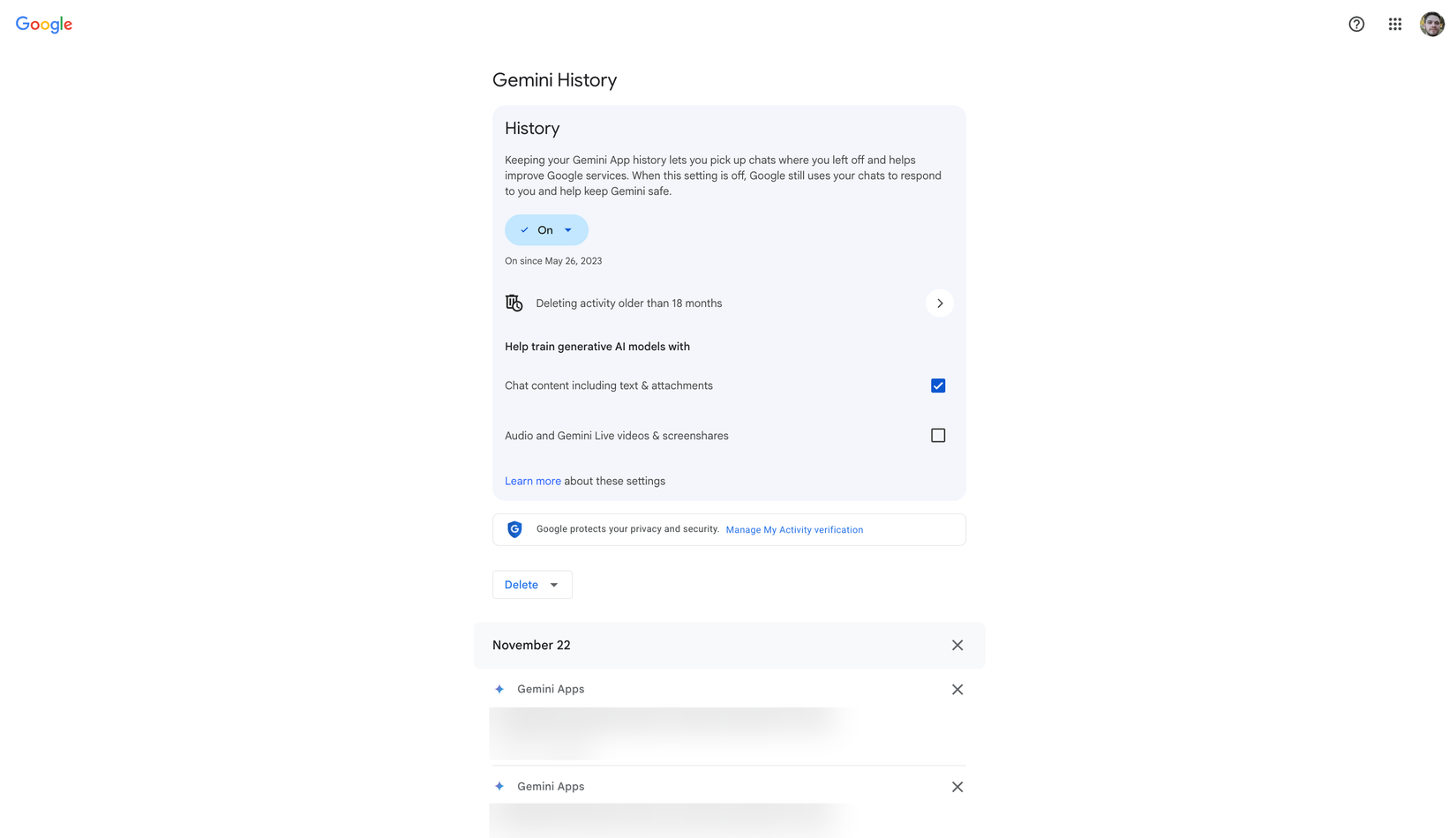
This time, after you click the gear icon, head to . You can delete one chat at a time, remove a single day, or go nuclear with Delete > All time.
Google also reshuffled the names recently (it does about as often as it launches a new messaging app), which doesn't help.
The old Keep Activity switch is now split into two settings. History decides how long your chats stick around, and a separate toggle decides if Google can train its AI on them.
Auto-delete is handy, but it's not the same as deleting something today. Google clears your history after 18 months by default. You can bring that down to 3 months, push it to 36, or keep everything forever.
Now time for the caveats. Switching History off won't make your chats disappear on the spot. Google holds on to them for around two months. Until recently, that was 72 hours, so it's a big jump.
The part you can't touch is the chats human reviewers have already seen. Google cuts them loose from your account before review, and deleting your history doesn't remove them. Those can stick around for up to three years.
So no, this is not an instant wipe of every copy. Deleting your history clears the chat from your account, but a reviewed copy can outlast it.
Step 3: Check connected apps and saved instructions
What's already shared stays shared
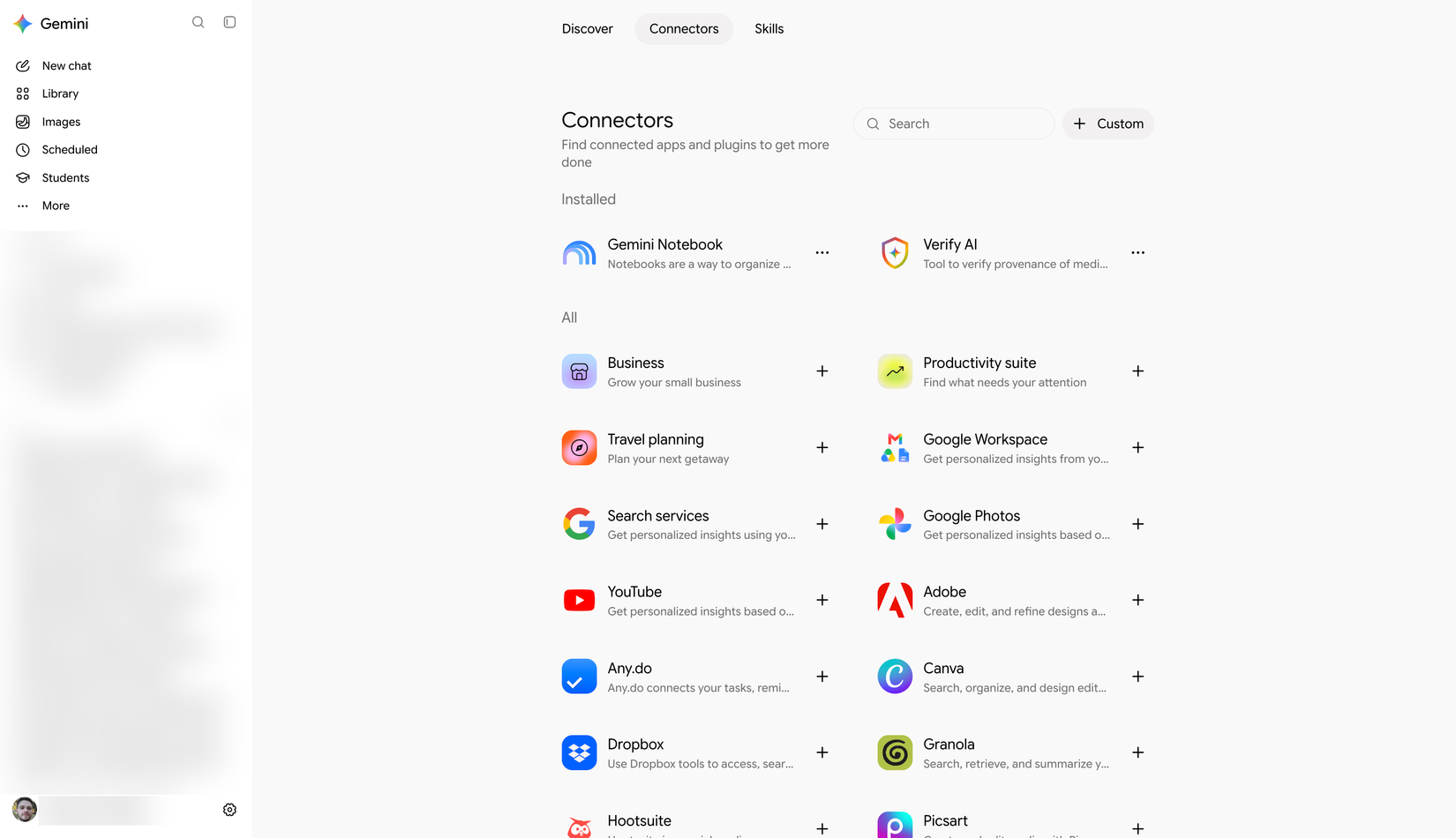
If the detail came from a connected Google service like Gmail or Drive, you'll need to clean up both the source and the connection.
Open Personal Intelligence > Connected apps. Then choose More options > Disconnect.
Pulling the plug on an app won't undo what's already happened, and Google's privacy page is blunt about it.
"Disconnecting an app or deleting data in a connected app doesn't delete any data from Gemini History." The point of disconnecting is to stop this from happening again.
It works the other way too. Deleting your Gemini history doesn't delete data that other apps have already received from Gemini, and those apps keep it under their own policies.
Last, check Instructions for Gemini under Settings > Personal Intelligence (some regions still call it Saved info).
Delete any standing instruction if it repeats the fact you're trying to scrub. Google keeps these instructions separate from the facts Gemini learns from your chats. They stay saved until you delete them yourself.
Gemini can forget, but Google takes longer
To be fair, the Memory summary is a good addition. It's the first time Google has shown its homework, and it's oddly useful to see yourself through an AI's eyes.
But it's also the friendliest part of a much bigger filing system, and everything behind it takes more work to clean up.
The biggest change for me was rethinking what I tell Gemini in the first place. The easiest data to delete is the data you never handed over.
Temporary Chat helps with that, though even those chats now stay with your account for around two months.
These days, before I mention anything personal, I ask myself whether I'd be okay hearing it read out in a courtroom a year from now.