Bringing older speakers online is a great way to extend their life.
We may receive a commission on purchases made from links.
Home audio systems have seen a lot of changes in the last 15 years, and most current receivers and surround sound systems include some form of wireless connectivity. If you're using an older home audio system, vintage stereo or audio-video receiver (AVR) and want to use it with your phone, you can easily do so by connecting a dedicated music streamer. Doing so lets you connect your vintage audio gear to your home Wi-Fi network and use AirPlay or Google Cast to stream music, using your phone as a remote.
Google's $35 Chromecast Audio laid the groundwork for this category a decade ago. The humble dongle made it possible to connect older stereo systems to Wi-Fi and play music via Spotify and other music streaming platforms. While the Chromecast Audio has been discontinued (Google has a tendency to do that), there are other streamers and devices that make it easy to bring your vintage music gear online.
Don't just buy a Bluetooth receiver — get this instead
An easy route to connect a vintage stereo to your phone is a Bluetooth receiver. You can get one for under $25 and pair it with your phone, allowing you to send music to the stereo. That said, you miss out on the convenience of using Google Cast and AirPlay, and more often than not, you won't get a lossless signal. Even if you're using Apple Music or Spotify in lossless mode, the Bluetooth codec that transmits the signal (usually Subband Codec (SBC) or Advanced Audio Coding (AAC)) from your phone to the receiver ultimately dictates the connection quality.
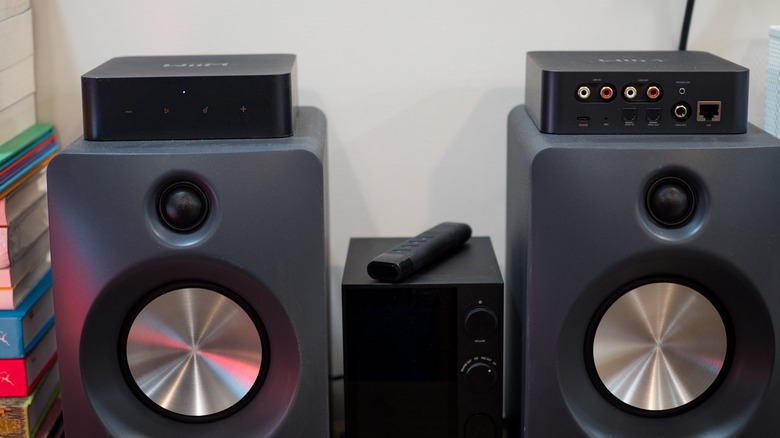
This is why a dedicated music streamer is a much better choice. It can offer lossless streaming, increased versatility in the number of inputs and outputs, multi-room audio, Wi-Fi connectivity and high-res streaming. If you have a vintage audio system and are looking for a reliable way to connect it to your home network and play music, the WiiM Pro and WiiM Pro Plus are good products to consider.
The $169 WiiM Pro brings extensive connectivity to older audio systems. It has Google Cast, AirPlay 2, Tidal Connect, Spotify Connect, Roon Ready and Bluetooth 5.0. You can easily set up multi-room audio by setting up two or more units of the WiiM Pro, or integrating it with existing Google or Amazon Echo devices. It features a Texas Instruments PCM 5121 DAC (Digital to Analog Converter), both line-in and line-out optical connectivity and a coaxial output. This allows you to use the WiiM Pro with powered speakers, passive speakers (when connected to an external amplifier) or just as a way to bring network streaming to an existing DAC that's connected to your stereo. The $249 WiiM Pro Plus has the same design and features as the Pro, but has a better DAC (AKM 4493SEQ) and comes with a bundled remote.
If you don't need all the inputs that the WiiM Pro offers, the $89 WiiM Mini is a much better value. It's a puck-sized device with 3.5mm connectivity, and it's the easiest way to connect an older stereo or receiver to your home network. At the other end of the scale, the $349 WiiM Ultra has a better DAC than the Pro Plus (ESS ES9038 Q2M) and features HDMI ARC, in addition to the usual analog and digital connectivity options, plus a built-in screen showing album art and other useful details. In addition to WiiM, Alyric's $99 LP10 and $199 LP20 are good alternatives that provide a similar feature-set.
Using a passive stereo? This is the ideal choice
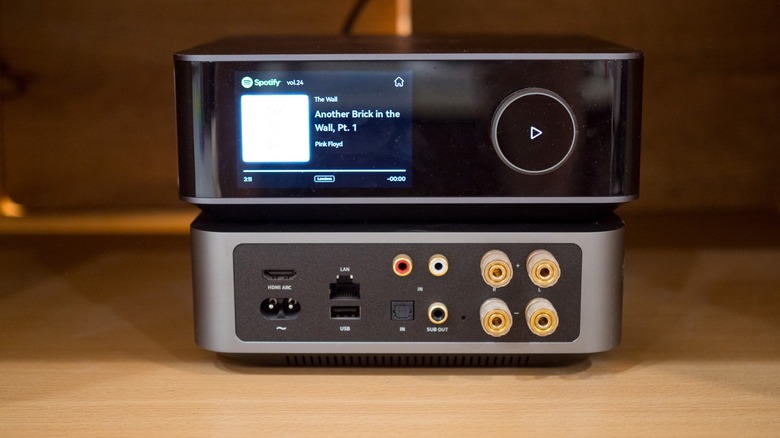
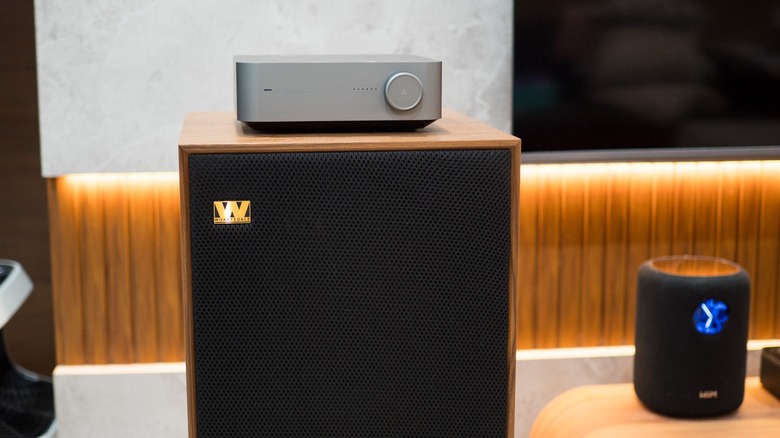
If you have passive bookshelf speakers and want an amplifier that enables Wi-Fi connectivity, you should consider WiiM's $549 Amp Ultra. It's my go-to choice for a streaming music amplifier. I have it connected to my Wharfedale Linton, and it's a solid pairing that unlocks the potential of the bookshelf speakers. It delivers 100W a channel at 8-ohms and 200W at 4-ohms via two TI TPA3255 amps, which is more than enough power to drive most speakers. It has an ESS ES9039 Q2M DAC, a built-in screen, Wi-Fi 6, Bluetooth 5.3, Google Cast, Tidal Connect, Spotify Connect, DLNA and Roon Ready.
Another bonus is HDMI ARC connectivity allowing you to connect an older home audio system to your TV. I initially considered pairing the Linton with a traditional AVR, but after using the Amp Ultra, I didn't see the need. If you don't need a screen or as much power to drive your passive stereo system, the $329 WiiM Amp is a good choice. It offers 60W at 8-ohms and 120W at 4-ohms, and includes HDMI ARC alongside all the other connectivity options.
It's not just about connectivity
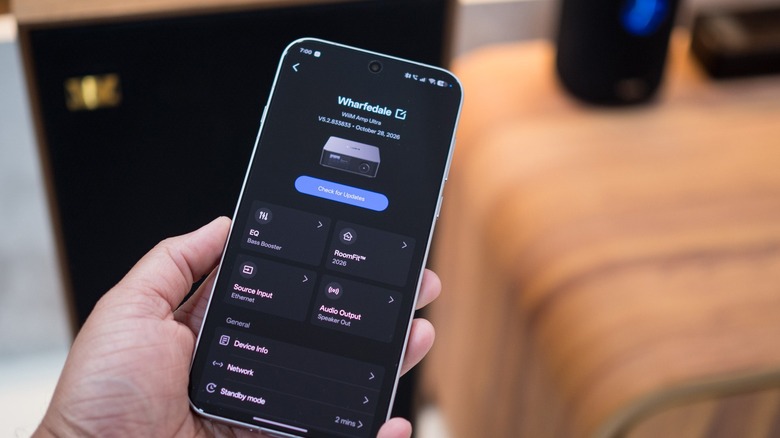
The biggest selling point of WiiM's Amp Ultra, Ultra, Pro and Pro Plus is room correction. It makes a big difference to the sound, and WiiM's RoomFit feature uses acoustic measurements to test and adjust the frequency curve of your audio system based on your listening position. The best part is that you can do this with your phone. I use a WiiM Pro with a Marshall Stanmore and the Pro Plus with powered bookshelf speakers, and room correction ensures I get the best sound out of both products.
WiiM also has a terrific mobile app that makes it easy to adjust settings of the Amp Ultra (and all of its other products). It lets you link your music streaming platforms with the service, which is useful if you just want to use one app to control music playback.
Essentially, a network music streamer is all about convenience. Products like the WiiM Pro and Amp Ultra make it easier than ever to connect an older home audio system to your Wi-Fi network and stream music. For many audiophiles, it's better than buying a stereo or HiFi system with built-in smarts, as it gives you greater flexibility to add to or upgrade your audio system as needed.