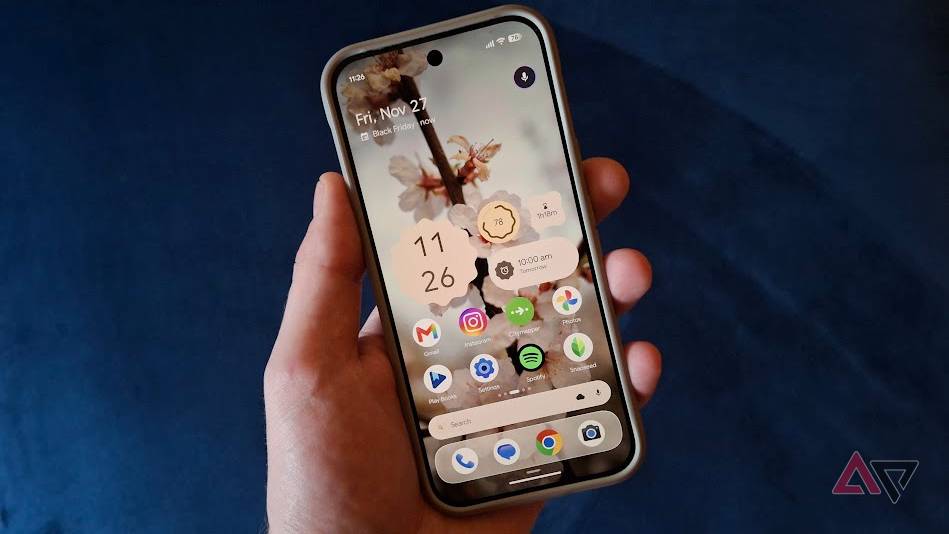
Despite Google insisting that I do have November's Pixel Drop installed on my Pixel 10 Pro, I'm still missing half the features. Frustratingly, one of them is the new , the Pixel 11 launch feature I was most jealous of.
So, while I waited, I began exploring alternatives. But rather than finding a new search app, I stumbled across a launcher that turned my Pixel's home screen into a dashboard showing everything I needed to see.
Local Lens is a powerful launcher packed with useful tools
Prebuilt widget pages with everything I need
As a rule of thumb, the more swipes and taps it takes to access a feature, the less likely I am to use it. But I also don't enjoy cluttering up my home screen with widgets.
Most launchers operate on the same principle: multiple home screens where you can rearrange apps and widgets to your liking. Some, like Niagara, don't follow this rule, but they tend to be significant outliers.
Local Lens has five home screens, but each serves a completely different purpose.
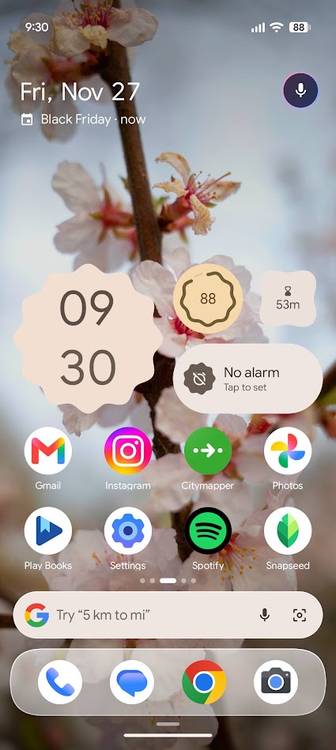
The first screen you see when you open your phone looks like a standard launcher screen, with one key difference. Widgets cannot be customized. While they can be removed, you cannot swap out the clock, battery, screen time, and battery widgets.
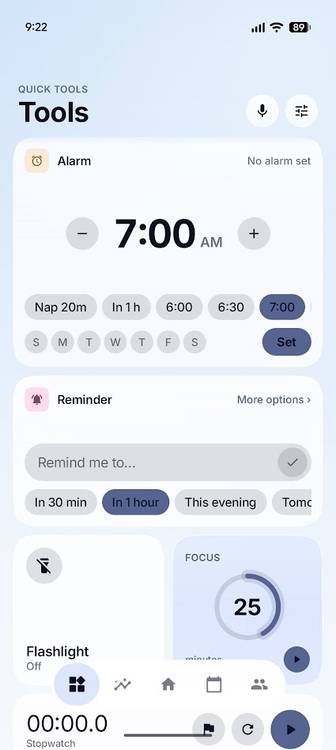
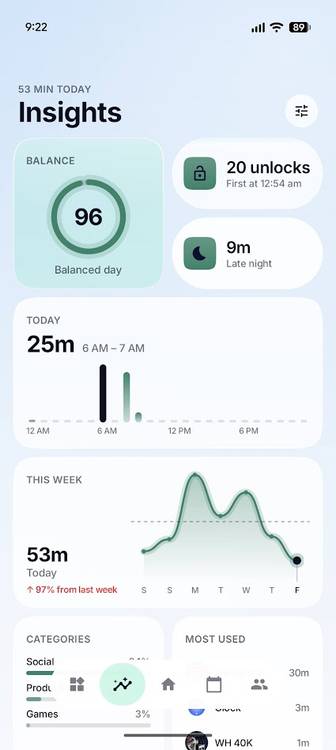
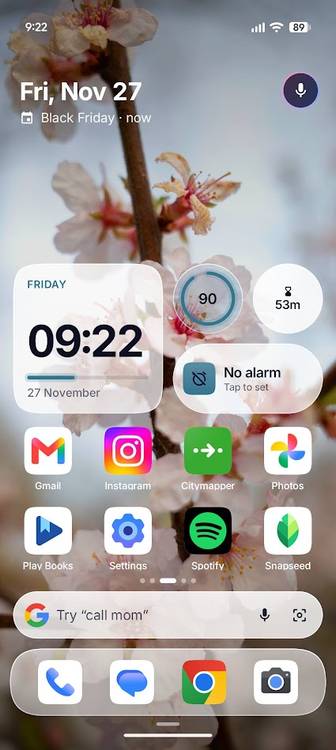
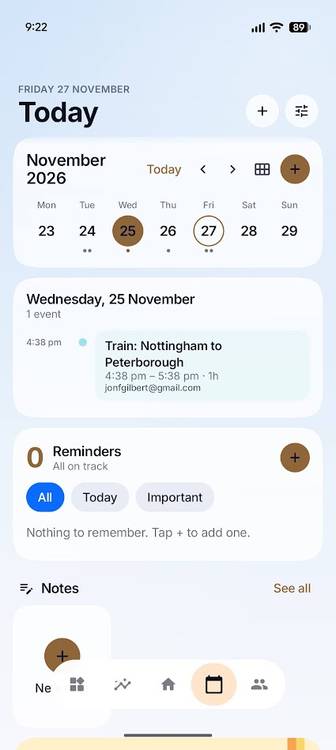
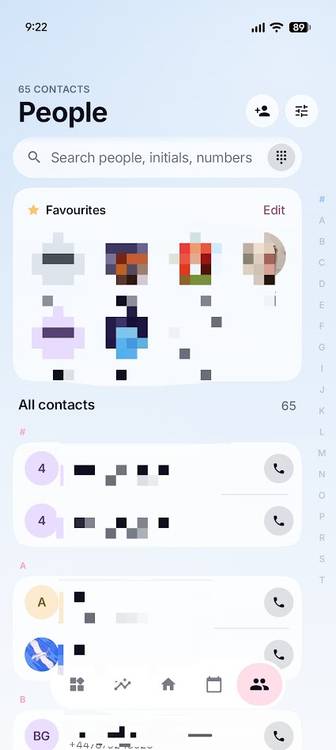
This is because Local Lens packs the widgets into unique home screens accessed by swiping left or right.
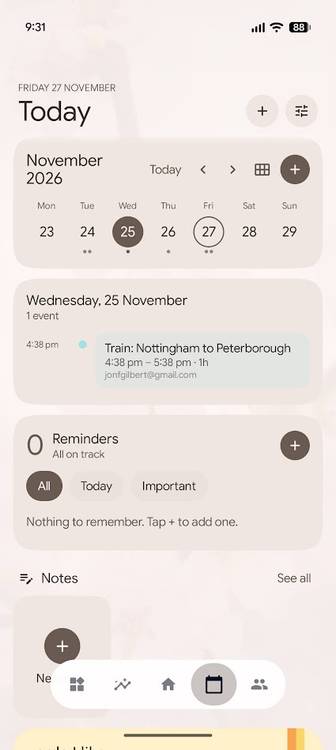
If I swipe left, I access the Today screen, where I can see my calendar, events, reminders, and notes. Everything is clearly laid out, and the widgets all sync with native apps (e.g., Google Calendar, Tasks) where possible.
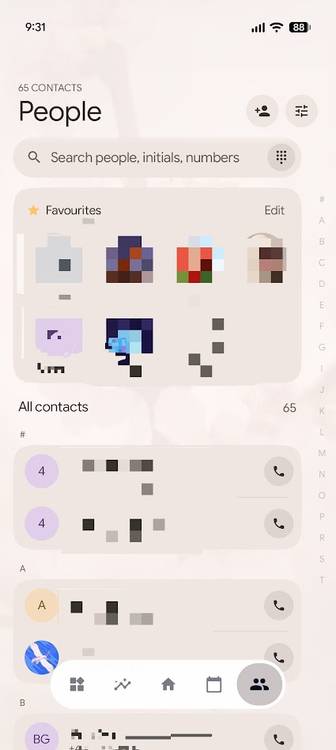
Swipe left again, and I access the contacts screen. Local Lens syncs with my phone's contacts, so all my favorites are right where I want them.
If I swipe right from the main screen, I see a detailed breakdown of my phone usage. At a glance, I can see how many times I've unlocked my phone, how long I've used it, weekly trends, most-used apps, and a tool to .
Swipe right one more time, and I can access useful tools like an alarm, reminder, flashlight, Pomodoro timer, stopwatch, unit converter, and select quick settings tiles.
There's also a media page locked behind a one-time purchase.
Out of the box, Local Lens presents me with nearly all the widgets and tools I use on a regular basis. But of course, it can be customized.
Customization is limited, but it's not a problem
There's not much I want to change
I've enjoyed using Local Lens as is, but over time I've been customizing it to bring more relevant tools front and center. Customization options are admittedly limited, but I can add any widget I want to the Today page.
By default, Local Lens uses a stark theme that clashes with my Material You desires. Fortunately, the developers added a theme called You, which, you guessed it, adds a Material You style to the launcher.
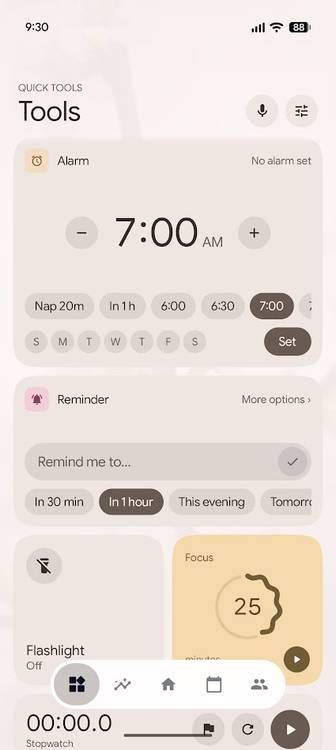
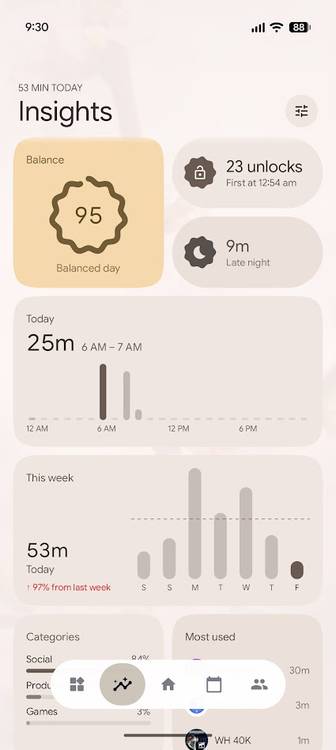
It's a good thing Local Lens places so many tools where I need them, because I am a little disappointed in its customization options. Not being able to modify the main screen's widgets is deeply frustrating, and it shouldn't take two swipes to check the weather.
Nevertheless, there are enough options to give me what I need.
But let's jump back to the start of this adventure. I was looking for a Pixel Search replacement, and I can use Local Lens for that without ever switching launchers.
Local Lens' search bar is exactly what I wished Google's search widget was
I can finally add the shortcuts I want
I've enjoyed using Local Lens as a launcher, but for long-term use I'll be relying on its widget. It's essentially a heavily customizable Google Search widget that also searches local storage.
It's not as comprehensive as Pixel Search, but it's still impressive. Plus, I can customize the shortcuts, add a music player, remove all Google branding, change what appears in the search text, and choose which engine it searches with.
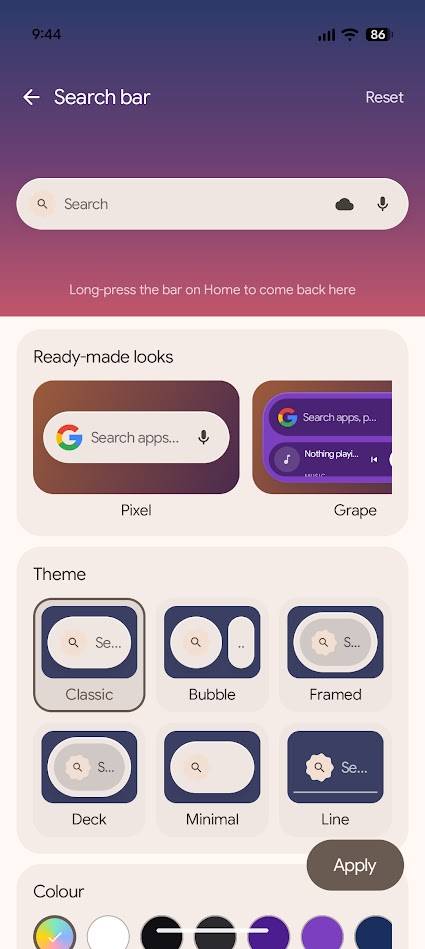
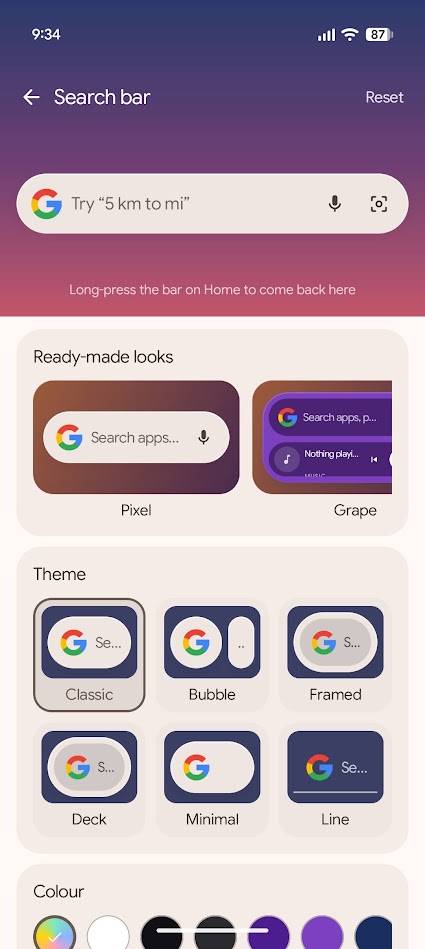
It's worth installing Local Lens just to replace Google's search widget. I also love that tapping the widget shows relevant reminders and information, not just a list of recent searches.
For AI fans, it can be linked to the AI assistant of your choice, making it a convenient shortcut to Gemini.
Another third-party app that shows up Google
Whether I'm using the launcher or the search widget, I continue to be impressed by the clever way Local Lens presents information. It's the perfect launcher for people who love numbers and graphs, but I would recommend it to everyone.
At the very least, I can say that it is a significantly better search widget than Google's. Local Lens is free to download; the Pro version provides some optional upgrades, but they certainly aren't vital.