
Most of us have subscriptions to various services and often lose track of what we're paying for.
That's exactly what happened to me when I noticed I had less money left to spend because so much was going to subscriptions I didn't really need.
These ranged from streaming platforms to services I tried but forgot to cancel. I call these "zombie" subscriptions because they are often tied to niche apps I tried once.
That's when I realized I could use Google to identify where my money was going and how to curb my subscription expenses.
Gemini found subscriptions I had completely forgotten about
Weeding out the sneaky subscriptions
I use Gmail for all work-related and bill emails, but I get a lot of spam, which makes it harder to find receipts and subscription emails.
But after I connected Gemini to Gmail, I found a way to weed out subscriptions from my inbox and credit card statements.
To connect Gemini to Gmail, go to Gemini's Settings > Personal Intelligence > Connected Apps and turn on . This lets Gemini read your inbox and also works with other Google apps such as Keep, Tasks, Calendar, and Docs.
I also recommend connecting Google Wallet if you use that for payments, as you can get a deeper history via Plaid.
This method may not work with other email clients unless Gemini supports them. Gemini only reads your inbox and cannot move money or cancel subscriptions automatically.
Because my Gmail was already connected to Gemini and I had used a method to track my credit card statements so I never missed a bill, that same process could also work for subscriptions.
So I derived a prompt from Gemini itself that would scan all my emails, statements, and Google Wallet to show me where my money was going. Here's the prompt Gemini gave me:
Scan my Gmail and linked credit-card/Wallet transactions for all recurring subscriptions and charges. List each service, amount, billing frequency, last charge date, and whether the price has increased recently. Flag anything I haven't used or that looks like a forgotten trial.
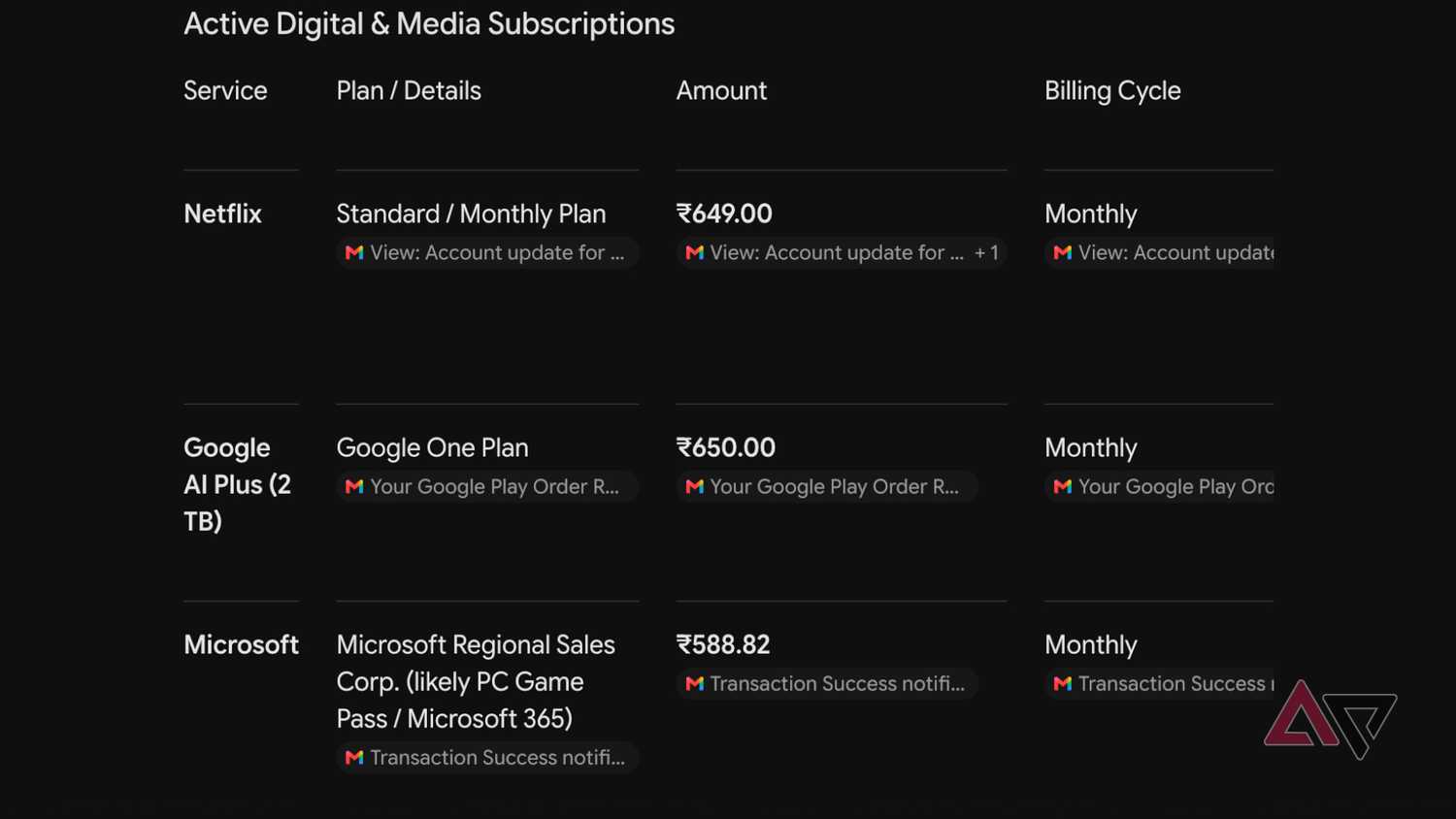
After I used the prompt, Gemini listed all my recurring subscriptions from various sources, and to my surprise, I found a few I could save money on.
Some were zombie subscriptions that I no longer needed, while others could be remedied by switching plans or finding alternatives.
To leave no stone unturned, I also used a few follow-up prompts in the same chat to get more information. These included:
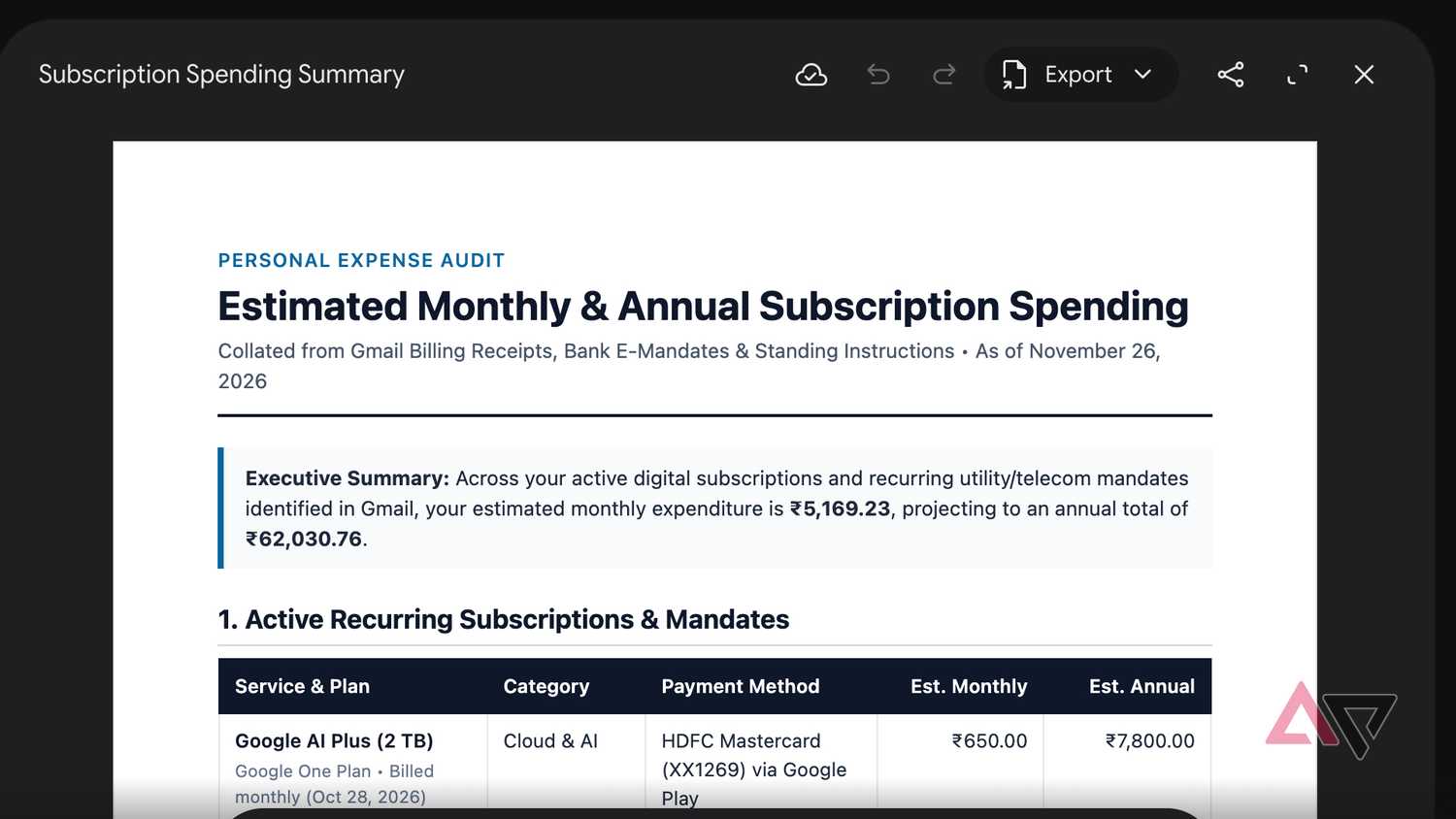
- Estimate my total monthly and annual subscription spending and present it as a table in PDF format.
- Pull information from recent credit card statements, Google Wallet history, and confirmation emails in case you missed any other subscriptions.
After I was satisfied with the results, I started listing all the subscriptions I could live without. To stay on top of things, I also set up this workflow as a scheduled action that runs once a month so I can keep finding any other zombie subscriptions I might have missed.
How Gemini helped me save money on recurring subscriptions
It really did work
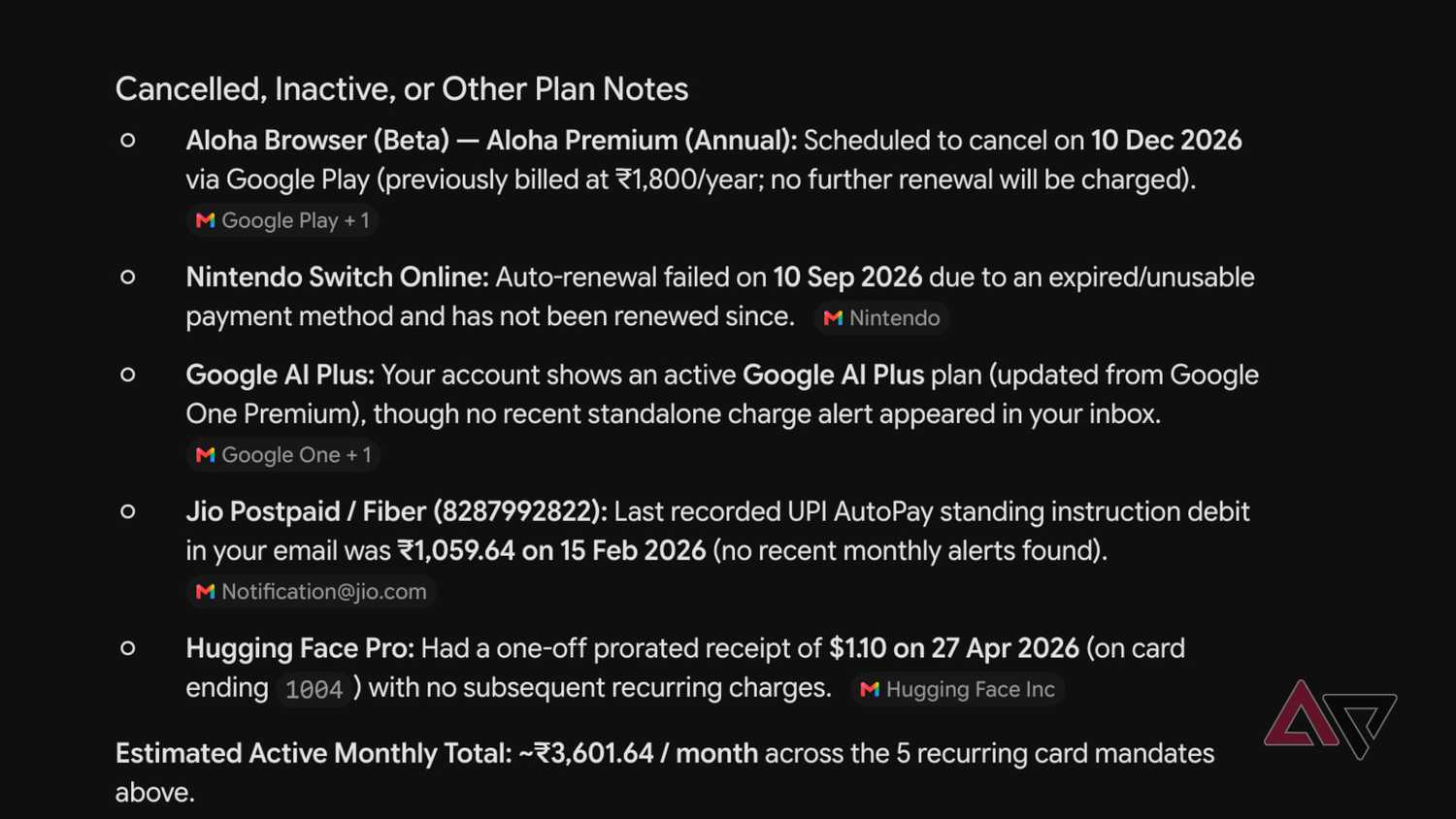
Gemini listed all subscriptions that were currently active, as well as any I canceled recently. It also found subscriptions with price increases I never noticed. It identified a zombie subscription from Hugging Face that I no longer needed.
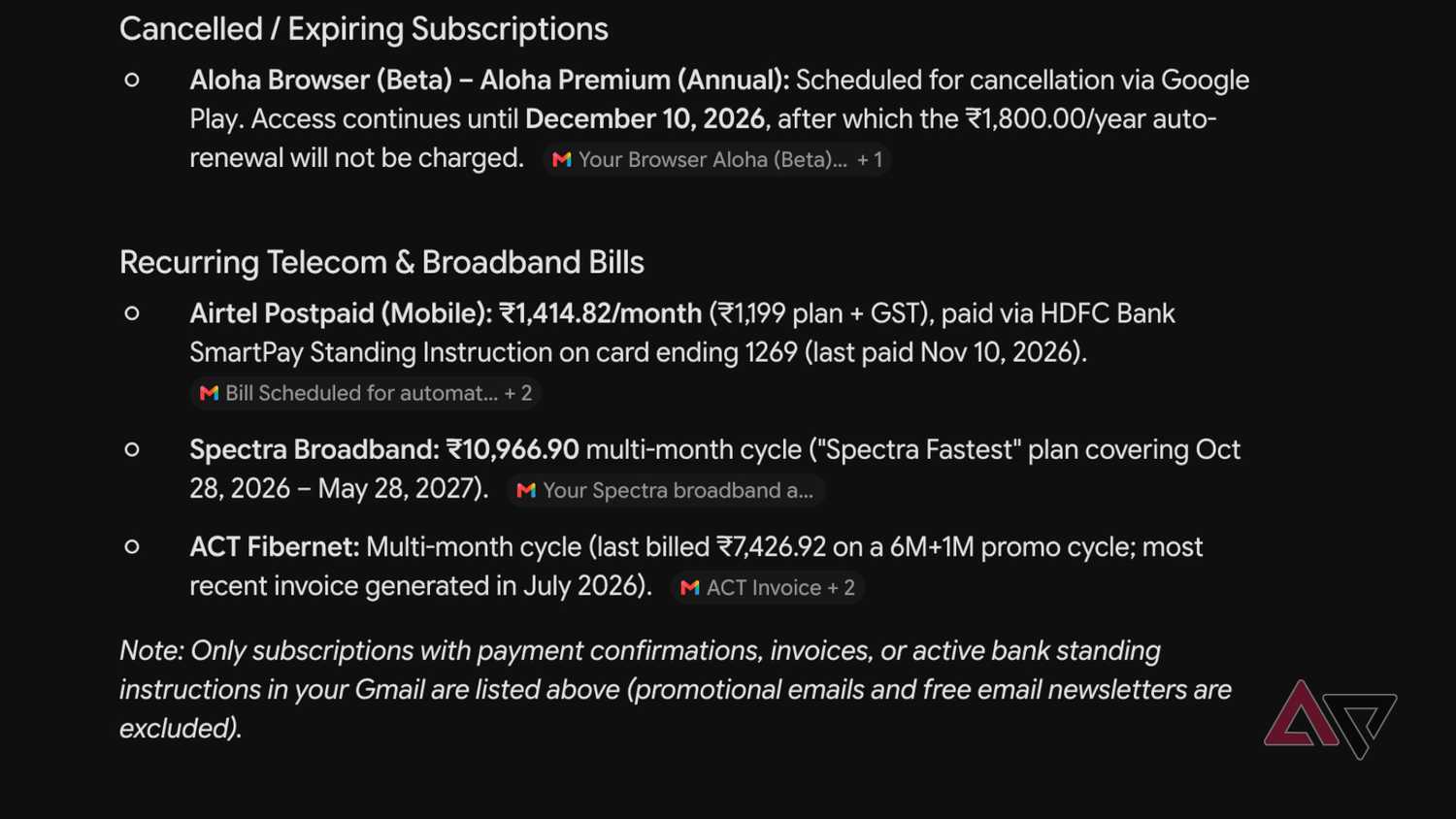
While reviewing the list, I found subscriptions for the Aloha browser that I no longer needed after switching to Brave a while ago.
But one necessary subscription that could be remedied was my broadband connection.
Gemini considered it a recurring subscription even though it is a utility, and I'm glad it did. After noticing that expense, I searched for better deals from other internet service providers and found a company that offered more speed, higher download limits, and a lower price.
Needless to say, I made the switch and saved about $10 per month.
Similarly, I saved about $25 more by unsubscribing from Hugging Face and PlayStation Plus because I no longer used those services.
To my surprise, Gemini also identified subscriptions that lapsed because my credit card expired. I wasn't expecting that, but it showed that my Nintendo Switch Online subscription was not active and that I needed to resubscribe with my new card.
It's important to double-check all amounts and merchants against your statements for accuracy. You also have to unsubscribe from each service manually, as Gemini can't do that.
Related: I used Gemini to scan and organize 400 physical games to avoid an app's subscription
Gemini helped me save more money when I needed it most
With the rising cost of living, saving money on recurring subscriptions can make all the difference, especially if you don't need them or aren't aware of them.
Thankfully, I found a workflow that helps me spot unwanted subscriptions and reminds me every month if I slip up.
If you've connected your Gmail to Gemini, I recommend trying this method and letting me know in the comments whether you managed to curb subscription costs as I did.