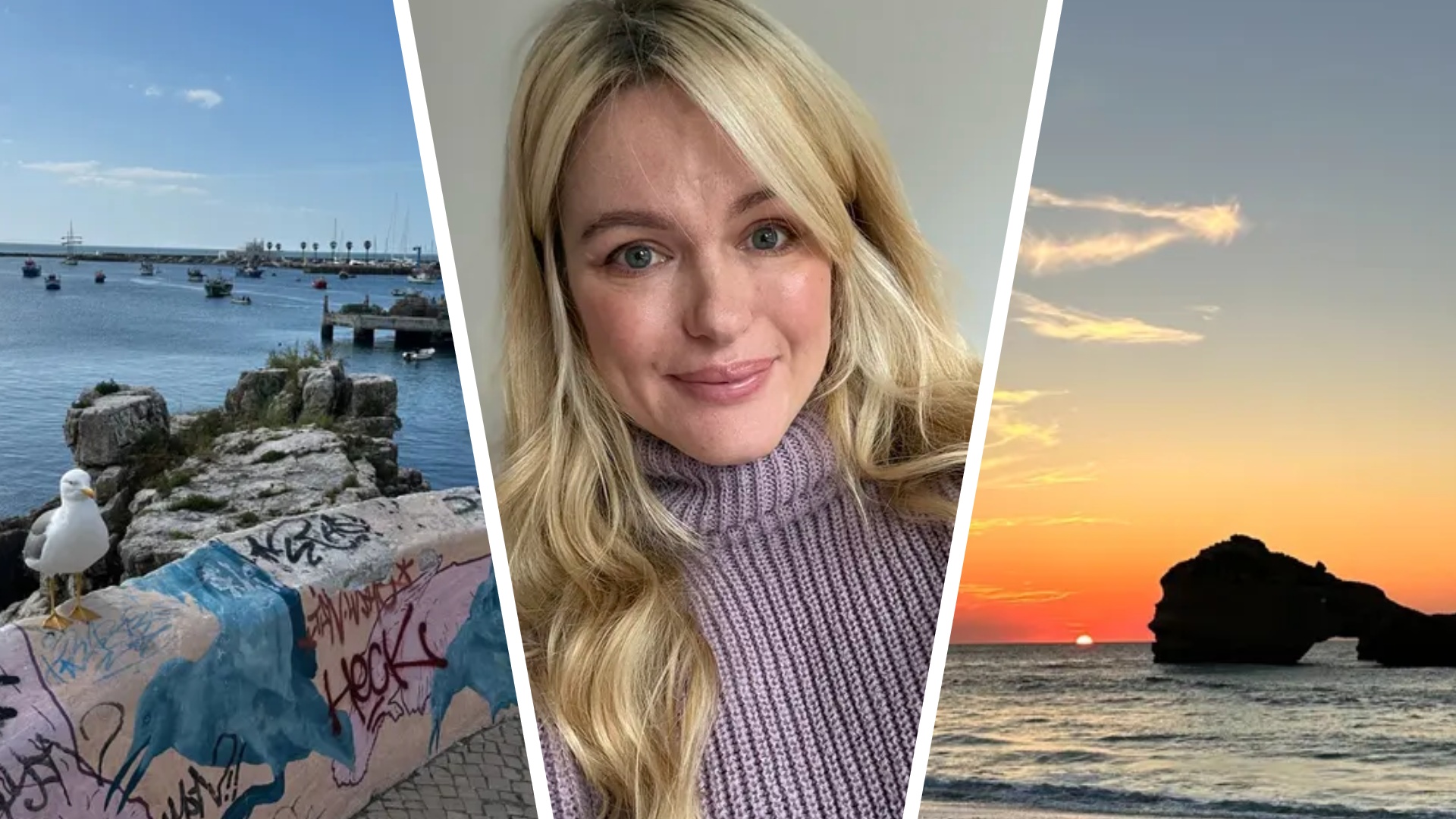
ChatGPT can be really good at making sense of photos. Whether that’s identifying trees and plants, serving up information about destinations or landmarks when you’re travelling or helping you decipher the obscure washing machine settings in your Airbnb.
That’s why I was interested to find out that OpenAI’s latest ChatGPT upgrade, called GPT-6.2, is apparently even better at making sense of images.
According to OpenAI's own testing, GPT-6.2 scored 71.7% on image understanding, which compared with 47.4% for the model that came before it, GPT-6. That sounds like a big improvement on paper, but I wanted to know whether that extra understanding would be noticeable and helpful in my everyday life.
I went through my camera roll from the past few years and came up with six challenges based on things I know people turn to ChatGPT for.
I gave GPT-6 and GPT-6.2 identical images and prompts, then asked them to rely on visual evidence without searching for more. I was interested in how accurately they interpreted the images, but also whether the newer model's responses were any more useful. Here’s what I found.
Test 1: Can ChatGPT work out where I am?
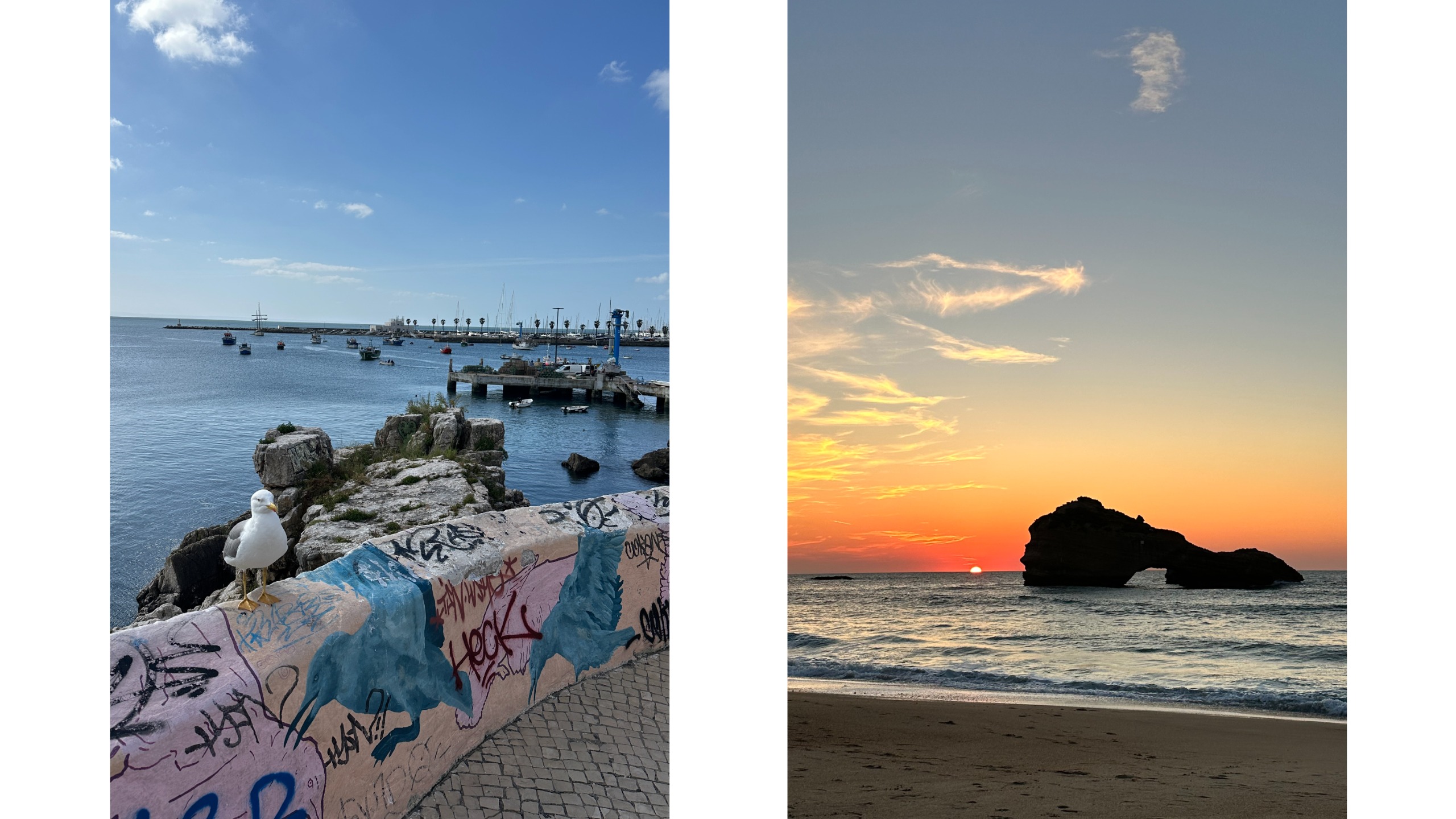
It’s handy to ask ChatGPT where a photo was taken if you can’t work it out for yourself. So I wanted to see whether the new model was any better at picking up on subtle geographical clues. For the first test, I uploaded a photo I'd taken on a trip to Cascais, Portugal.
Both models correctly identified Cascais thanks to spotting the distinctive Portuguese stone paving in the bottom right-hand corner of the photo.
GPT-6.2 picked up on a few additional details too, including the yellow legs and bill of the seagull, which it suggested could be a yellow-legged gull. And, interestingly, it also expressed a lot more confidence in its answer.
Although I was impressed by the newer model's attention to detail, overall there was little difference in how useful I found the two responses. Both had correctly pinpointed the town without an obvious landmark or readable place name.
This could be particularly handy for identifying locations in old, unlabelled photographs or finding somewhere you've seen in a travel photo and would like to visit.
But how would the two models fare with a photograph that contained far fewer geographical clues? To test that, I then uploaded a photo of a rock arch silhouetted against a sunset taken in Biarritz, France. And both models thought I was still in Portugal.
There was some clever reasoning in their responses. Both used the sunset to work out which direction the coastline might be facing, and GPT-6.2 did at least suggest the western coast of France as an alternative. However, neither managed to identify the distinctive rock formation correctly, though.
Based on these two tests, I didn't find GPT-6.2 noticeably more useful for identifying locations. My experience does suggest that if you're trying to work out where a photo was taken, it's worth choosing one with plenty of smaller geographical clues rather than relying on a scenic shot alone. Because, admittedly, that was really hard. The second test was literally just a rock in the sea!
Test 2: Can ChatGPT understand a joke?
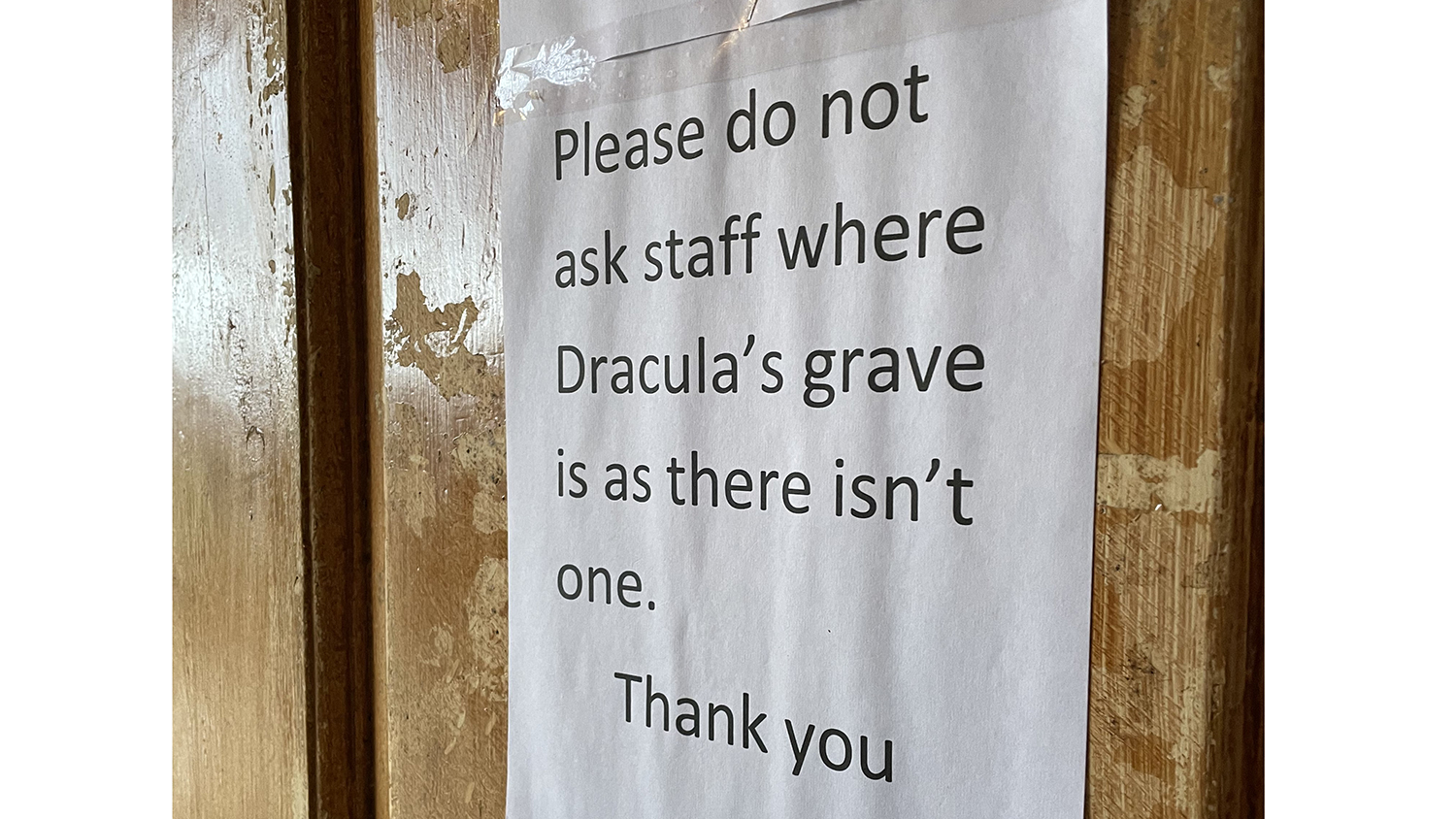
Another useful application of ChatGPT’s image recognition is making sense of the weird and wonderful things you might find when you’re travelling.
I had a lot of general travel photos to share, but decided I’d really put ChatGPT to the test with this one I took at St Mary's Church in Whitby, England, asking visitors to stop asking staff where Dracula's grave is.
I deliberately avoided mentioning that I found the sign funny. But both models immediately picked up on the humor and the apparent exasperation of the people working at the church. They also explained the town's literary connections to Bram Stoker's .
GPT-6.2 did offer a slightly more nuanced explanation about why the sign was funny. It also recognized the contrast between its supernatural subject matter and the mundane tone of an administrative notice. And again, it was also more decisive in identifying the correct church.
Test 3: Can ChatGPT date an old family photo?
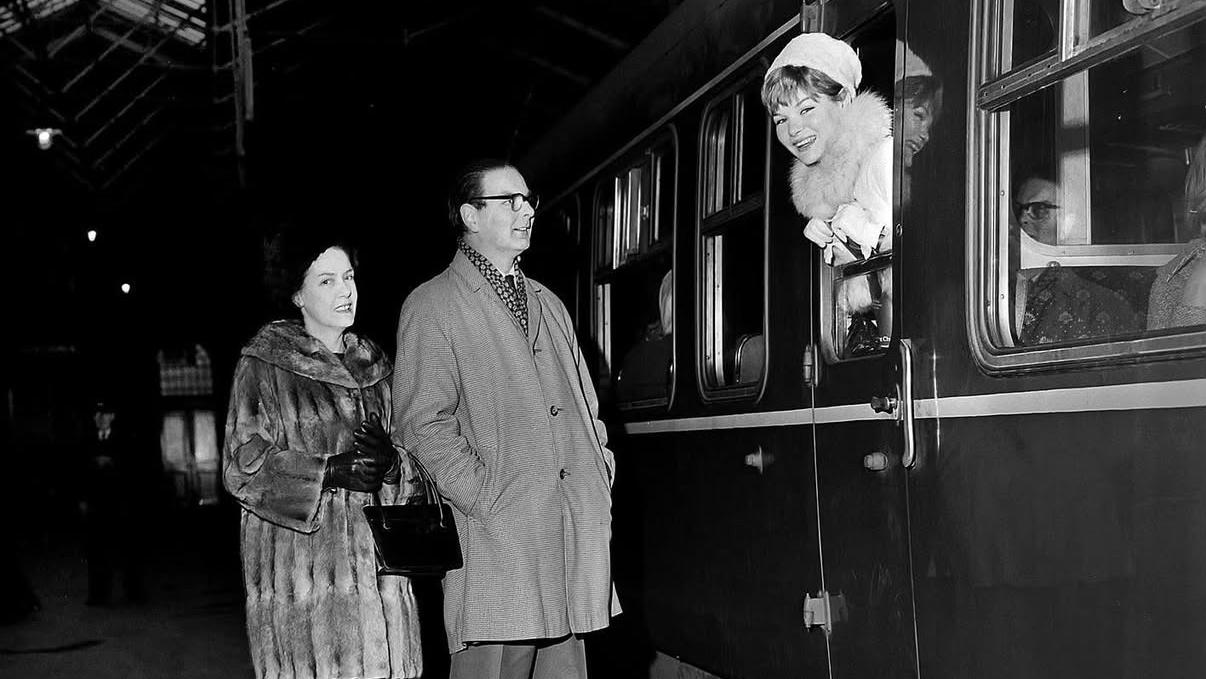
If you've inherited old family photographs that you know very little about, ChatGPT could be a useful starting point for investigating your family history, with some big caveats.
I uploaded a black and white photograph of my grandparents and aunt at Scarborough railway station, taken in 1964. (It appeared in the local newspaper at the time and was recently reshared by a local history page on Facebook, in case anyone was wondering why I’m sharing personal photos with you all and with ChatGPT.)
Both models estimated it was taken in 1962, so they were close, and explained their thinking. They drew on everything from the women's hairstyles and handbags to the design of the railway carriage.
But what impressed me most was how much they deduced about the context. Both suspected it was a press photograph and suggested the woman leaning out of the train might have been an entertainer. They were right on both counts. It appeared in the local newspaper and my aunt was a dancer. GPT-6.2 went a little further and correctly suggested that the two people on the platform might be her parents.
If you’re going to use ChatGPT to investigate family photos, I’d think carefully about the privacy implications of uploading personal images. If you do decide to share them, I’d treat its suggestions as leads to follow up rather than established facts, especially if there's nobody around to corroborate them.
Test 4: Can ChatGPT understand what's happening in a photo?
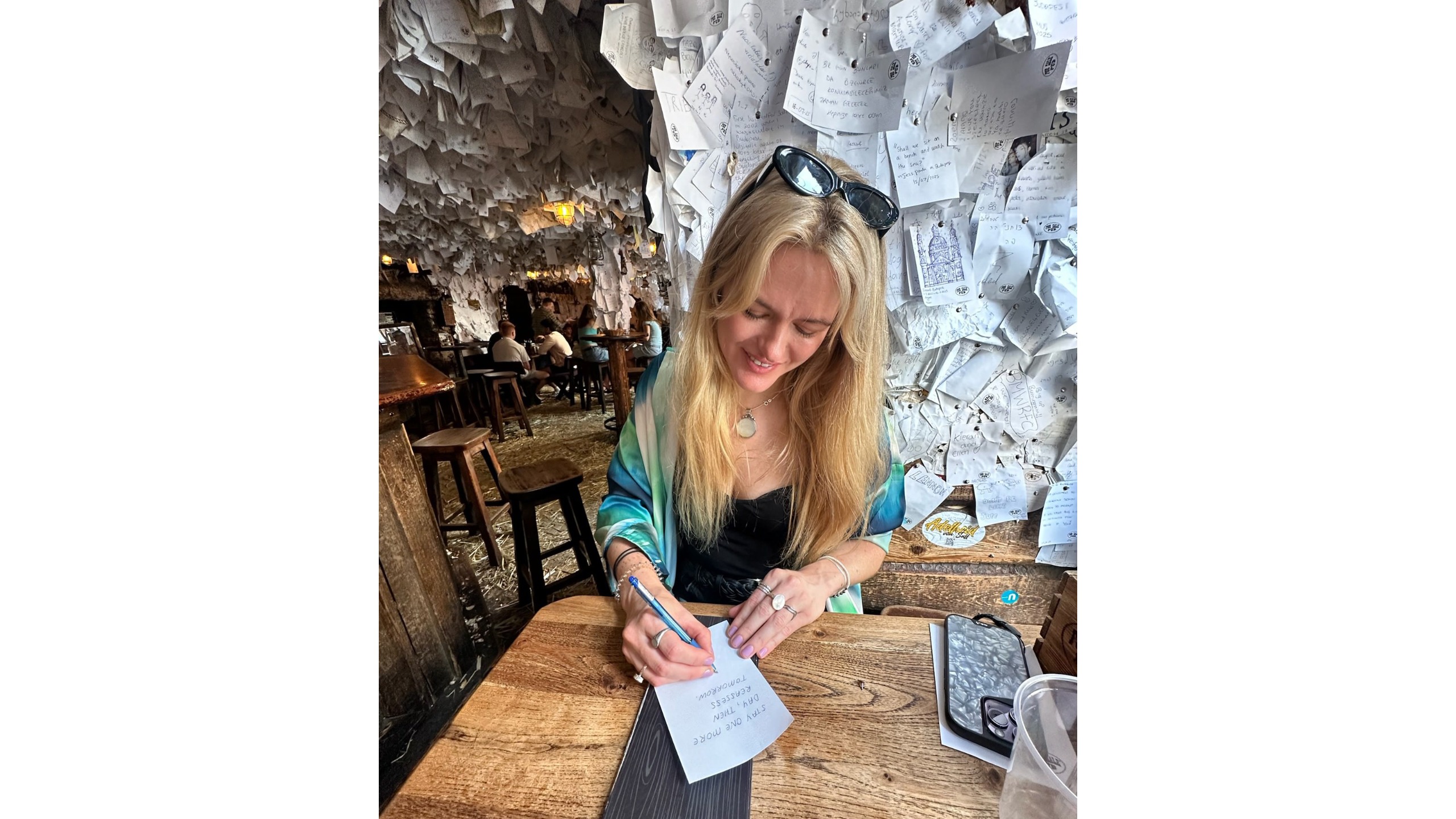
I wanted to see how well both models could understand what was happening in a photo of me at the For Sale Pub in Budapest. It’s a bizarre photo without context because visitors leave handwritten messages on the walls and ceiling.
Both correctly worked out that I was taking part in a tradition by writing my own note. GPT-6.2 was able to read what I'd written, despite the handwriting being relatively small, upside down and photographed at an angle.
But, interestingly, the newer model made a different mistake. It misread the pub's logo on the notes behind me and incorrectly suggested I was in Malta, while GPT-6 admitted it couldn't identify the venue.
So although I was impressed by GPT-6.2's ability to decipher my handwriting, this test was also a good reminder of how easily a small visual error can lead ChatGPT to an entirely different conclusion. And that’s when I think the new model’s confidence could lead to problems.
Test 5: Can ChatGPT decipher historical handwriting?
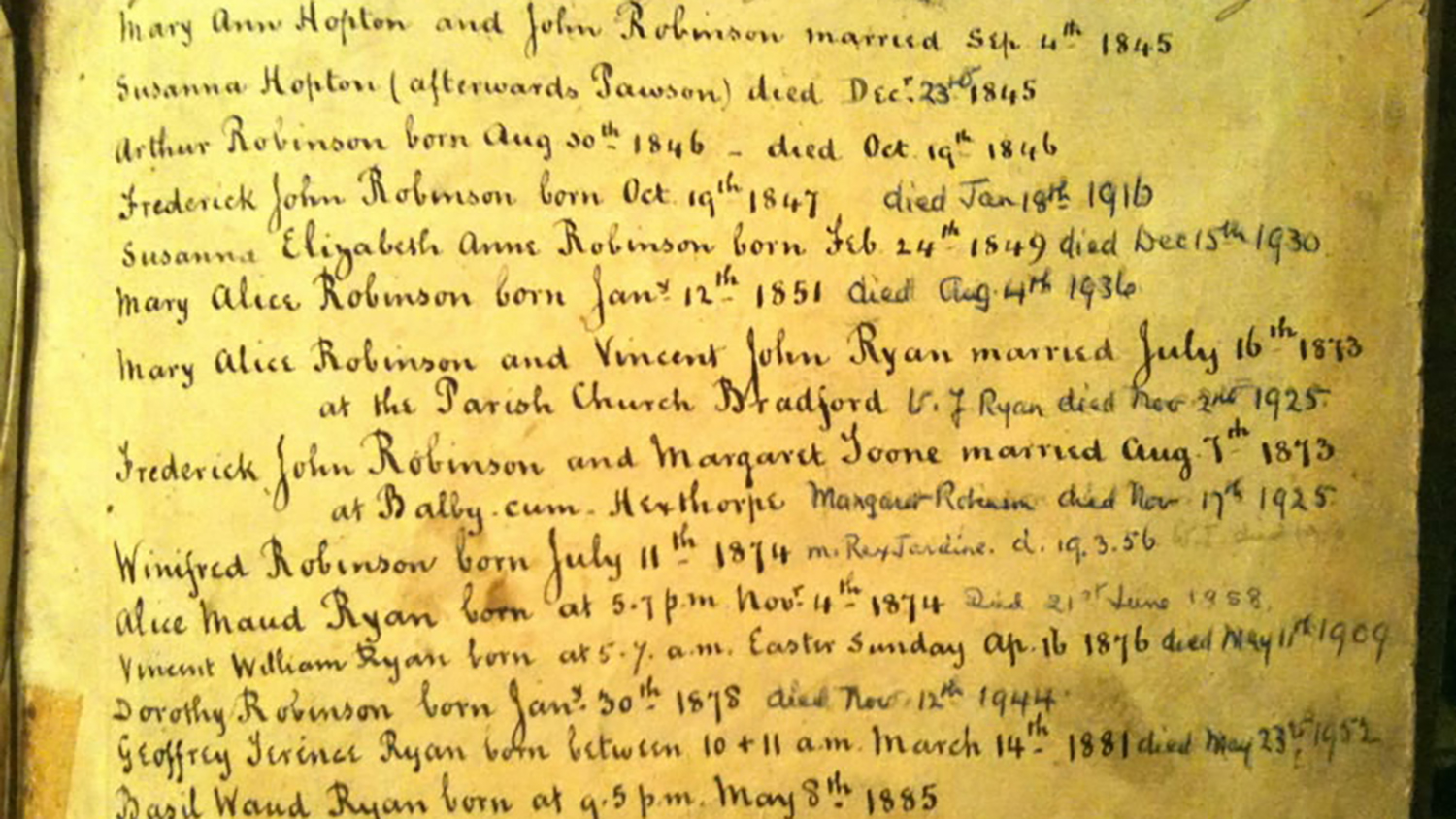
While researching my family tree on Ancestry, I came across a handwritten record documenting several generations of births, marriages and deaths, dating back to 1845.
I couldn’t quite make out all of the words and whoever uploaded the image hadn’t added context. So I asked both models what I was looking at.
They both produced detailed transcriptions of the document, reconstructed probable family relationships and explained the historical context. They also noticed differences in the handwriting that suggested the record had been updated over several decades.
But when I compared the transcriptions side by side, I found at least 11 different discrepancies, including different middle names, surnames and dates of death.
As I struggled to decipher parts of the original myself, I couldn't establish which model was more accurate. But it did make me realize how easily I could introduce errors into my family tree if I relied on either transcription without checking it.
So, I'd certainly use ChatGPT again to help me explore historical documents, but I'd verify important details against other records before adding them to my family tree.
Test: 6. Can ChatGPT tell me which colors suit me?
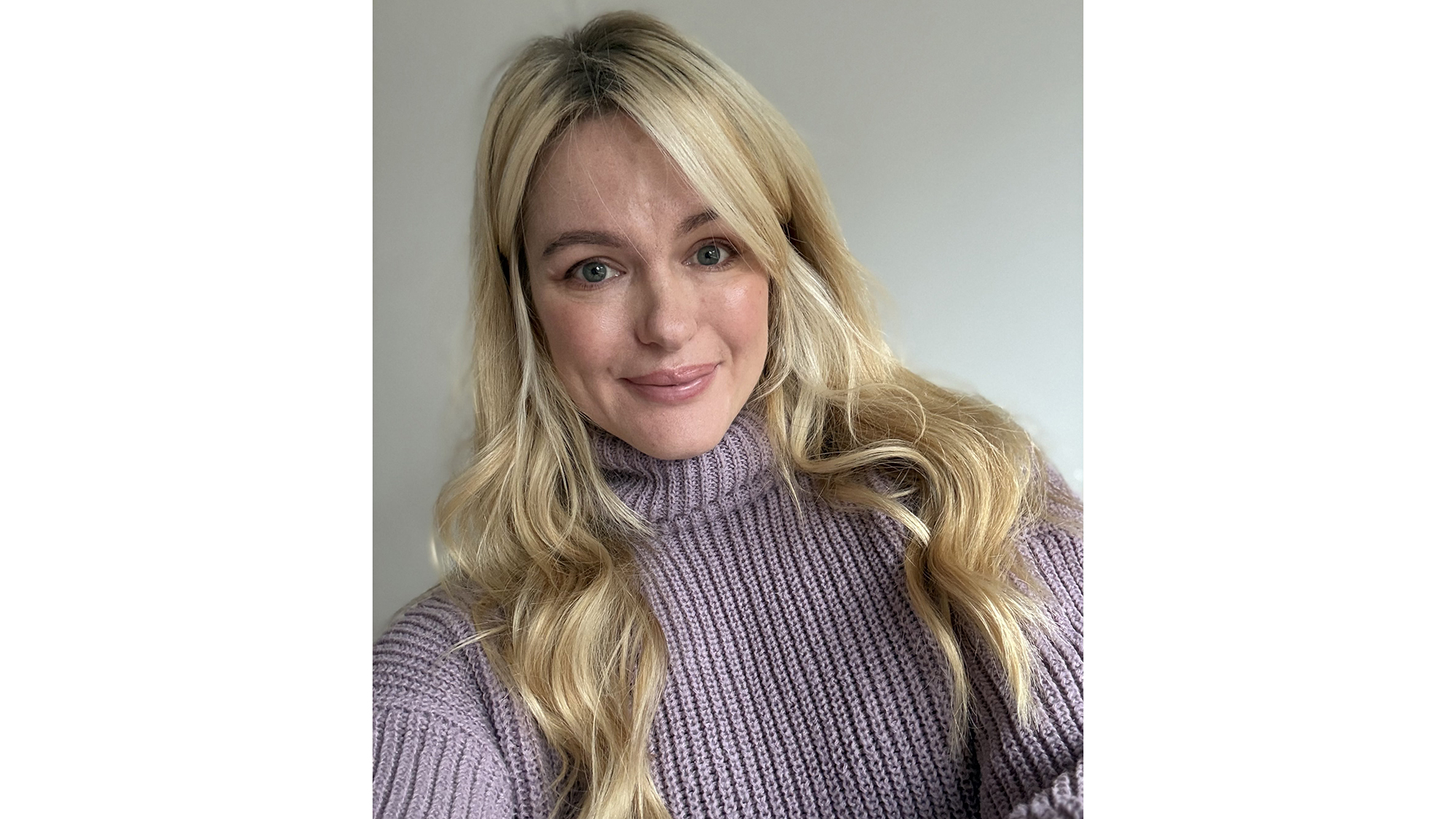
Seasonal color analysis is huge on TikTok and I’ve seen people sharing various prompts for getting the best results. I don’t love the idea of taking style advice from AI, but given how popular it is, I wanted to see whether GPT-6.2 was any better at picking up on the subtle differences in color and contrast that might inform these sorts of recommendations.
I uploaded a selfie and asked both models to analyze my coloring and recommend shades of clothing, makeup and jewelry that would suit me.
The responses were similar. Both identified me as a Soft Summer (the color season I suspect I am), describing my coloring as neutral-cool and relatively muted. They even used the lavender jumper I was wearing as evidence to support their assessments.
GPT-6.2 offered slightly more actionable advice, including specific pairs of colors I could hold against my face to test its recommendations.
Of course, lighting, makeup and camera settings can all affect how colors appear in a photo, and both models acknowledged these limitations.
While I didn't notice much improvement with GPT-6.2, I can see either model being useful for experimenting with new clothing and makeup colors before spending money on them. Though you’re always going to get a better result by trying things on yourself or getting in touch with a color analyst who specializes in this kind of analysis.
Is ChatGPT really getting better at understanding images?
What really surprised me when I was looking through the results of these tests was how similar the responses were. I think GPT-6’s ability to understand photos was already pretty impressive and there were a few times here when I don’t think I’d have even noticed if I’d switched to the newer model without knowing.
Having said that, there were some signs of improvement. GPT-6.2 picked up on a few details GPT-6 missed. And its ability to decipher my upside-down handwriting in the Budapest photo was impressive. Well, you know, at least for AI.
I also noticed that GPT-6.2 sometimes seemed more confident in its interpretations, and I was conflicted about that. Sure, it felt reassuring when it was right. But less so when it misread the logo in the pub and gave me an entirely plausible explanation for why I might be in Malta.
If you want to use, or you’re already using, ChatGPT to understand images, I'd recommend asking it to explain which specific visual details support its conclusions. I found this particularly useful because it helped me understand how the models arrived at their answers and it also enabled me to spot potential mistakes too.
It's also worth giving ChatGPT as much relevant visual information as you can. For example, if you're trying to identify a location, you might have more luck with several photos of your surroundings than a single scenic shot.
Granted, my small experiment can't tell us how much ChatGPT's image understanding has improved overall. But it has given me plenty of ideas for how I'll use it in the future and how I’d recommend other people use it. I'll just be keeping a particularly close eye on the little details, because getting one of those wrong can change the meaning of an entire photograph.