
I have always believed that getting better battery life on a Samsung phone shouldn't mean sacrificing the essential features.
Sure, I could enable Power saving mode, limit background activity, or turn off a bunch of useful features, but where is the fun in that?
I wanted my Galaxy phone to last longer without compromising my everyday experience.
That's when I came across an option that had been hiding in plain sight: Light performance profile.
My Galaxy didn't need all that power
I was prioritizing performance I rarely used

I have always preferred flagship smartphones for their premium hardware, excellent cameras, and smooth software experience.
However, when I started paying closer attention to how I actually use my Galaxy S25 Ultra, I realized that I was barely scratching the surface of its processing capabilities.
I am not a mobile gamer, nor do I shoot and edit demanding 4K videos on my phone.
My daily routine mostly revolves around scrolling social media, replying to emails, browsing the web, attending calls, and capturing occasional photos.
Overall, most of my favorite apps don't require flagship-level processing power to run smoothly.
Yet, I had been using the Standard performance profile since day one without questioning whether it was necessary.
That's when I started wondering if I could trade some of that unused processing headroom for better battery endurance.
After all, I would rather have a phone that comfortably lasts through my busiest days than one that delivers impressive benchmark scores I will never notice in everyday use.
I found Samsung's underrated performance setting
A simple switch hidden in settings
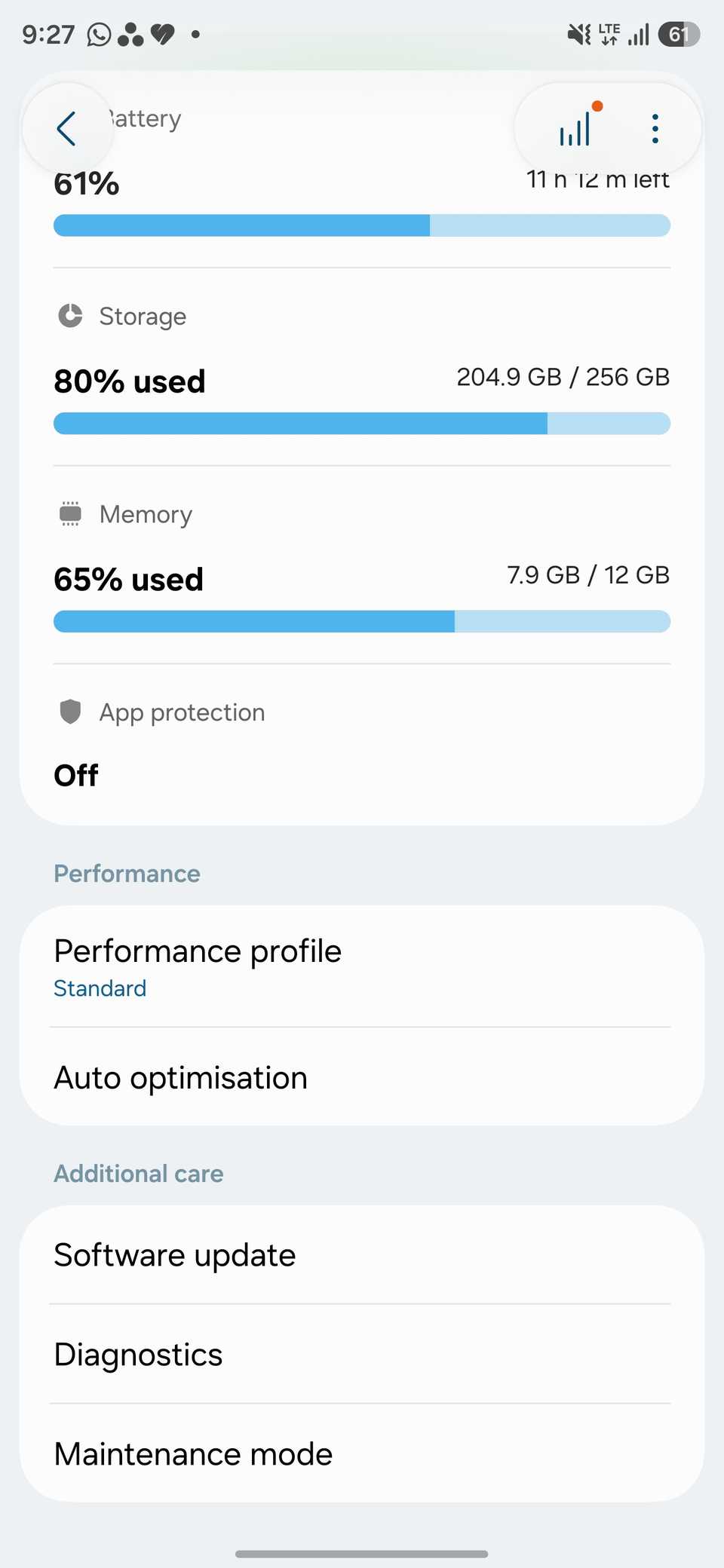
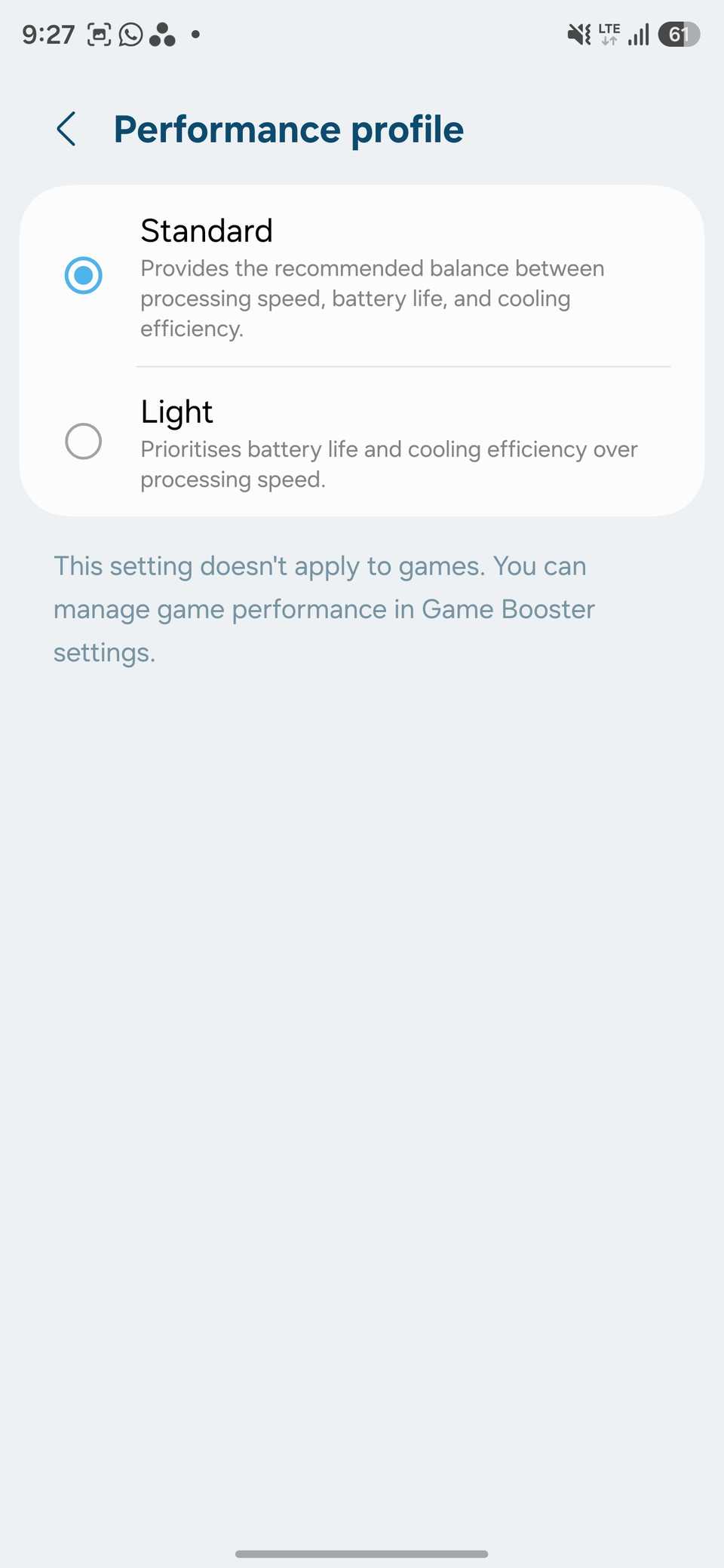
While exploring the Device care menu on my Galaxy S25 Ultra, I came across an option called Performance profile.
Samsung offers two choices: Standard and Light. The former balances processing speed, battery life, and cooling efficiency, while the latter prioritizes battery endurance and thermal efficiency by silently reducing the phone's maximum processing speed.
It sounds exactly like what I was looking for.
It is different from the traditional Power saving mode.
I have never been a fan of Samsung's Power saving mode because it drops the display refresh rate from 120Hz to 60Hz, which makes scrolling and animations feel less fluid.
Light mode takes a smarter approach. It doesn't force me to give up the buttery-smooth 120Hz experience or interface with my usual apps and notifications.
It prioritizes efficiency over peak processing performance.
The best part is that Samsung keeps gaming performance separate, so Light mode doesn't affect games.
Enabling it was straightforward. I opened Settings > Device Care > Performance Profile and switched from Standard to .
Light mode barely changed my experience
Everything still feels fast and responsive

I was a little skeptical about switching to Light mode. I expected occasional stutters, slower app launches, or noticeable delays while multitasking.
Thankfully, none of those concerns became an issue in my everyday use.
Everything felt just as smooth as before. I could scroll through Instagram, browse Reddit, switch between multiple Chrome tabs, reply to emails, and jump between apps without any slowdown.
Even Samsung's animations remained fluid, thanks to the unchanged 120Hz refresh rate.
I also didn't notice any difference when launching the camera, capturing photos, or switching between lenses.
I am not claiming that Light mode delivers identical performance in every scenario.
Demanding tasks may reveal the difference, but that's not how I use my phone.
The battery gains surprised me
Two extra hours changed everything

I was curious to see how much battery life I could squeeze out of my Galaxy S25 Ultra by switching to Light mode.
After using it for several days, the results are better than I anticipated.
I consistently noticed around two to three additional hours of battery endurance compared to my experience with the Standard profile.
Now, I know an extra two hours may not sound like a massive improvement on paper, but it makes a world of difference in my daily routine.
Previously, I would occasionally reach for the charger before wrapping up a busy day.
With Light mode enabled, I have enough juice left to get through a busy day.
A smarter way to conserve battery
After spending several days with the Light performance profile, I can't think of a good reason to switch back to Standard.
My Galaxy still feels every bit as responsive during everyday tasks.
The biggest difference is that I can now get through a busy day without constantly checking the battery percentage or reaching for a charger.
Aside from that, you can make these to improve your Samsung experience.