
I've been using Google Keep for years to save everything from reminders and article ideas to research notes and random bits of information I might need later.
Some of my notes have grown into lengthy documents that I keep updating as new information comes in. But that also means it's easy to accidentally delete a paragraph, overwrite something important, or remove a few lines while editing.
I've had moments when I wished I could turn back time and retrieve something I'd removed from a note. I assumed that the missing information was gone for good.
Then I discovered that might not have lost those changes after all.
Google Keep has a version history feature
It's hiding in the web version

It's easy to overlook Keep's version history because it isn't available in the Android or iOS apps, and you won't find it among Keep's editing tools.
To access it, you must open Keep in a desktop browser.
The feature lets you look at previous versions of your notes and lists. If you've accidentally removed a paragraph, deleted a few checklist items, or made changes you later regret, you can download an earlier version and see what was there before.
Google saves these older versions automatically, so you don't have to remember to back them up.
There is a catch, though. Keep doesn't offer a straightforward option to roll a note back to an earlier version. Instead, it lets you download the older version as a text file, which you can open separately and copy any missing information from.
It's not as convenient as Google Docs' version history, but it's better than recreating deleted text from memory.
How to find and download previous versions of a Keep note
Dig into the version history
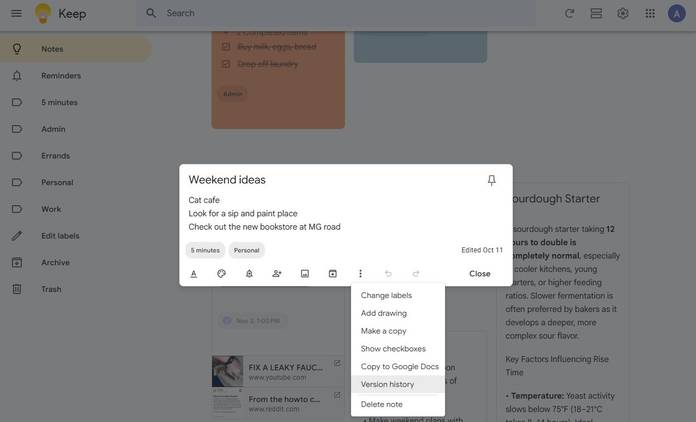
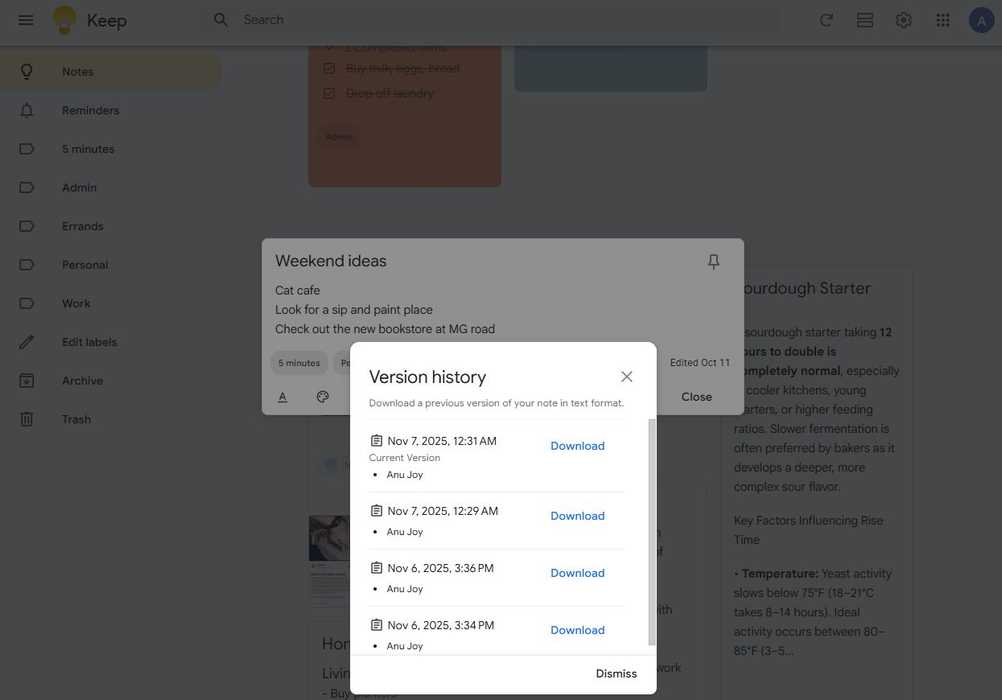
Finding an older version of a Google Keep note is straightforward, although you'll need to use the web version rather than the phone app.
Here's how to find it:
- Open Google Keep in your desktop browser.
- Find the note whose earlier contents you want to retrieve. You can either open the note or hover over it.
- Click the at the bottom of the note.
- Select Version history from the menu.
- Keep shows the previous available versions of that note. Choose the version you want to view, then click .
- Open the downloaded text file from your computer's Downloads folder to see what the note contained at that point.
The downloaded file is useful when you've accidentally removed something from a note and want to retrieve it. You can open the older version, find the missing text, copy it, and paste it back into your current note.
If you've deleted the entire note rather than some text, you can still recover it from Google Keep's Trash folder within seven days.
Open the Keep app, tap the in the upper-left corner, select , open the deleted note, and tap to bring it back.
What Google Keep's version history can't recover
There are a few limitations
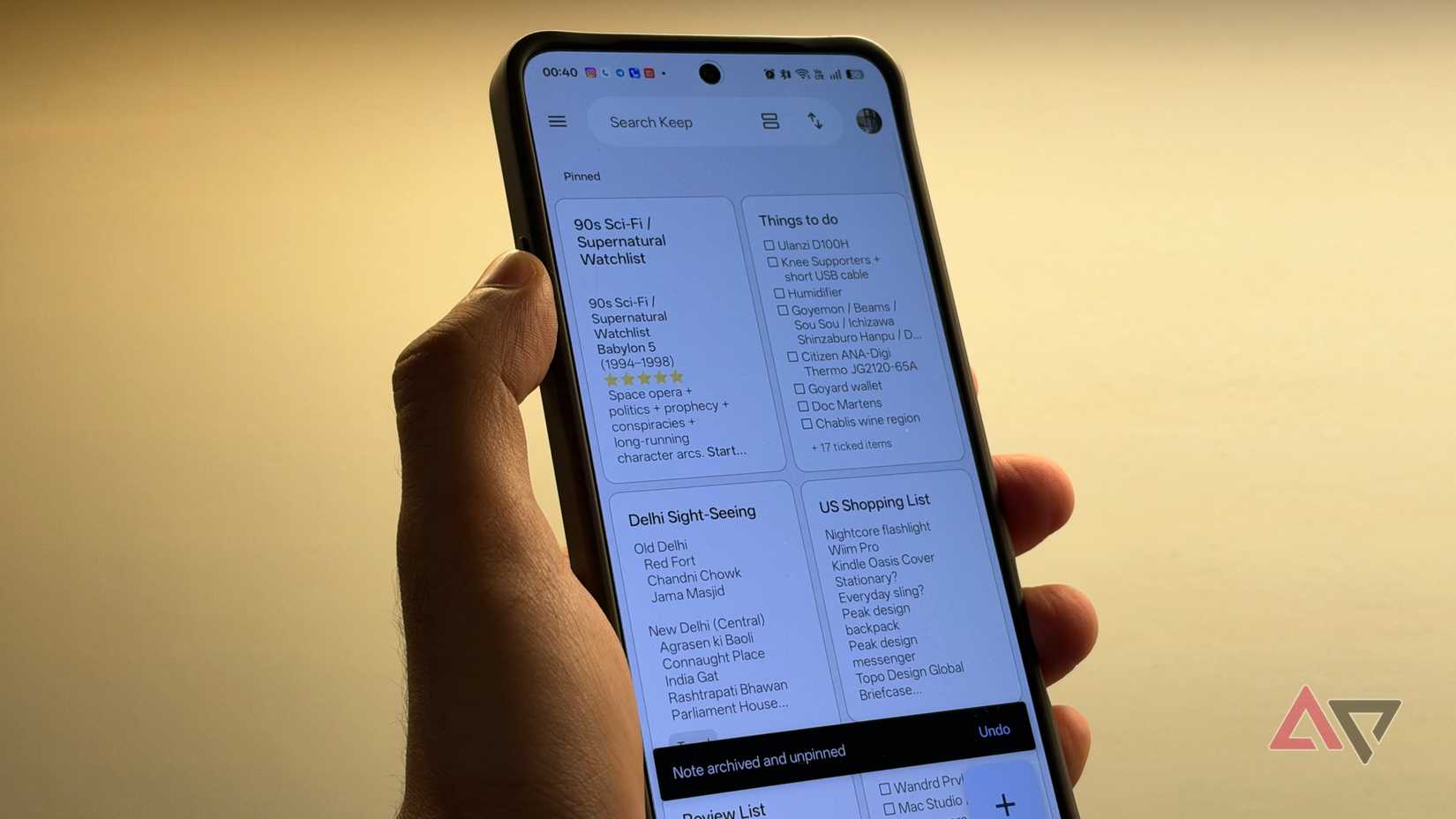
Google Keep's version history is handy when you accidentally delete text from a note, but it isn't a full-fledged backup or restore tool.
For starters, you can only access version history through the desktop browser. If you're used to managing your notes on your phone, you'll have to switch to a computer to find and download older versions.
There's also no convenient Restore button that replaces your current note with an older version. Keep downloads the selected version as a text file, so you'll have to open it, find the information you need, and copy it back into your current note.
Another limitation is that version history only tracks text changes. If your note contains images, drawings, or other visual content, these won't appear in the downloaded older versions.
So, while you can retrieve a paragraph you accidentally deleted, you can't use this feature to recover a photo you removed from a note.
Finally, don't confuse version history with a way to recover an entirely deleted note. It works with the history of an existing note, so if you've deleted the whole thing, you can't get it back.
Despite these limitations, it's a handy safety net for anyone who regularly edits lengthy notes in Google Keep.
I wish I'd discovered this Google Keep feature sooner
I've been using for years, but somehow this feature escaped my notice. I wouldn't have thought of searching for it until I needed to recover text I'd accidentally deleted from a note.
However, I wish Google would make this feature easier to find and accessible through its mobile apps. For anyone who mainly uses on their phone, this adds an extra step to what should be a simple recovery process.
Still, knowing that I can download an earlier version of a note is reassuring.