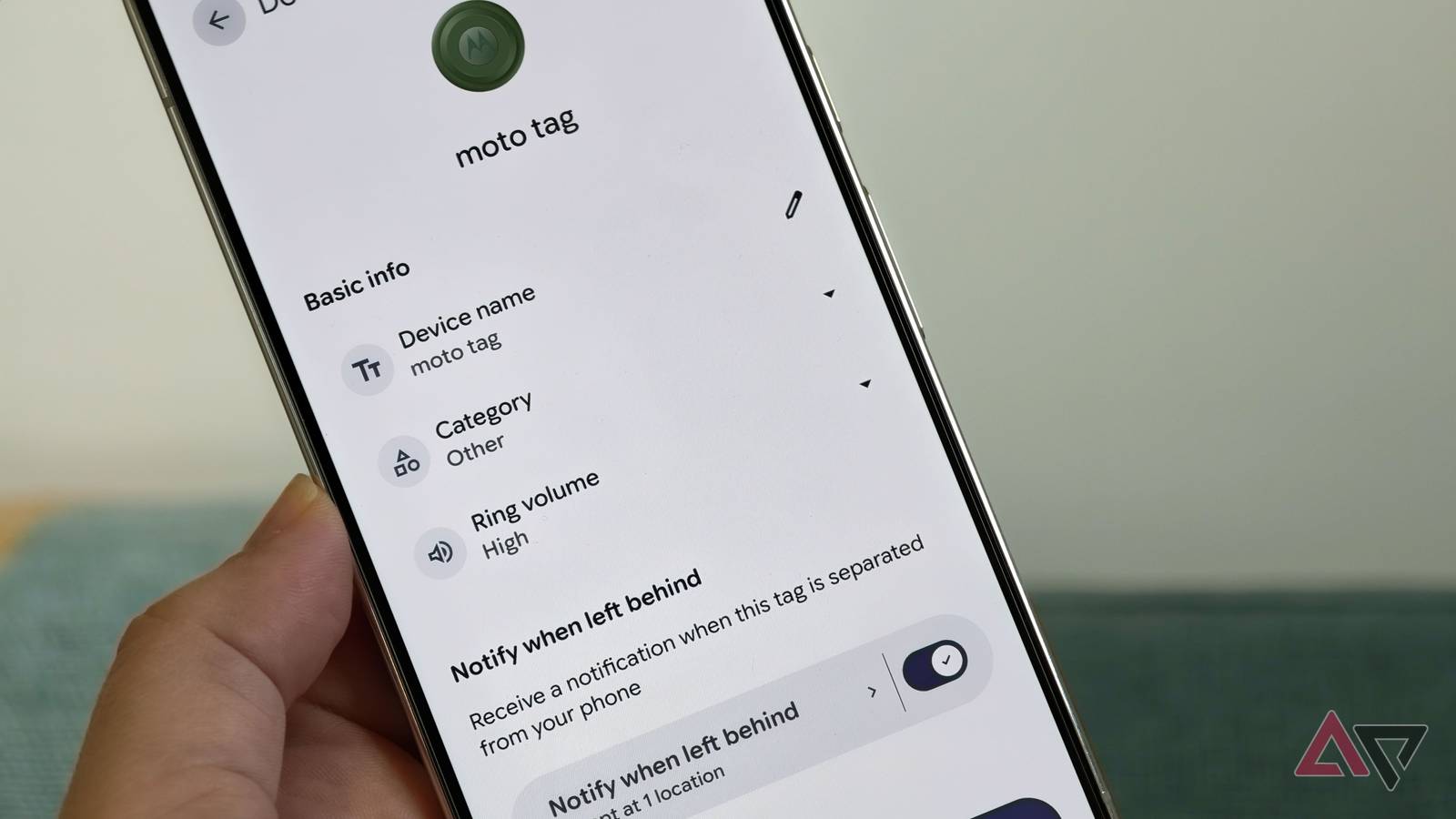
Bluetooth trackers on Android have taken a long time to become widespread and reliable. But even over the last year or two, when Moto, Pebblebee, Chipolo, Ugreen, and other brands joined Google's Find Hub, these trackers have been lacking some crucial features due to Google.
The company has kept Find Hub trackers limited to a small set of functionality: locate, ring, choose ring volume, share with someone else, and mark as lost. Brands like Motorola had to build a separate app to let you ring your phone from the tracker or change the ringtone.
But with the launch of the Pixel Tag, Google just added a new core feature to Find Hub, making it available to the Moto Tag and all other Bluetooth trackers: Notify when left behind. I set it up and tested it to see how well it works on my Moto Tag and my other trackers.
All my trackers have the new "Notify when left behind"
Not just the Pixel Tag
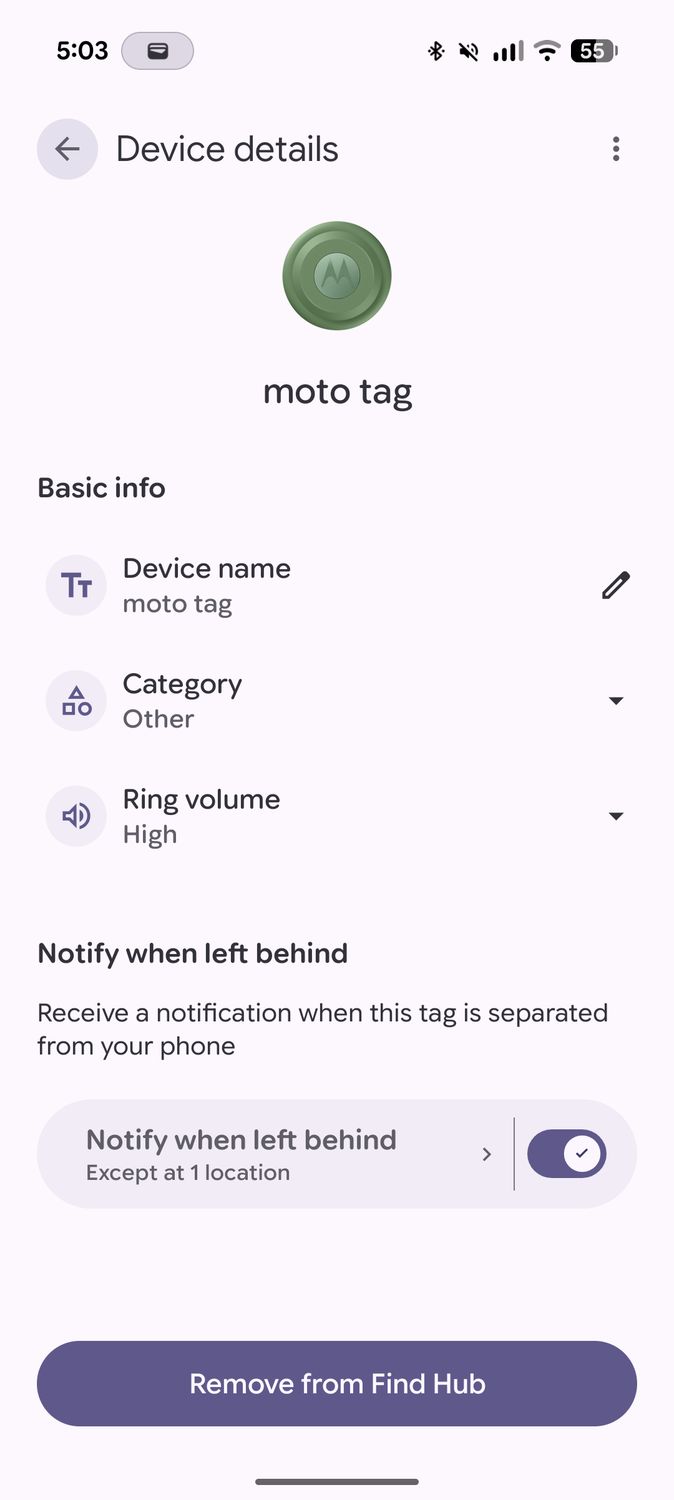
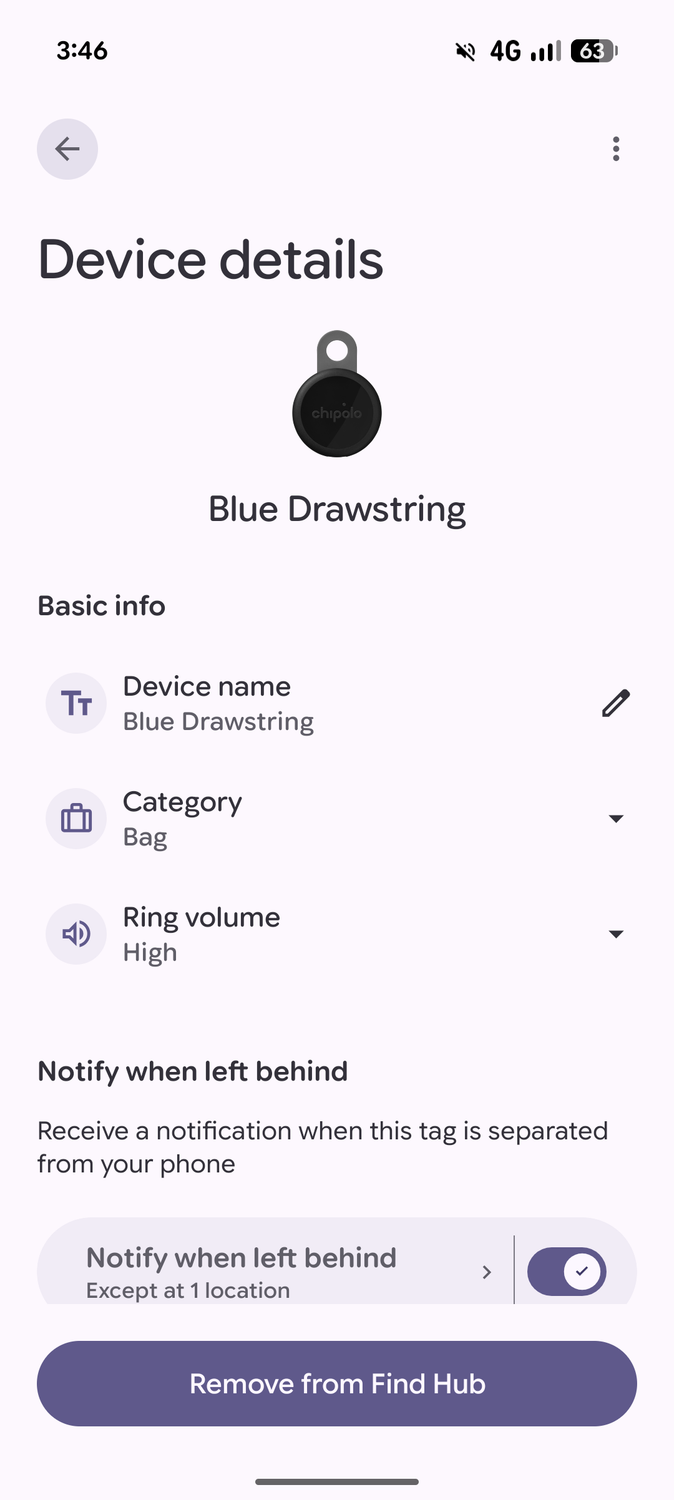
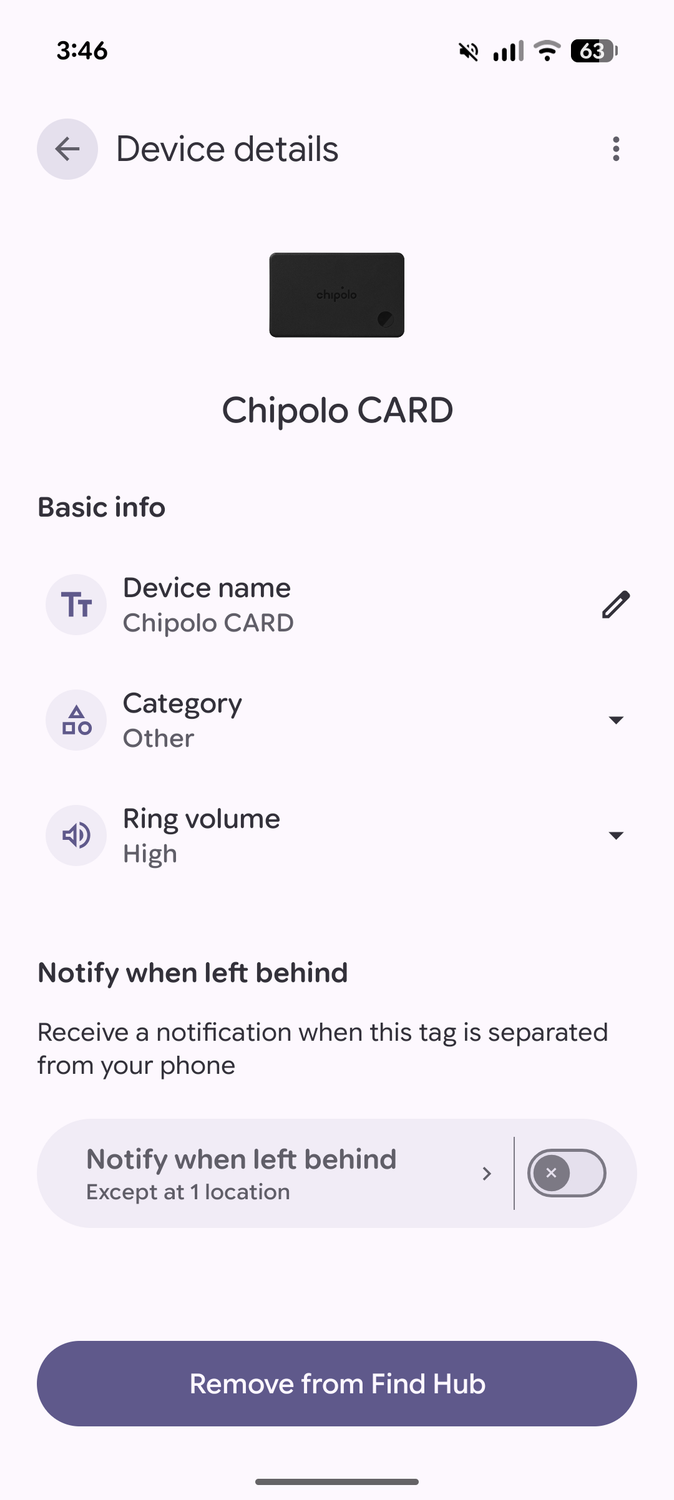
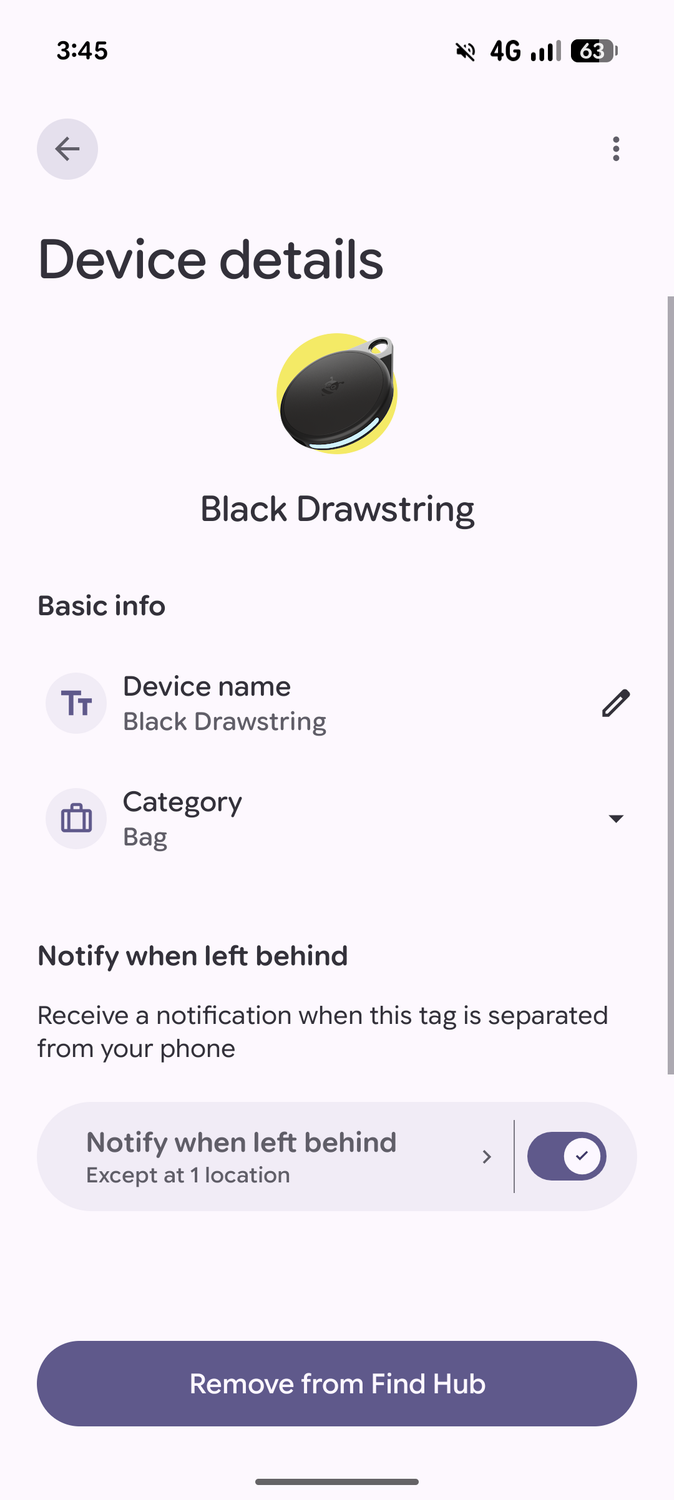
Find Hub's new left-behind reminder was announced in early October, as part of Google Play Services v26.39, but it took several weeks to properly become available. In its announcement, Google made it clear that this is now a network-wide feature.
So, no matter what brand or model of Bluetooth tracker you have, as long as it's compatible with Google Find Hub, it should support the left-behind reminder feature. That's true for me: All my existing trackers are now showing the new toggle under their settings page.
And when I say all my existing trackers, I mean several brands and models, going all the way back to the first Moto Tag that I stick in my backpack, the first Chipolo Card Point that still sits in my wallet, and the first-gen Pebblebee card that's in my partner's wallet.
I also have the newer Chipolo Loop and Card and the Pebblebee Clip 5 and Card 5. All of them have this option now, although it was disabled by default and I had to manually turn it on for every tracker before testing.
The reason why I use these trackers is that many of the newer ones offer USB-C or Qi wireless charging, saving me from replacing batteries, and they either come with built-in loops or with a credit card-like thin design that sits in my minimalist wallet.
Some of them also have very loud sirens and extra features like doubling up as selfie remotes. All of these are unique features that aren't available on the Pixel Tag, and they're the reason that I don't want to upgrade.
How to be notified if you leave your tracker behind
And make add location exceptions
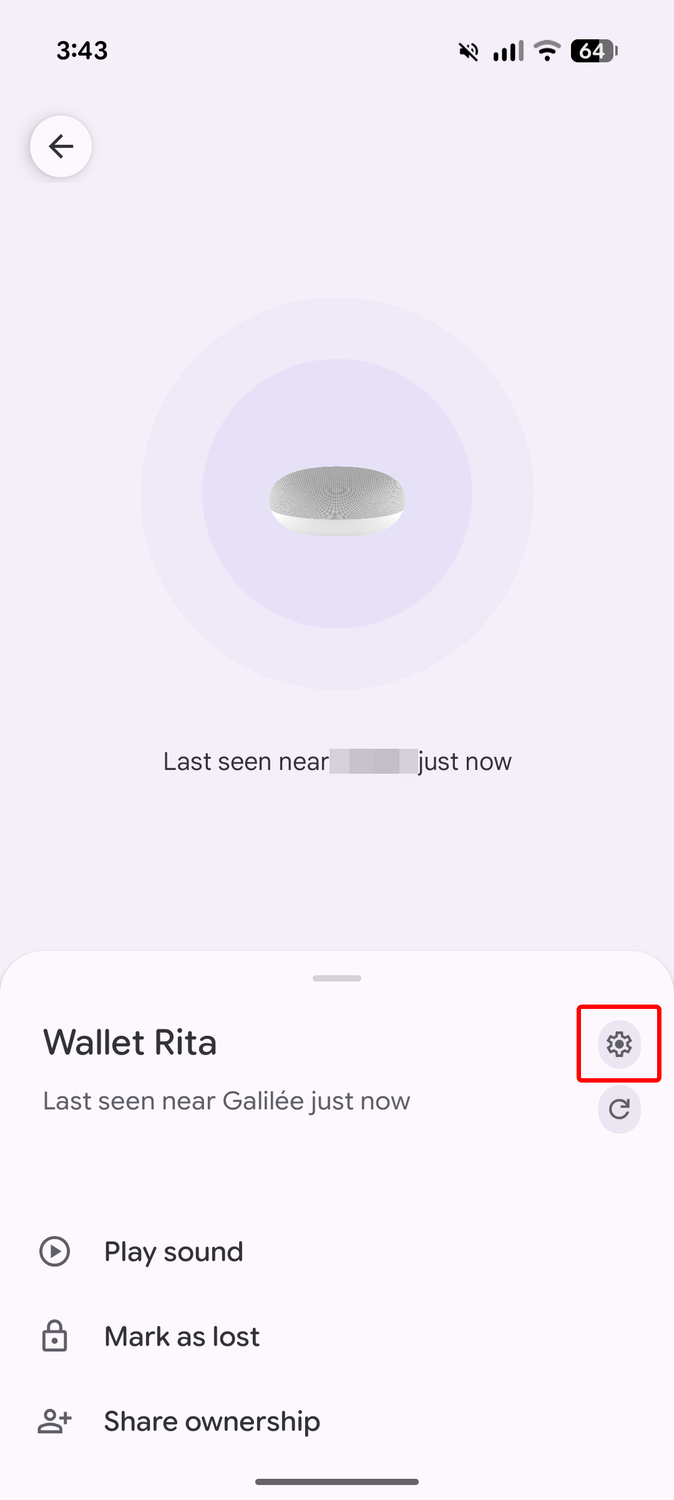
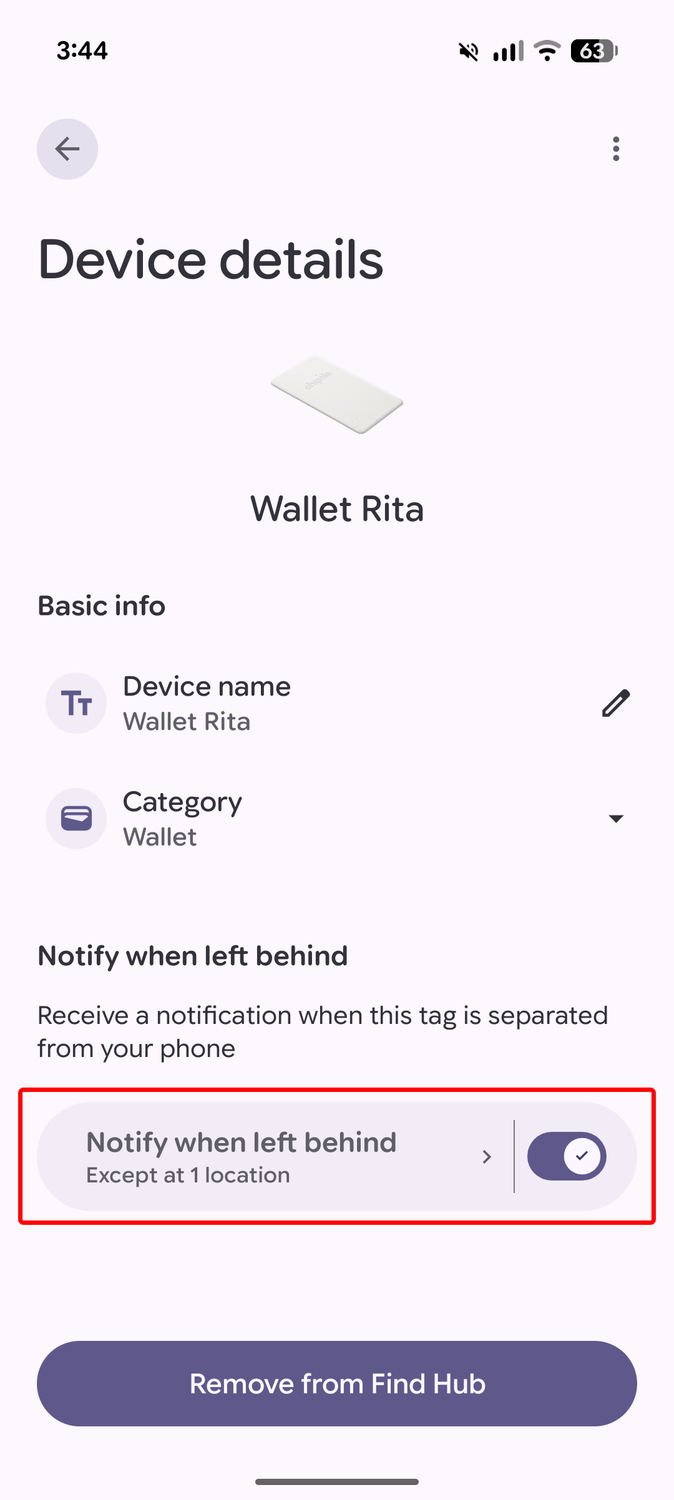
To enable the feature, you first need to open the Google Find Hub app and look for the tracker you want to turn it on for. Unfortunately, it doesn't work for phones, tablets, watches, or earbuds — you'll only find it for Bluetooth trackers. Then, tap to open its location page, and:
- Tap on the cog on the top right of the bottom overlay menu (on the same line as the tracker's name).
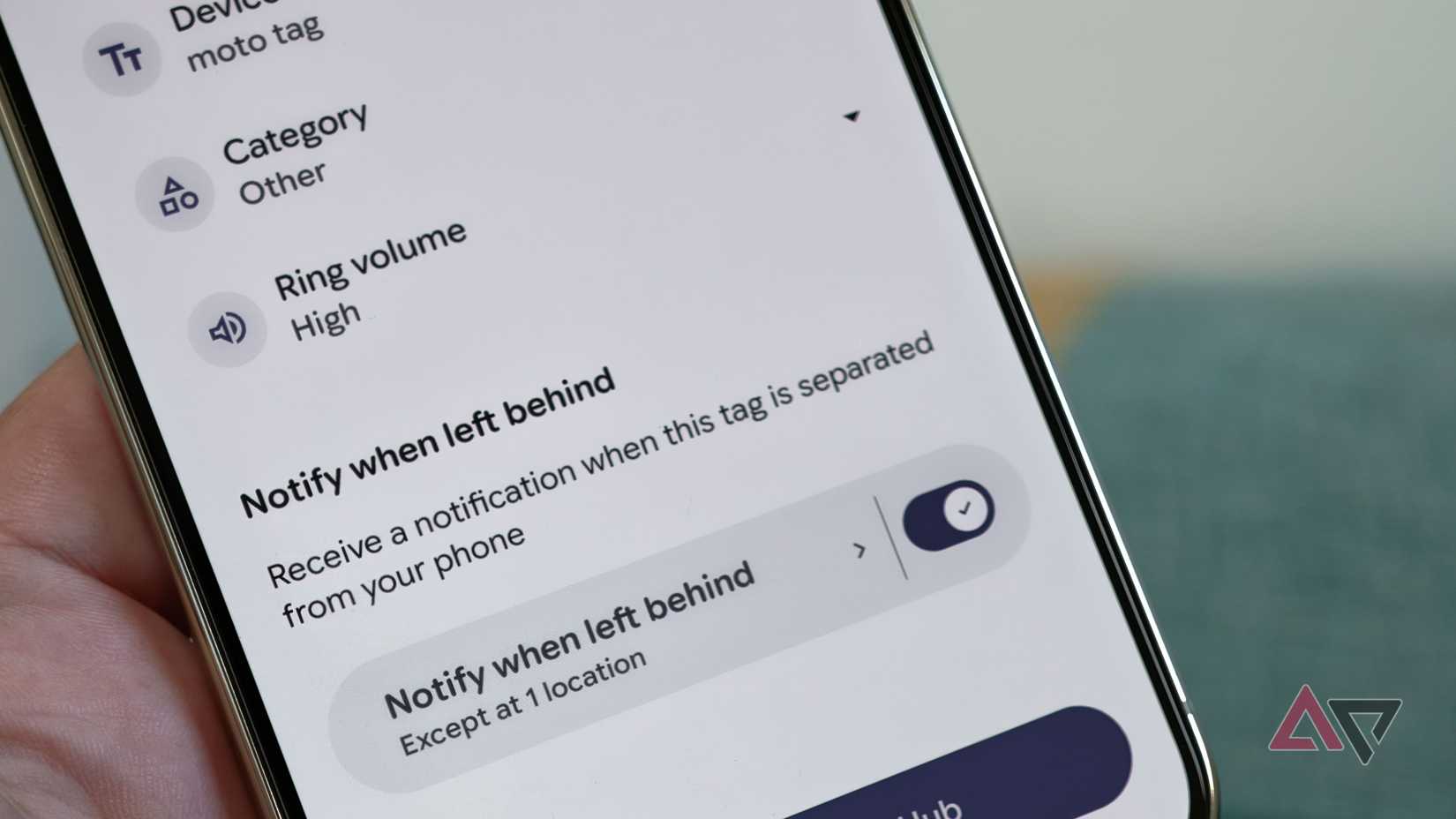
- In the Device options menu, look down for the Notify when left behind toggle.
- Turn it on.
- Make sure that you have enabled notifications from the Find Hub app.
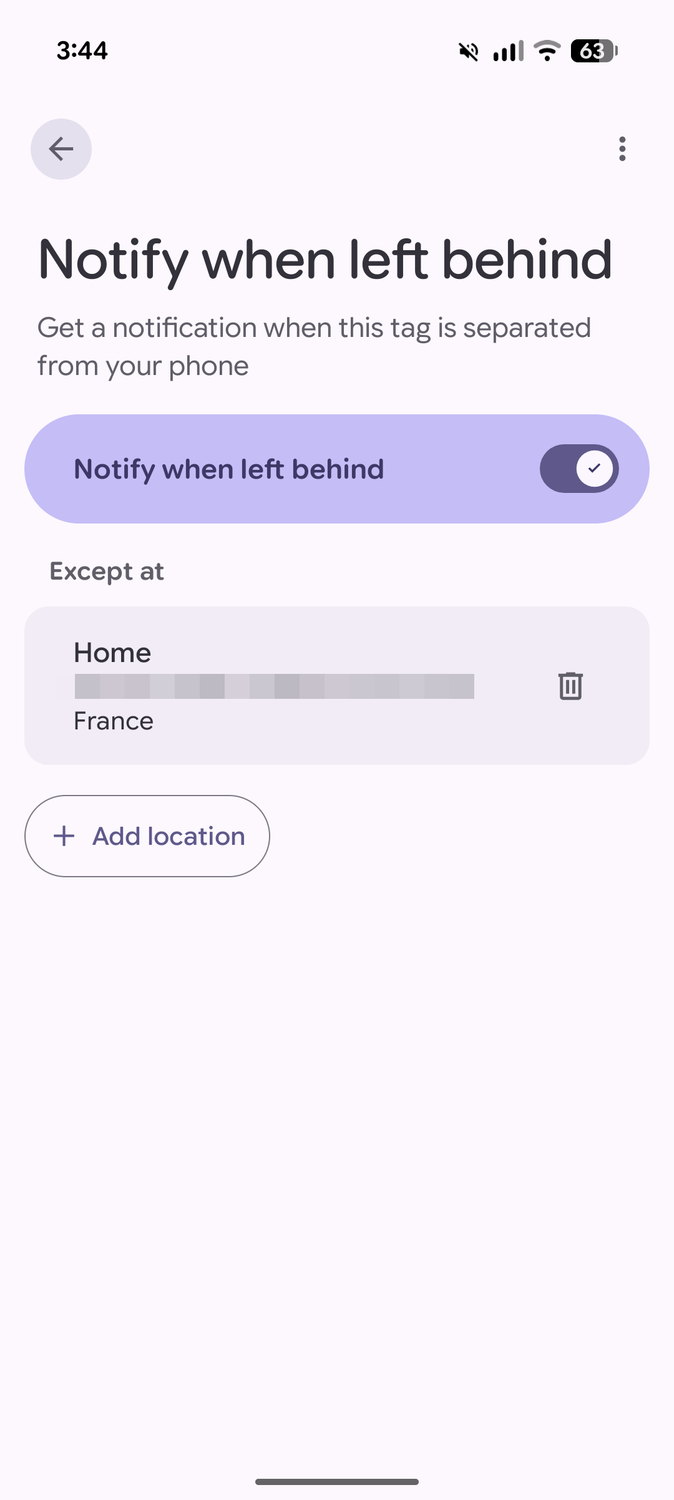
You can also tap on the little arrow to reveal more settings, like the list of excluded places. By default, I found that my home address was added to all trackers. So if I walk away from home and leave my backpack behind, I won't be notified, but if I leave it at a café, I will get pinged as soon as it disconnects from my phone.
I kept this home exclusion for all my items, but I removed it from my wallet tracker because I want to be warned if I leave home without it, instead of only realizing that when it's too late and having to walk back.
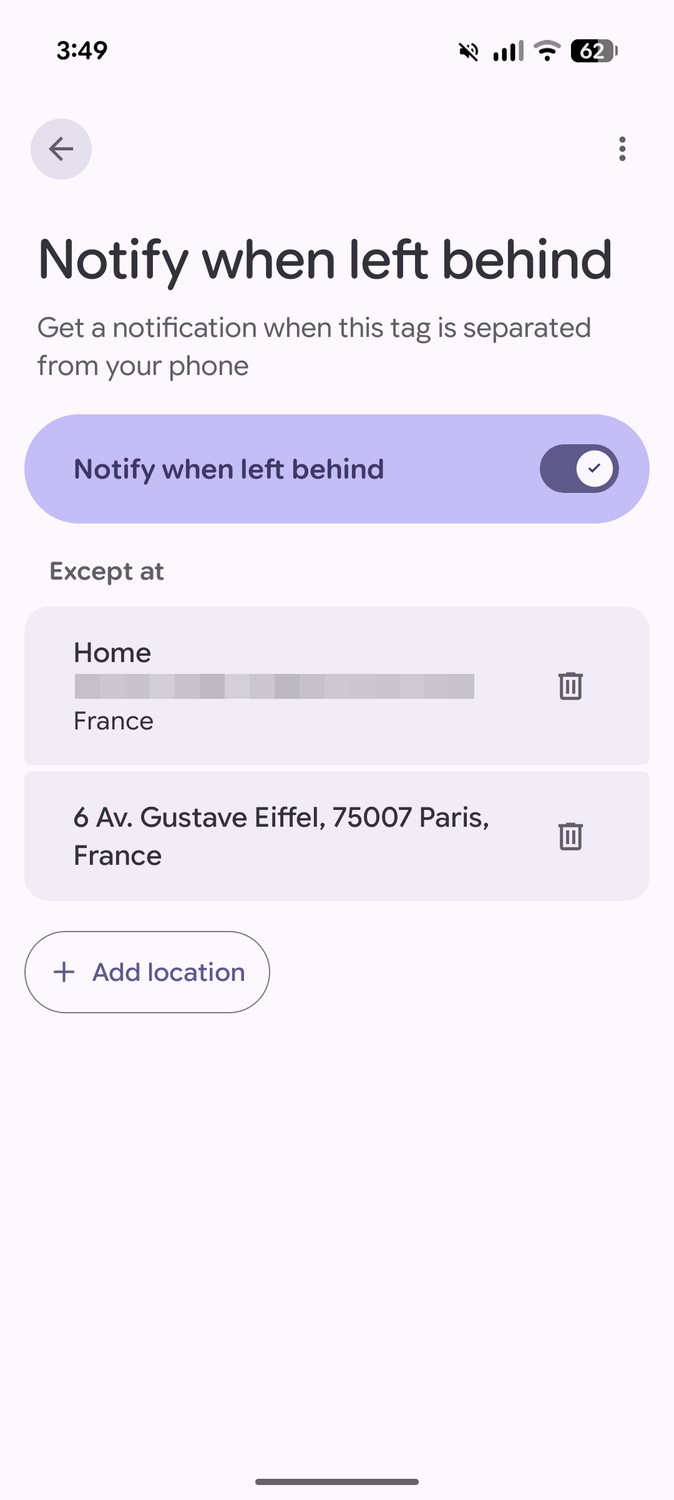
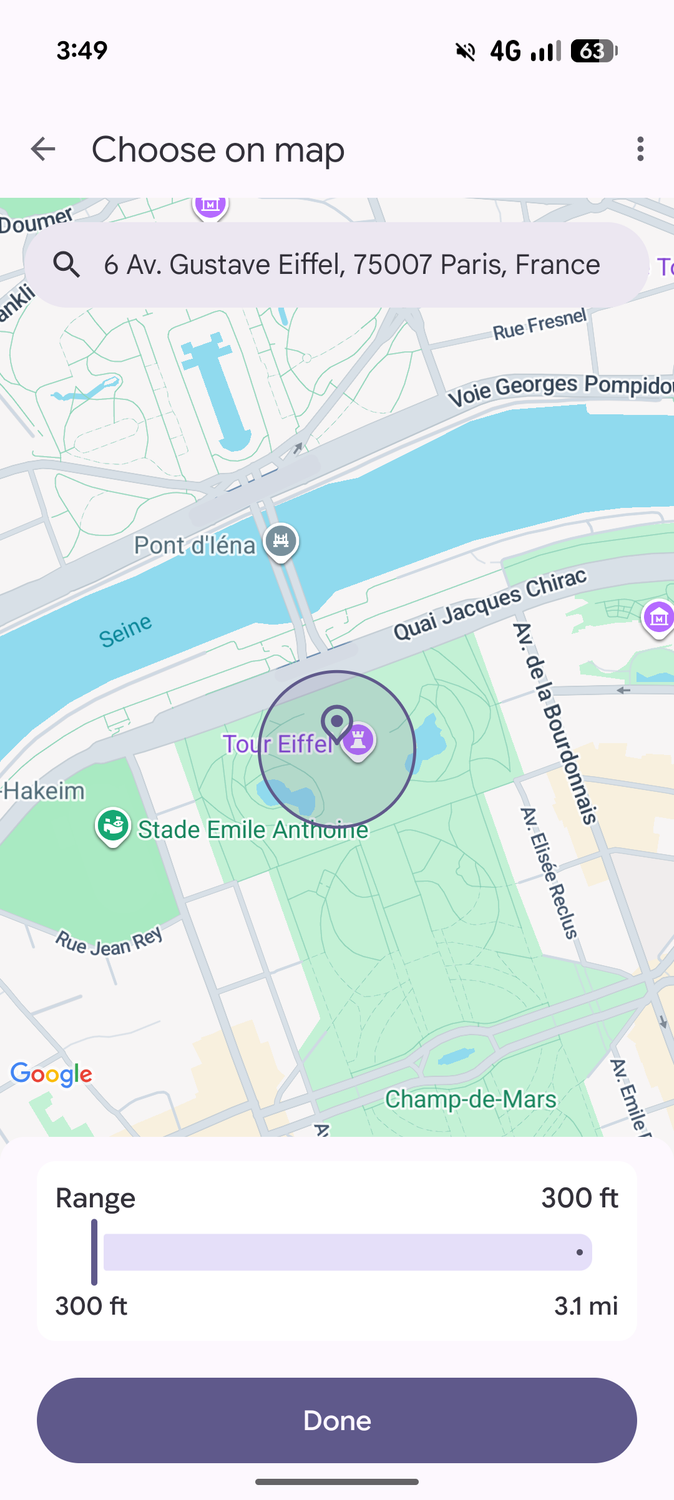
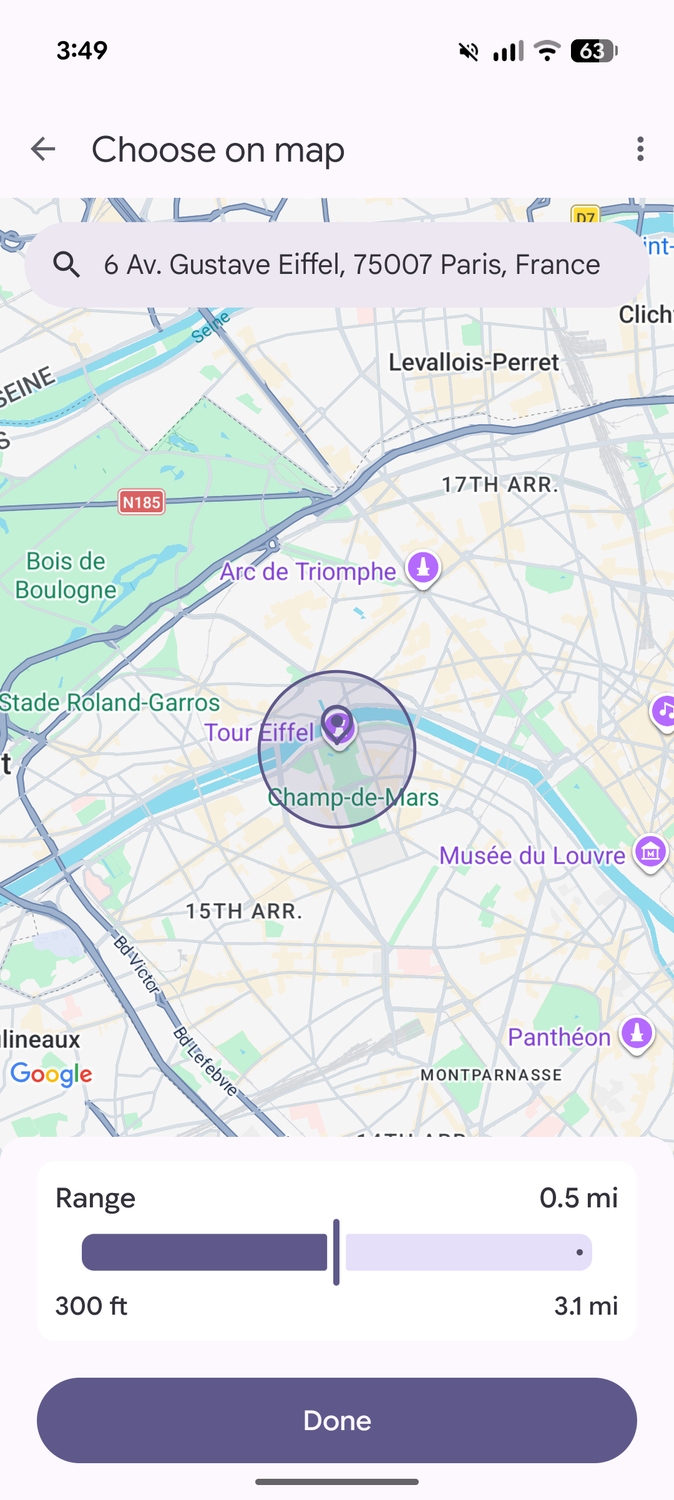
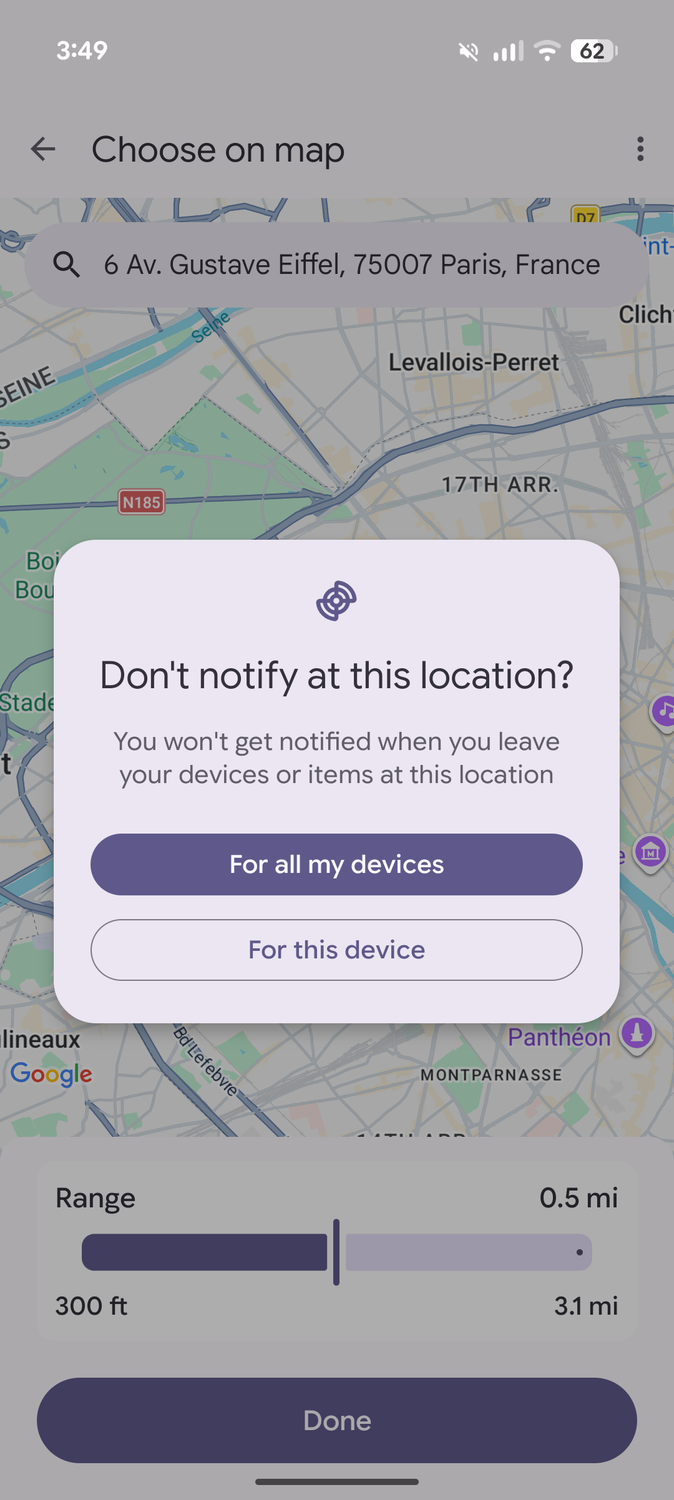
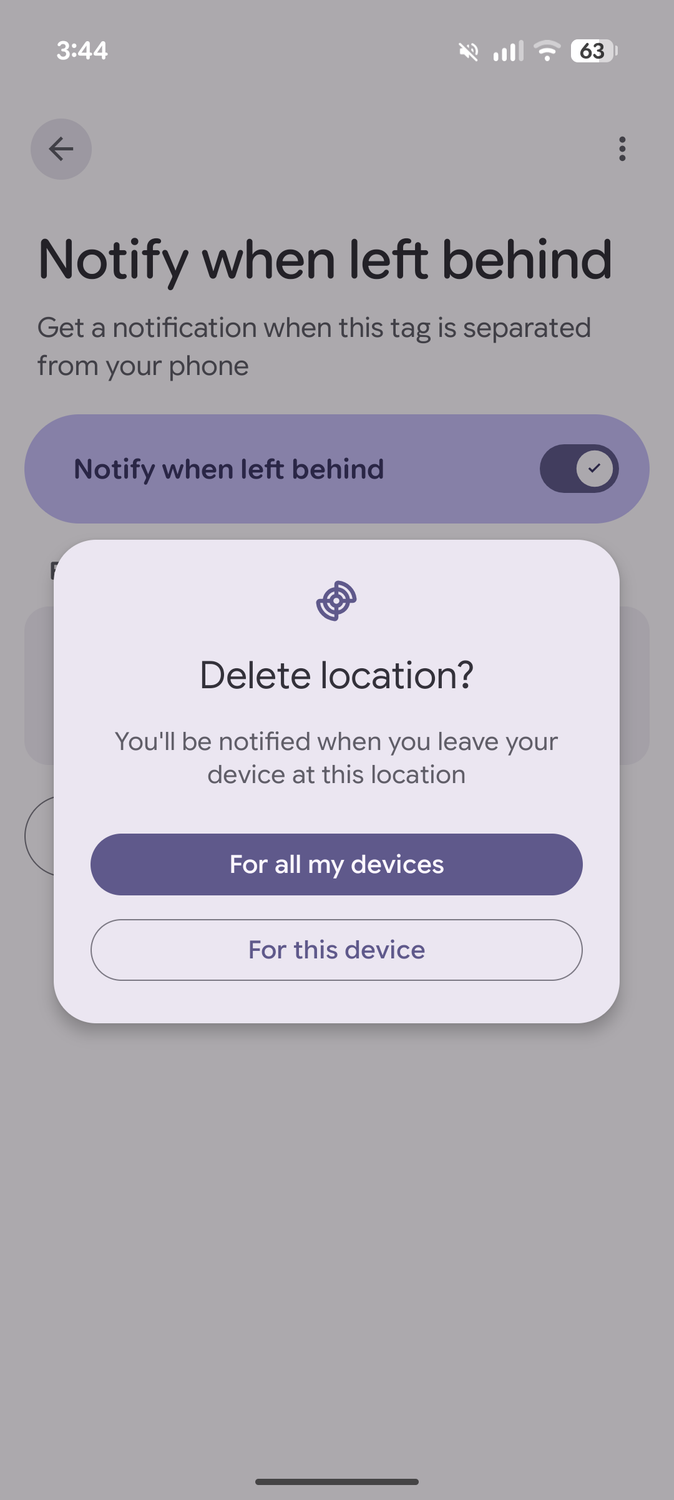
You can add or remove as many locations as you want to your exclusion list. Maybe you want to always be pinged, then just delete all excluded locations and leave the list empty. Or maybe you don't mind leaving something at home, at work, at your parents', etc, then add these locations to the exclusion list.
The nice part is that Google has made every addition or removal an "all or just this one time" option. So when I add a new exclusion, it asks me if I want it to apply to all my items or just this one. And if I remove a location, it checks if it should take it out of all items or only the current one.
When I tried to add a couple of locations, I also noticed that you can type in the address or manually pan, and there's a neat slider option to adjust the range outside which you want to be notified. It goes from 300ft (100m) all the way up to 3.1 miles (5Km).
I tested it during a trip with all my trackers
It worked reliably, with a few question marks
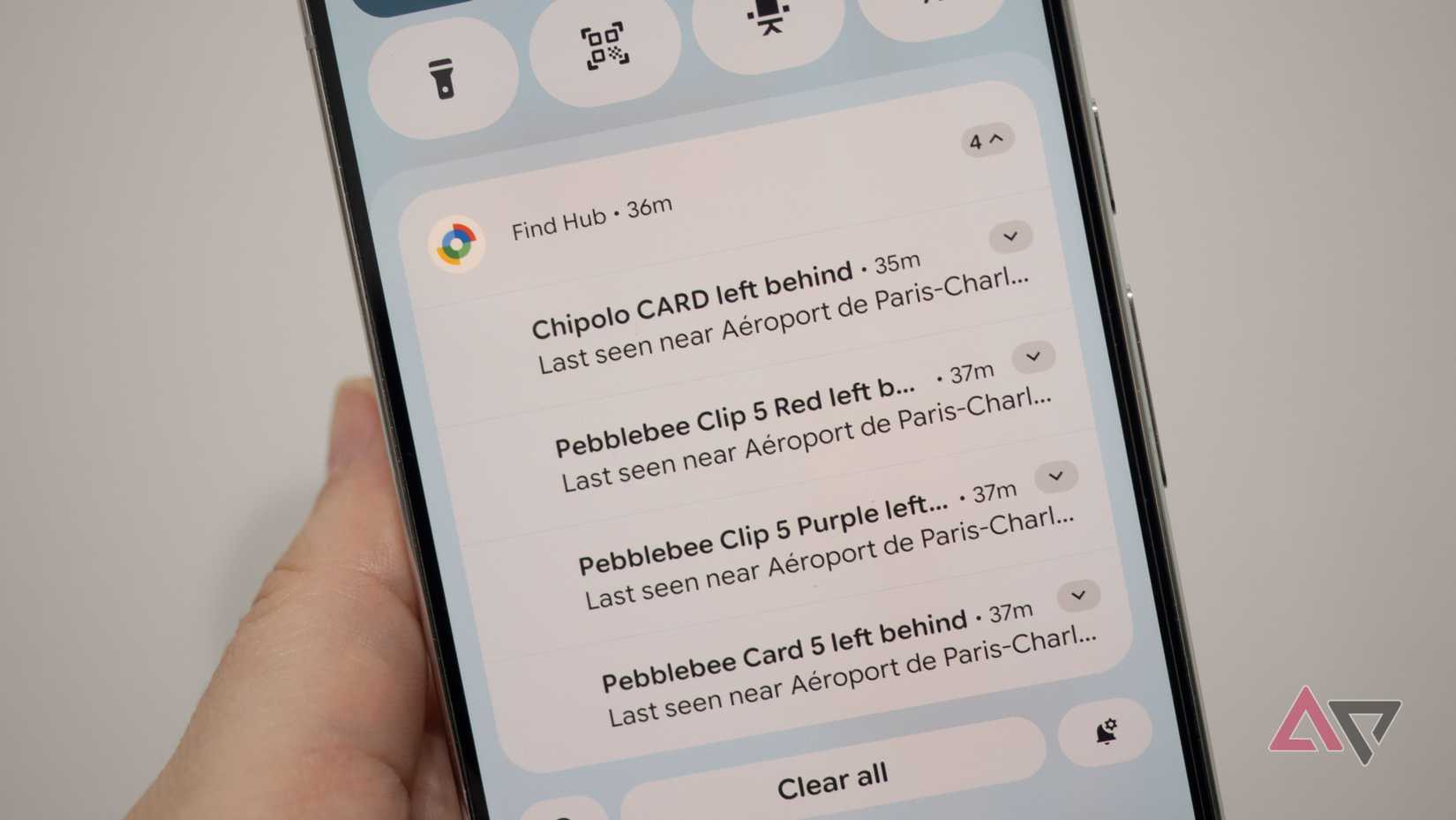
During a recent trip to Madrid, I placed a bunch of my trackers in different luggage bags and backpacks and decided to see how they fared each time I got separated from them at the airport, at the hotel, and during my activities.
What I noticed was that the left-behind alert is as responsive and as accurate for all my trackers, regardless of brand. Moto, Chipolo, and Pebblebee all popped up the notification at the same time each time I got separated from them. No tracker lagged or missed.
That's to be expected from a network-implemented feature, but I expected small discrepancies. Over five days, there were none. I received all notifications literally at the same second. Obviously, since my Moto Tag is in my backpack, I got separated from it less often than the rest, but each time I left it at my hotel, it popped up at the same time as the rest.
The letdown was in the delay before the notification popped up. It went anywhere from two to five minutes, which is a huge latency, especially if you have a precious item you don't want to lose.
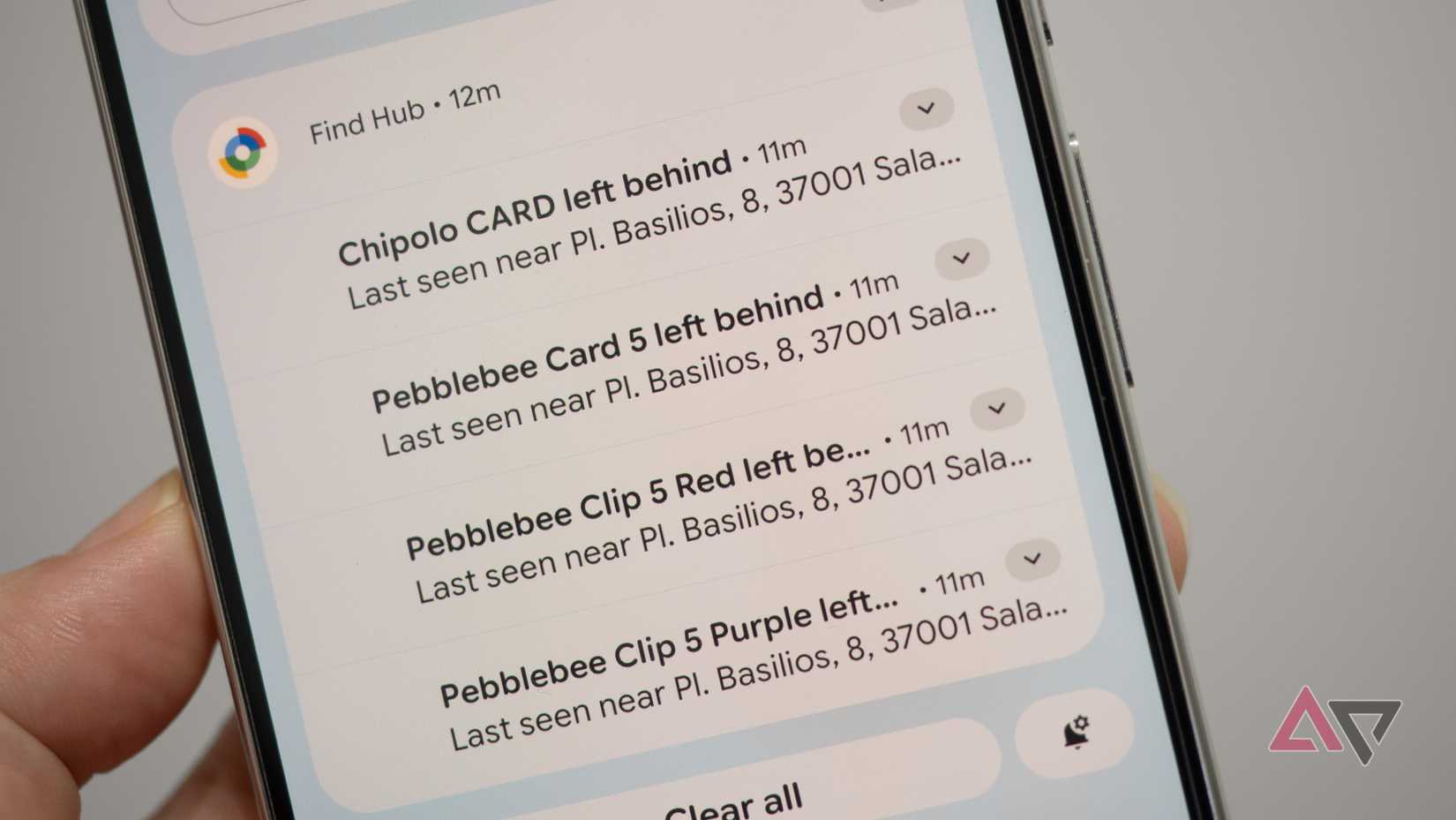
In one instance, I left my luggage in my hotel room, passed by the reception, got into the underground parking lot, and drove for about a minute before the barrage of notifications landed on my phone. By comparison, the Chipolo app had alerted me that I'd left my Chipolo tracker when I was at the reception desk.
Google still has work to do to solve this delay. I also wish it would tell me when I got back within range of my trackers, but that doesn't seem to be an option.
Good job, Google. Now please add more features.
I love that this alert is now part of Find Hub for all trackers and that we don't need a third-party app with background processes and permissions to get it. Previously, only Chipolo had added the option to its app, and now all my trackers have it, including my old Moto Tag.
I don't need to buy a Pixel Tag to get it, which is a boon for my pocket; I already own too many trackers, it would've been a waste to see them figuratively left behind.
I'm also impressed by how reliable the feature is, especially when testing many trackers at the same time. However, Google still needs to fix the latency issue if it wants to alert users that they've been separated from their items before it's too late.
But this makes me eager to see Google embrace more features for all trackers: The Pixel Tag can reverse-ring the phone with a double-tap on its button, and that feature is implemented directly in the Find Hub app, so why is it not available for all other trackers?