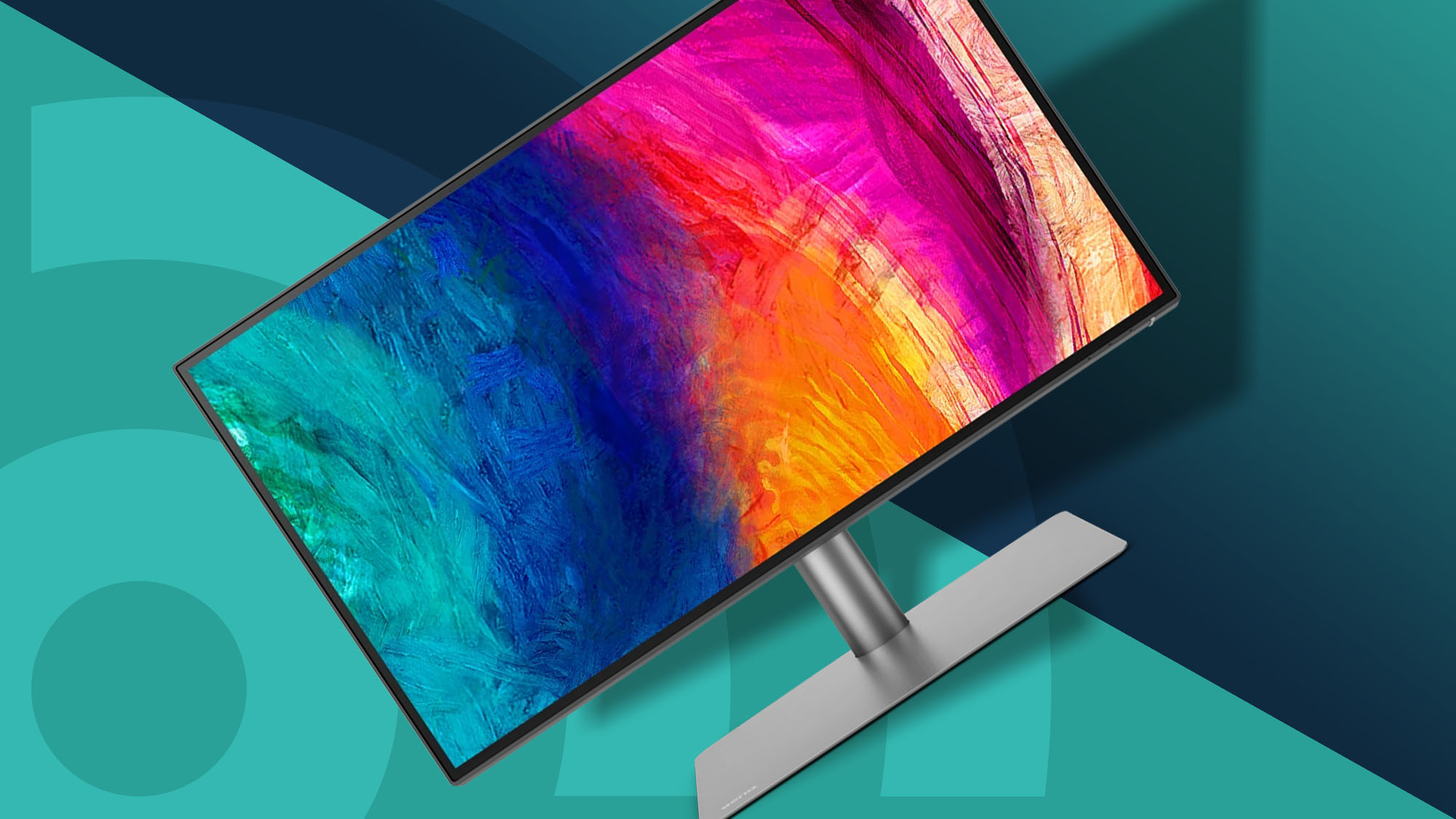
Today’s best monitors are a sight to behold, delivering sharp, vibrant visuals that elevate any PC setup; whether you're working, gaming, creating, or kicking back for some entertainment. If you're ready for an upgrade or starting a brand-new build, the sheer visual quality on offer right now is seriously impressive.
And we should know: backed by more than 20 years of reviewing the latest panels, my team of monitor experts and I are here to help you track down the right screen for your desk. From budget-friendly 1080p bangers built for fast-paced gaming to jaw-dropping 4K OLEDs tailored for creative pros, TechRadar puts every display through rigorous hands-on and lab testing to separate the standouts from the rest.
Every monitor in this guide has been handpicked using the four key criteria I always rely on when testing or shopping for a display: budget, performance, design, and feature set.
✅ More than 100 monitors reviewed over the past few years
✅ 15 years of product testing
✅ Over 16,000 products reviewed in total
✅ Nearly 200,000 hours testing tech
At the time of writing, the Black Friday deals are in full swing, and will likely peak on November 27 and November 30 (Cyber Monday). So we'd suggest now is a good time to hunt down a new monitor at an appealing price.
The best monitor overall
Reasons to buy
Reasons to avoid
✅ You want a single monitor for everything: MSI's X24’s 4K resolution and fast panel mean you get sharp text for work and smooth motion for play—all in one.
✅ You're after cutting-edge OLED tech: With Samsung's latest five-layer Tandem QD-OLED tech, you're getting all the benefits of deep blacks, rich colors and even better resistance to OLED burn-in. This will last you for years.
❌ You’re after a supremely bright display: We'd expect a huge upgrade in brightness here, but as with most OLEDs, this can be a touch dim.
❌ You’re after a bargain 4K display: This a 4K OLED display, after all, and sporting the latest specs, so expect a high price tag (that said, it's still not the most expensive you'll find).
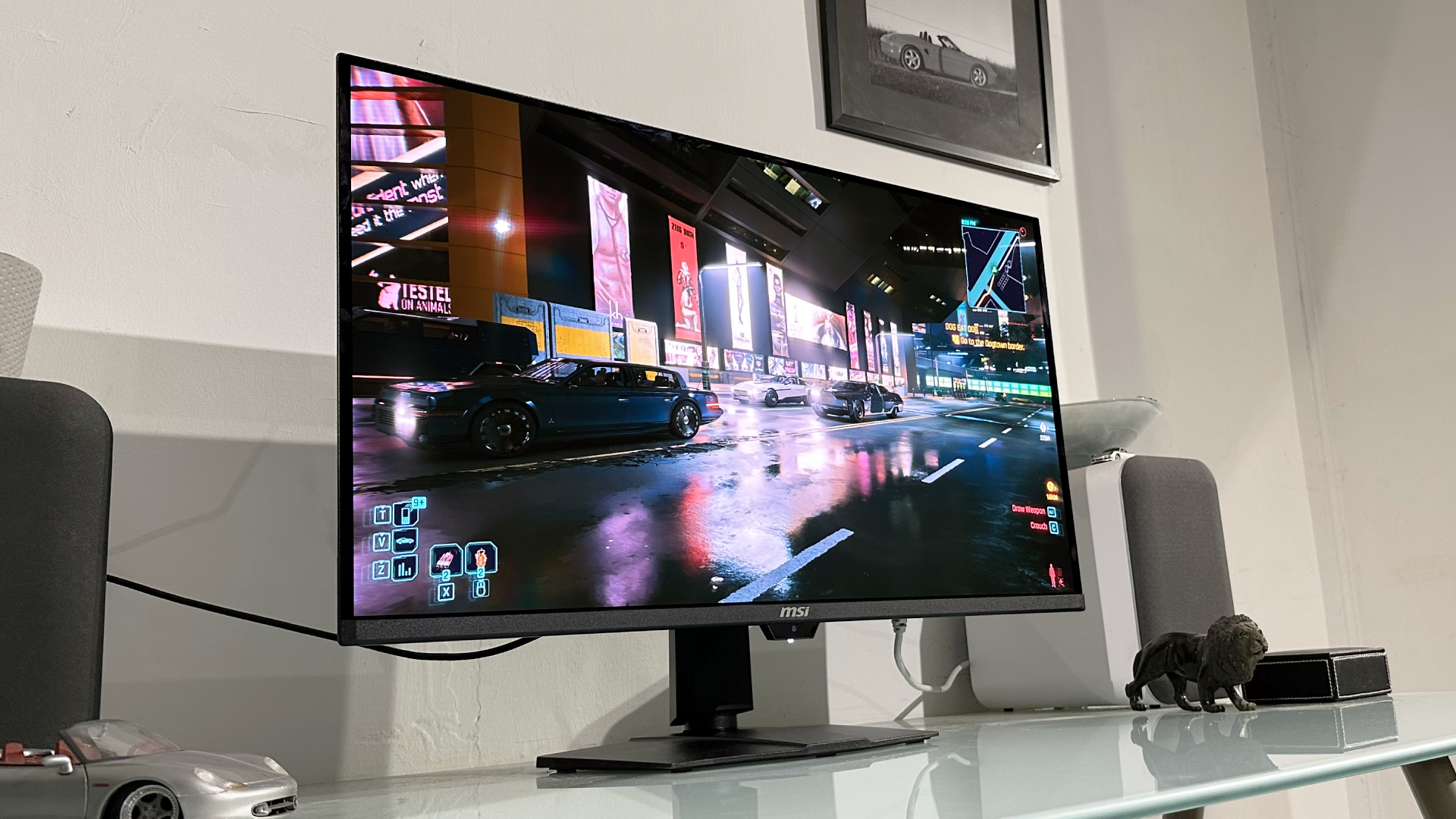
Looking for top-grade visuals on a minimalist, sturdy display sporting all the high-end ports you could ask for? The MSI MPG 322UR QD-OLED X24 provides, which is why we've named it the best monitor you can grab today.
Workers, gamers and creatives alike will have everything they could want. Sharp 4K visuals with a 240Hz refresh rate, 0.03ms response time, along with a full range of adjustment, including tilt, height, swivel, rotate and pivot (not to portrait mode, though), make this a fitting monitor for most desks.
While using this monitor, our team found the HDR experience genuinely impressive; it’s not just technically good—it’s the kind of eye-popping upgrade that makes gaming and movies feel special. The panel tech here isn’t just about numbers, either: the QD-OLED delivers color pop and contrast that most LCDs can’t touch.
You get dual HDMI 2.1, DisplayPort 2.1, and a USB-C port with 98W power delivery—meaning you can hook up a laptop or console with a single cable and still charge your device. That’s a huge plus if you’re juggling between home office and entertainment setups.
Now, brightness isn't its strong suit, and it is relatively pricey. That being said, that's typical of most OLED displays, and it's still not the most expensive around. But if you’re after a single, long-term display that nails the basics and then some, the X24 is the overall winner this year.
The best budget monitor
Reasons to buy
Reasons to avoid
✅ You want maximum value on a tight budget: It’s hard to beat the GW2486TC’s $189.99 / £149.99 / AU$289 price for a monitor that delivers across work, media, and even some light gaming.
✅ You need flexible viewing comfort: With 130mm height adjustment, wide swivel, and tilt, it’s easy to set up for any desk or task.
❌ You need professional-grade color or gaming specs: As you might expect, it lacks the advanced calibration tools and color precision found on higher-end models, along with the high refresh rates or response times of displays for gamers.
❌ You want built-in KVM or cable management: There’s no KVM switch or dedicated cable management, so it’s less suited for multi-device setups.
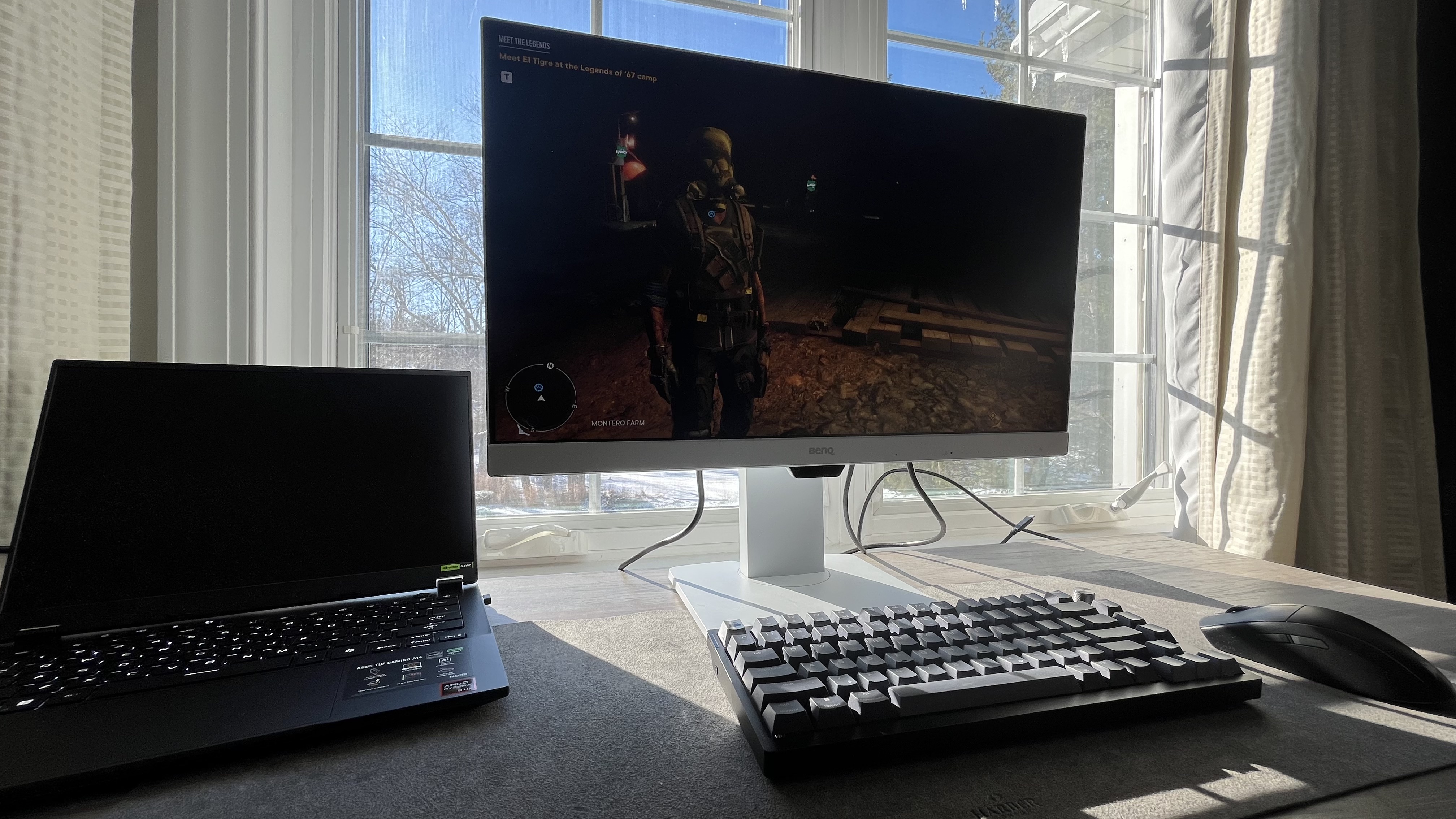
There are plenty of wallet-friendly displays out there, especially if you're after a second screen to connect to your laptop, but none quite reach the value the BenQ GW2486TC Eye-Care Monitor offers.
At its sub-$200 price (it goes for even less during a big sale), it’s a monitor that won’t make your wallet wince, yet it delivers 99% sRGB coverage. That's enough to handle creative work, streaming, and everyday office tasks. Beyond that, it even boasts a 100Hz refresh rate and 5ms response time, and that's more than good enough for some casual gaming.
In our reviewer's month of everyday use, the GW2486TC proved fantastic for all-day work. That 250-nit brightness isn't the brightest by far, but it's perfectly fine for office setups, and combined with its excellent ergonomic stand (130mm of height adjustment, generous swivel and tilt for even viewing), it’s easy to fine-tune for long work sessions or awkward desk setups. Don't expect pro-grade specs here, but that's to be expected at this cost.
If you’re after a practical, reliable monitor for mixed use on a budget, and don’t mind skipping cable management and KVM, the GW2486TC is the obvious choice. It’s built for the buyer who needs one display that just works, day in and day out.
The best monitor for professionals
Reasons to buy
Reasons to avoid
✅ You demand professional color accuracy: Measured 98% DCI-P3 coverage and factory calibration (Delta E < 2) means you can trust this display for color-critical work.
✅ You need ergonomic flexibility: The stand supports height, tilt, swivel, and pivot, so you can set it up for long sessions without neck strain.
❌ You require 4K resolution or Thunderbolt: This model tops out at 2560 x 1440 and lacks Thunderbolt, so power users needing single-cable workflows or ultra-fine detail will want to look elsewhere.
❌ You need full control in HDR mode: When HDR is enabled, brightness and contrast controls are locked out; if you toggle HDR often, this could slow down your workflow.
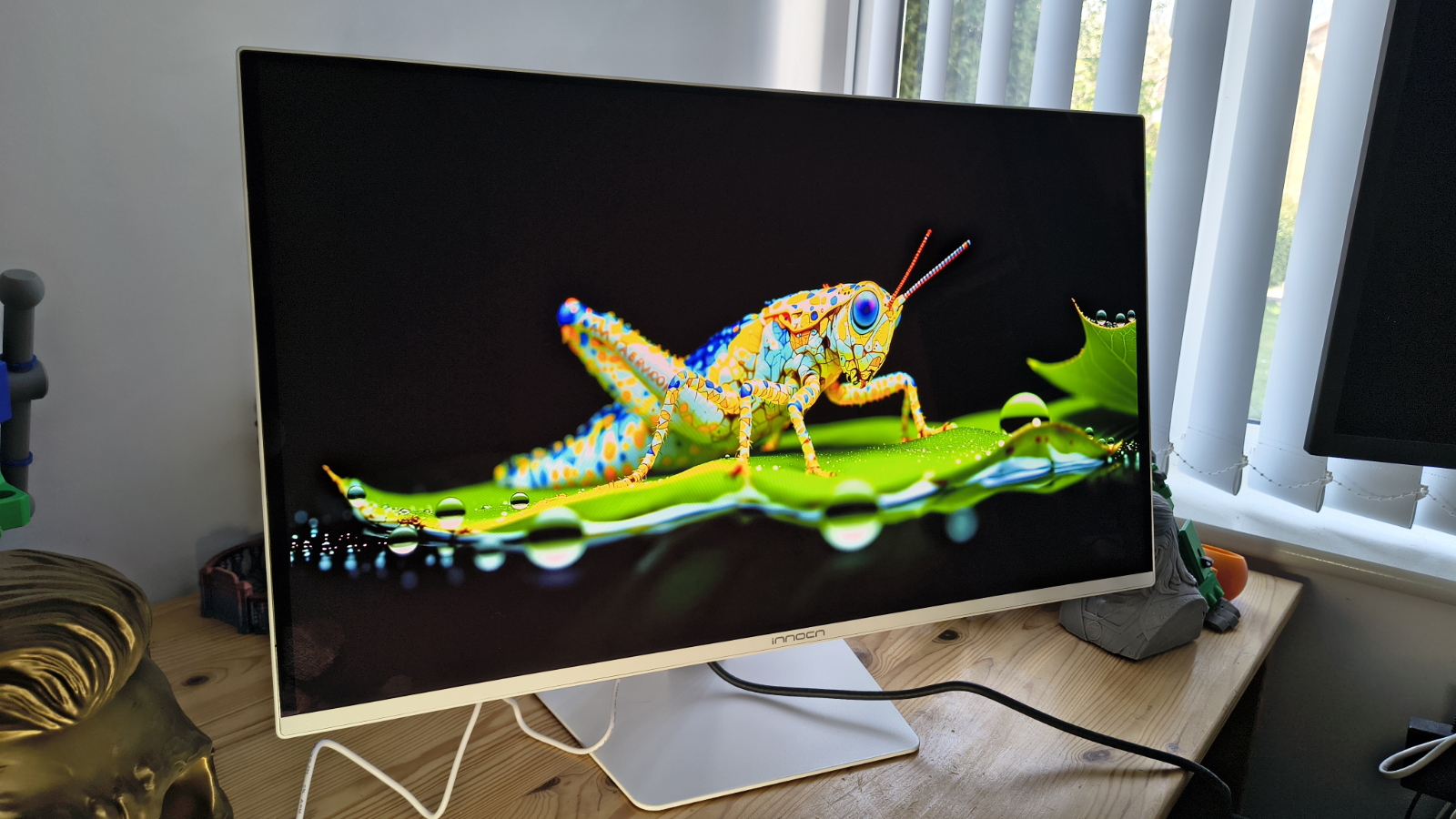
Pro-level displays are no longer the premium-priced, inaccessible purchase they started out to be – at least as far as the InnoCN GA27S1Q is concerned. This 27-inch panel delivers measured 98% DCI-P3 color coverage and arrives factory-calibrated with Delta E under 2, letting you trust what you see for color-critical client work and print proofs.
Where this display quietly excels is in day-to-day studio comfort. The stand offers generous 120mm height adjustment, tilt, swivel, and a full 90-degree pivot, so getting your palettes, timelines, or canvases exactly where you want them won’t involve makeshift risers or neck strain during long sessions.
There’s a quirk worth flagging: when HDR mode is on, you can’t adjust brightness or contrast, or select other picture modes. Full customization returns once HDR is deactivated. It’s not a dealbreaker, but it’s a detail you’ll notice if you bounce between SDR and HDR tasks.
If color accuracy, pro ergonomics, and value rank highest on your checklist, the InnoCN GA27S1Q stands out among pro monitors this year. Those demanding 4K or all-in-one Thunderbolt simplicity will still look elsewhere, but for most creative workflows, this display gets the essentials right and leaves budget for the rest of your studio. Creatives may want higher resolution and more color modes, but for the most part (and that price), this monitor excels.
The best gaming monitor
Reasons to buy
Reasons to avoid
✅ Choppy motion and lag frustrate you: The MO32U24's 240Hz refresh and 0.03ms pixel response create a noticeably fluid, responsive gaming experience—even in the fastest shooters.
✅ You want bright, colorful visuals: This monitor's HDR performance, with impactful HyperNits and saturated color, stands out for dynamic, lifelike highlights in games and movies.
✅ Customization is important to you: With a multitude of image-tinkering options to suit persnickety workers and gamers, tweaking the picture to get the perfect visuals for you is a breeze.
❌ You're on a tight budget: While you could easily spend more on a gaming monitor, the MO32U24 isn't exactly budget-friendly.
❌ You want a flashy monitor for your setup: With a restrained design and no bright RGB lighting, this monitor doesn't exactly match the 'gamer aesthetic'.
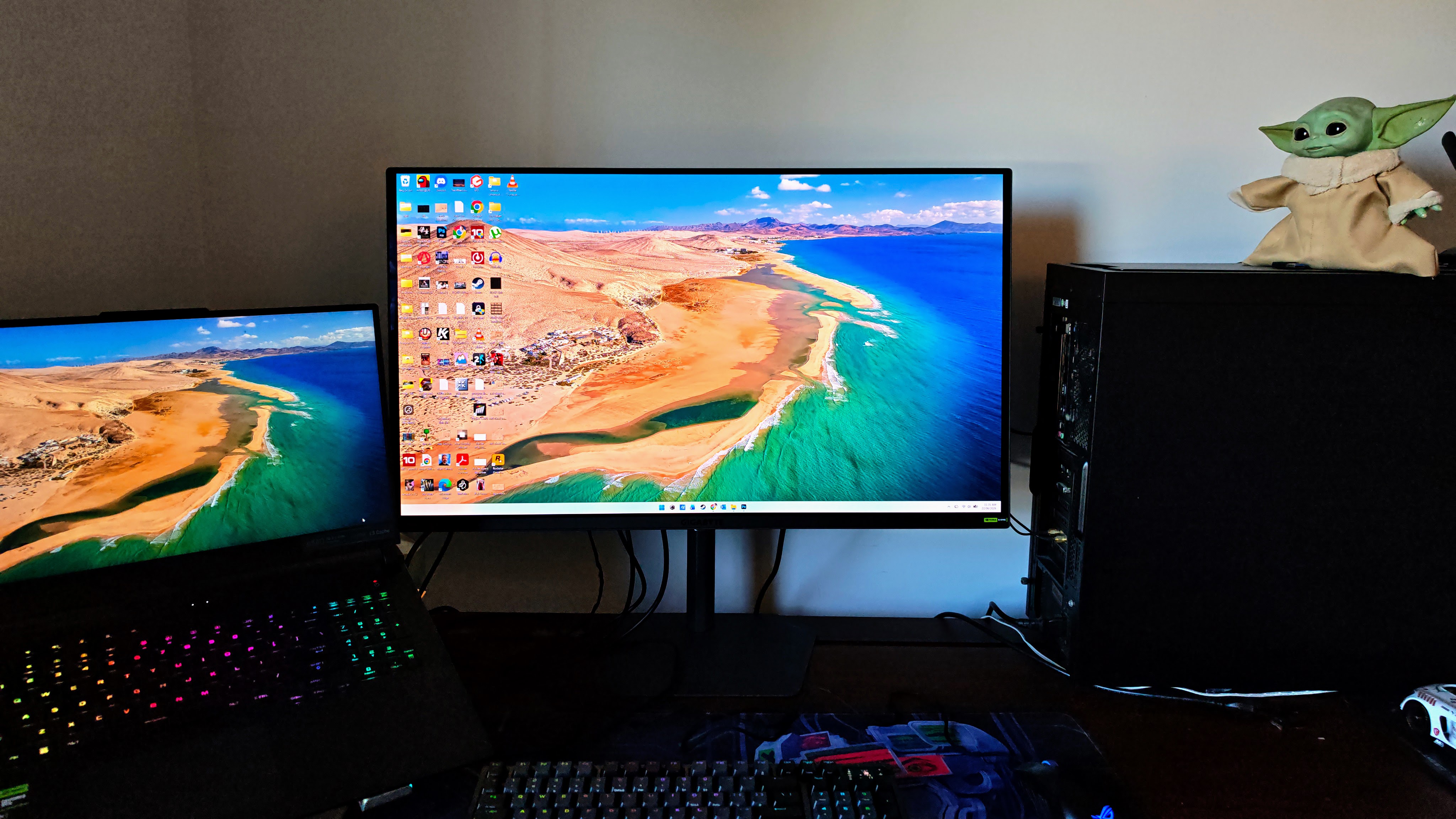
The Gigabyte MO32U24 stands out in the gaming monitor crowd with its 240Hz refresh rate and excellent HDR performance powered by HyperNits technology, making it a top choice if you want both smooth motion and impactful visuals for your setup. The combination of QD-OLED panel technology and the high refresh rate delivers a clear advantage for fast-paced games, ensuring both stunning brightness and saturated colors that pop in HDR titles.
For competitive play, the MO32U24 features a 0.03ms pixel response and dual G-Sync/FreeSync support. In our testing, even in high-intensity shooters and esports titles, the panel kept up without noticeable ghosting, and adaptive sync helped minimize screen tearing across platforms.
Beyond gaming, one of our testers noted they could leave HDR enabled throughout the workday without discomfort, which is uncommon for a high-brightness panel. In other words, the MO32U24 can pull double duty as a screen for both productivity and gaming with minimal need to toggle settings.
Not every feature hits the mark. Although the MO32U24 comes with a rich feature set of image-tweaking options, our reviewer did note that the 'Game Assist' features were a bit useless. Night Vision, for example... turns the screen green. Revolutionary.
But if you want the best blend of speed and visual punch in a standard-size monitor, the MO32U24 hits the sweet spot. It delivers better HDR and color than many pricier ultrawide or max-refresh models like the LG Ultragear GX9, but without their cinematic scale or high-Hz ceiling.
The best ultrawide monitor
Reasons to buy
Reasons to avoid
✅ You want a single, uninterrupted workspace: The GX9’s 44.5-inch, 5K2K (5120 x 2160) panel replaces a dual-monitor setup and gives you a seamless field for multitasking.
✅ You crave immersive, cinematic gaming or movies: Its 800R curvature and wide format create a wraparound experience that pulls you into your content.
❌ You have limited desk space: The 44.5-inch panel may be overwhelming or impractical on small desks. Consider how big your workspace is before grabbing this beast.
❌ You're looking for something more affordable: With everything it has to offer, the GX9 is an investment that will last you for years to come. But make sure your wallet is ready for a major dent.
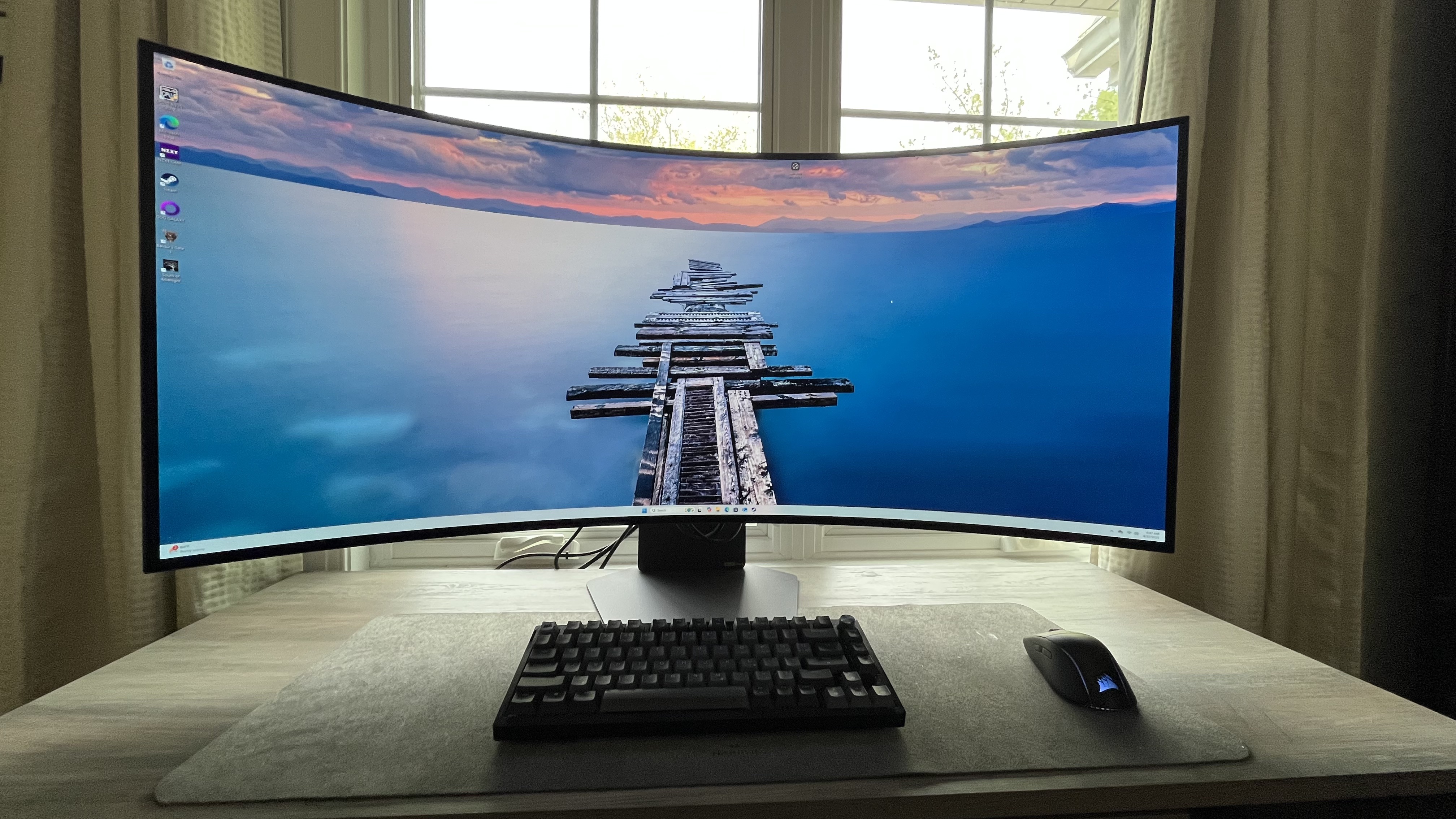
The LG Ultragear GX9 is what happens when you want a single display to do the job of two (or three) monitors. It stretches 44.5 inches across your desk and packs a 5K2K (5120 x 2160) resolution, giving you a panoramic workspace that makes juggling spreadsheets and chat apps feel effortless.
The 800R curve pulls the far edges in, so you’re not just looking at a really wide rectangle—the screen wraps around your field of view for a more immersive, cinematic effect. Our lead tester spent hours gaming on the GX9 (think and ) and found it genuinely delivered the kind of engrossing, all-encompassing experience ultrawide fans are after. If you want your games and movies to fill your vision, this gets you there.
Performance-wise, the 165Hz refresh rate and 0.03 response time mean you’re getting smooth motion for fast-paced games, not just static work apps. The GX9’s higher refresh rate and massive screen make it a better fit for immersive multitasking and gaming. Plus, it helps that the GX9 has a 98.5% DCI-P3 color coverage to make colors pop.
Of course, all this comes at a price. The GX9 is expensive, and if you’re working with a tight budget, this isn’t the ultrawide for you. Regardless, for buyers chasing the ultimate immersive canvas, the GX9 holds its own, nailing that sweet spot of performance, features, and enveloping screen space.
The best curved monitor
Reasons to buy
Reasons to avoid
✅ You want a truly immersive curved workspace: The 34-inch curved ultrawide screen draws you in for games and multitasking alike.
✅ : With 95% measured color gamut, images and movies feel lively and rich.
❌ You rely on USB-C or Thunderbolt docking: The AW3425DWM skips Thunderbolt 3 and USB-C, so it's less streamlined for single-cable setups.
❌ You need built-in multitasking features: There’s no Picture-by-Picture or advanced multitasking onboard. Look elsewhere if you're after a feature-rich experience to tinker with.
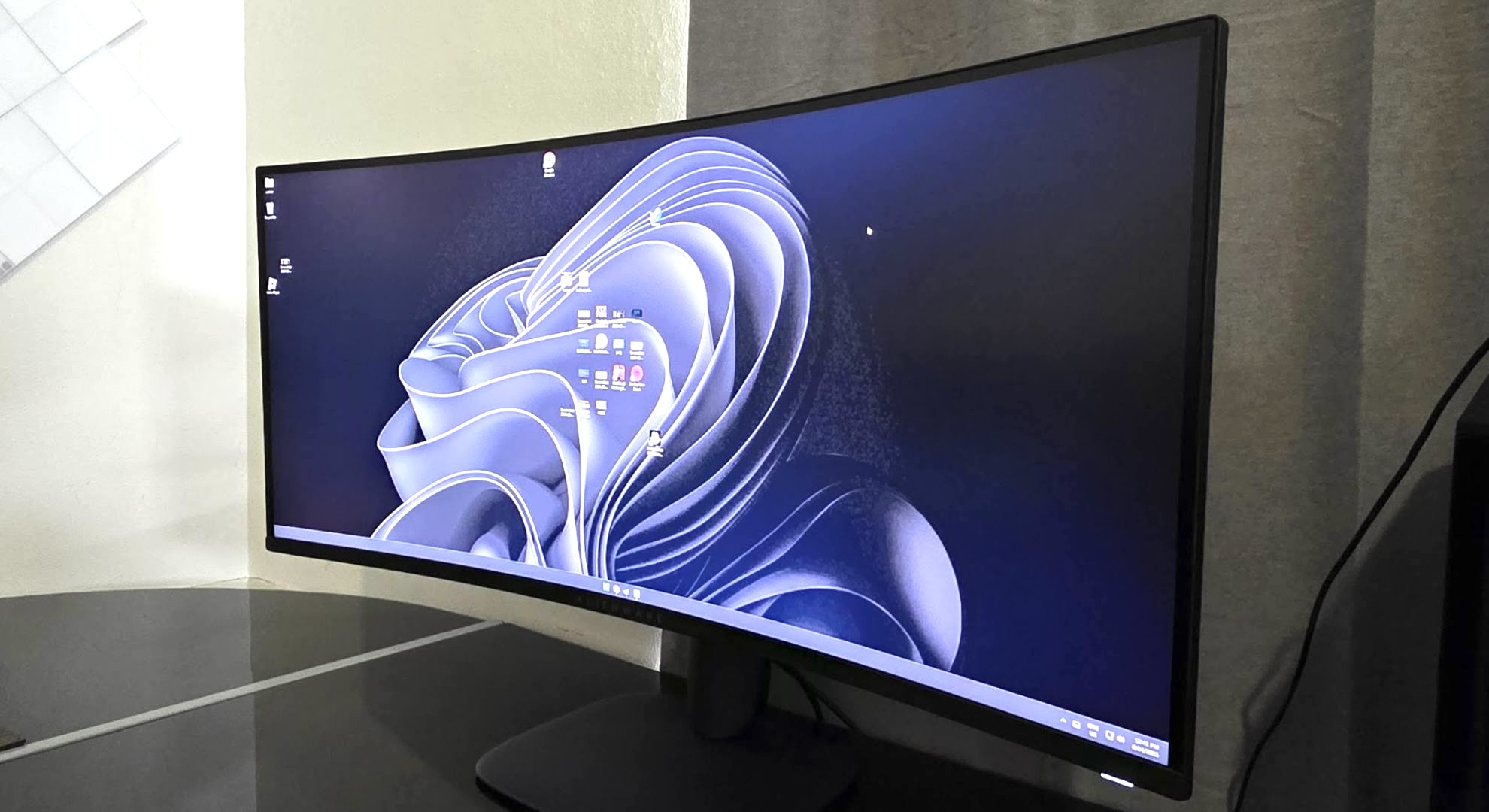
The Alienware AW3425DWM 34-inch is the go-to choice if you're after an immersive curved monitor that feels just as suited for cinematic gaming as it does for multitasking. Its 34-inch curved ultrawide design really draws you in, making both wide spreadsheets and open-world games feel that much more expansive.
What impressed us most was the combination of sharp 3440 x 1440 resolution and a color gamut measured at 95%. Not quite professional-grade, but more than enough for vibrant movies, detailed images, and rich everyday content. This panel delivers the kind of visual fidelity you'd expect from a premium display, even if you're not editing photos for a living.
And that price? You'd be hard-pressed to find a curved monitor that won't break the bank, let alone feature a 3440 x 1440 resolution, 180Hz refresh rate and 1ms response time. That makes it amazing for immersive gameplay.
However, you do give up a few things for the price: the Alienware AW3425DWM lacks Thunderbolt 3, Picture-by-Picture, and USB-C connectivity, so if your workflow depends on those features or you want effortless docking, you'll want to check out other options. Otherwise, compared to pricier OLED ultrawides, this Alienware curved monitor is a win.
The best monitor for speed
Reasons to buy
Reasons to avoid
✅ You want one of the fastest esports displays possible: The Odyssey OLED G6 G60SF offers a true 500Hz refresh rate, giving you a measurable edge when every frame and millisecond count.
✅ You demand top-tier motion clarity: This monitor’s 0.03ms response time means fast-moving targets stay sharp, helping you track and aim with confidence in high-action games.
❌ You don't need esports-level speeds: That 500Hz refresh rate is high, but not everyone will notice the clear difference over, say, a 240Hz refresh rate display. This one's really for esports pros and competitive enthusiasts.
❌ Your PC isn't up to snuff: The 500Hz refresh rate is only useful if your PC can hit 500 FPS, so make sure your setup can handle it first.
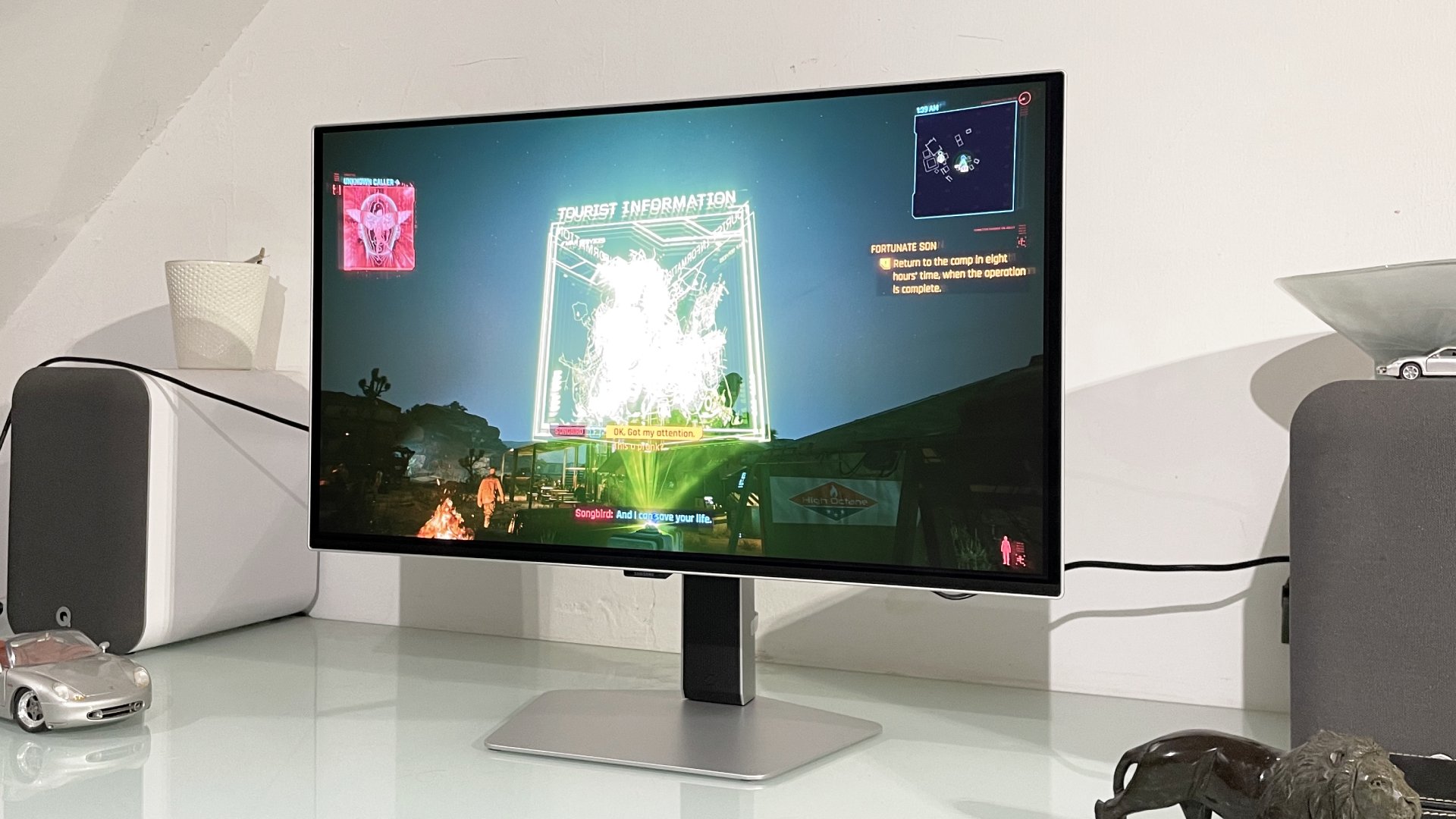
The Samsung Odyssey OLED G6 G60SF is one of the fastest gaming monitors we’ve ever tested, and with a genuine 500Hz refresh rate, it’s built for one thing: raw, competitive speed. In our hands-on sessions, we found motion blur was minimal and input lag almost nonexistent, so every frame from your GPU lands on screen with barely a hint of delay.
Backing up that speed is an OLED panel rated for a 0.03ms response time. That means even at the highest frame rates, fast-moving targets stay razor-sharp, giving you confidence to snap-aim and track without visual distractions.
Here's the thing. Unless you're on an esports level, or trying to reach those heights, you won't see a significant difference between 500Hz and a 240Hz refresh rate. And that lofty tag makes sense only if you have the PC hardware (and competitive ambition) to push it.
Put simply, if online shooters are your main game and you want to feel every last speed advantage, the Odyssey OLED G6 G60SF is a dream ticket. Everyone else? You’re probably better off with a more balanced (and affordable) display.
The best monitors: FAQs
Which monitor quality is best?
Well, this really depends on a couple of factors, but first and foremost is your use case.
If you're just a typical PC gamer looking for the best image quality, getting a 4K monitor is going to make your games look fantastic. If you're an esports competitor (or simply like improving in online games), then the only thing that matters is pixel response and refresh rate.
Even a 1080p resolution is acceptable so long as it has at least 1ms pixel response or lower. The refresh on 1080p monitors can go as high as 1,000Hz these days, with the very latest monitors coming onto the market. That said, that's way too high for most, so if you find one with 200Hz and above, you're already in the right range.
For most people, though, a 1440p monitor is perfect, since the jump from 1440p to 4K isn't nearly as impressive as the jump from 1080p to 1440p. That goes for the price tag, too.
What is best screen size for 4K?
Depending on how far away from the screen you are, there will be a point where it just doesn't benefit you to upgrade to a new monitor with a higher resolution.
Typically, 32 inches is considered the best monitor size since this is the size where a person sitting about 3 feet away from a screen will be able to see the difference between 4K and 1440p. The difference isn't going to be huge, but it will be there. Still, many 4K monitors can come with a 27-inch display, and while that's quite compact, it's still a dream to look at over 1440p.
How to choose the best monitor for you
To answer this, first, you need to ask what you need it to do.
Are you a gamer? Then you need to go for the lowest pixel response rate you can afford (0.03ms is the target right now, but 1ms is still enough), even if it means sacrificing image quality. Then you'll need a super high refresh rate. At least 120Hz, but most gaming monitors go well above this (as in, 500Hz and beyond). All that matters is winning, after all, victory doesn't have to be pretty.
Are you a visual content creator, a photographer, or a graphic designer? Then you will definitely need a monitor that has the widest possible color coverage, usually given in percentage of various gamuts. sRGB is the gamut that covers the web, while DCI-P3 is the industry standard for films, and the Adobe gamut covers illustrators and photographers for the most part. Regardless of your use case, you need to get as close to 100% of your particular gamut as possible.
If you're on a high-end gaming desktop with the best graphics card on the market, then a 4K monitor might be more of what you're looking for. 4K monitors can now bring refresh rates of 240Hz and higher, and OLED brings amazing colors and deep blacks, so these are definitely the 4K panels that you need to keep an eye out for.
How we test monitors
We review monitors based on a number of factors, including price, design, and performance. We consider the size of each display, as well as the number and type of ports on each monitor, to determine which display would benefit each user most. Each monitor is used in a variety of scenarios, so we use it for work, media consumption, and gaming to test what it’s best suited to.
Performance is also evaluated by how well the actual screen tech works and its refresh rate. Frames per second are especially important in gaming monitors because you’ll want a high refresh rate during competitive games so you don’t miss a minute of the action.
Today's best monitor deals
Christian is TechRadar’s UK-based Computing Editor. He came to us from Maximum PC magazine, where he fell in love with computer hardware and building PCs. He was a regular fixture amongst our freelance review team before making the jump to TechRadar, and can usually be found drooling over the latest high-end graphics card or gaming laptop before looking at his bank account balance and crying.
Christian is a keen campaigner for LGBTQ+ rights and the owner of a charming rescue dog named Lucy, having adopted her after he beat cancer in 2021. She keeps him fit and healthy through a combination of face-licking and long walks, and only occasionally barks at him to demand treats when he’s trying to work from home.