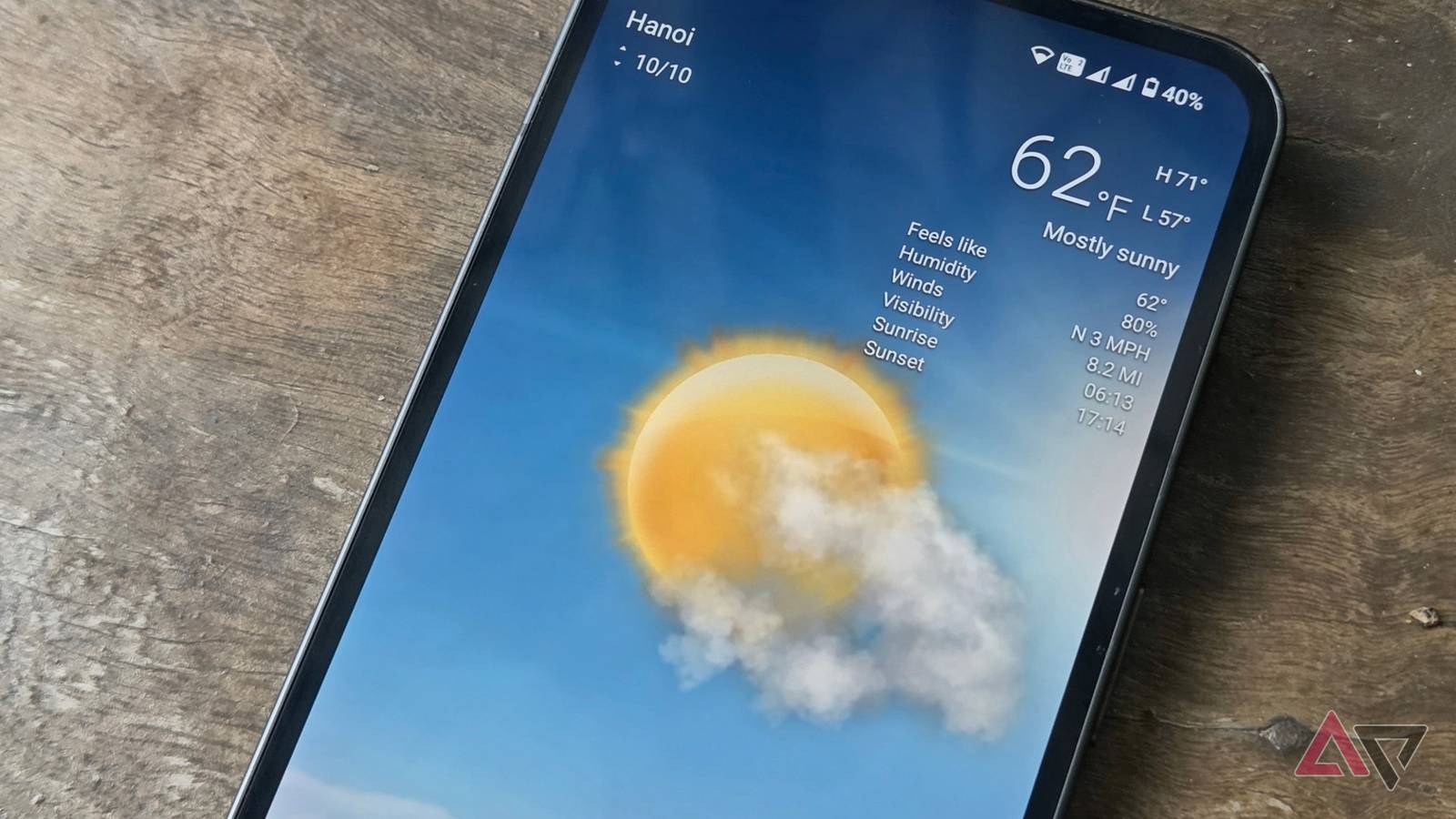
Weather apps are the type of software I normally install once and forget about. And if the default weather app that comes with my Android smartphone's OS is good enough, I stick with that.
However, when the default weather app becomes as boring as talking about the weather itself, I look for a change in scenery. There are a ton of on the web, but one really caught my eye.
HTC Sense 4 Weather replicates the look and feel of HTC's old-school weather app. Don't be fooled: It's not a retro gimmick. This app serves me legitimate weather updates and looks good while doing so.
This weather app makes me miss the good old days
When Material Design first arrived on Android in 2014, I fell in love with the look. It introduced a cohesive design that was easy on the eyes and consistent across .
On the other hand, flat designs eventually became so ubiquitous that they turned stale. I no longer have a hankering for apps that follow cookie-cutter molds in terms of aesthetics.
HTC Sense 4 Weather is the one app I'm willing to use over my default weather app. Its APK can be downloaded from GitHub and is totally ad-free.
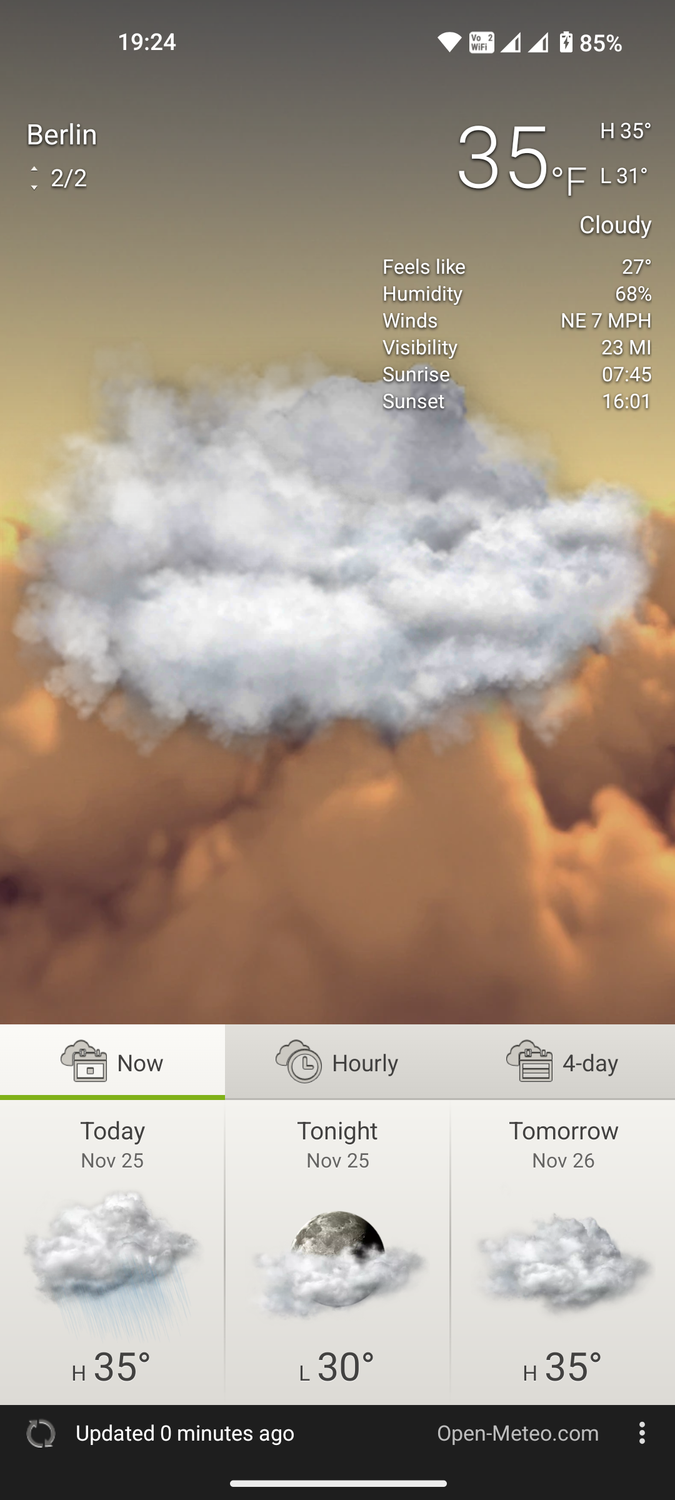
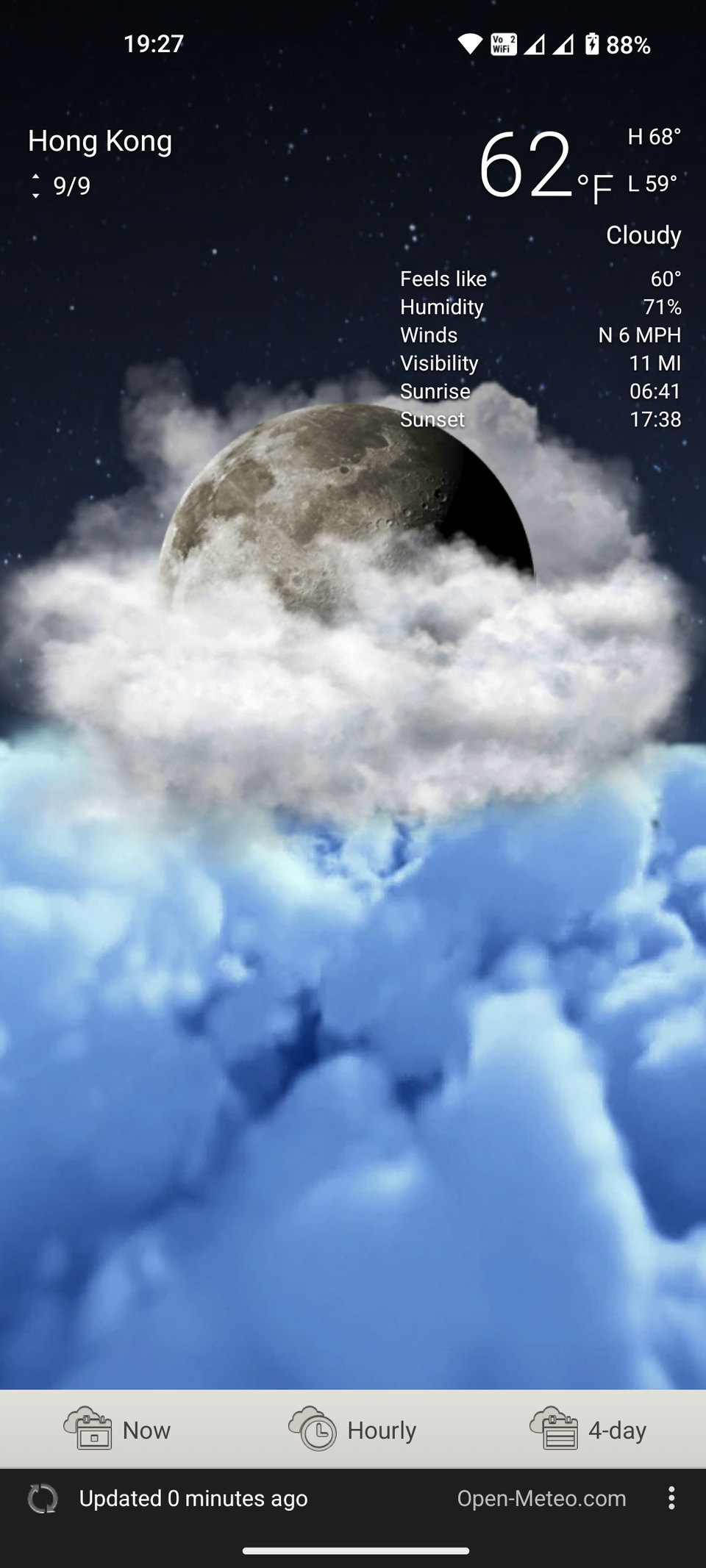
The app emulates the original by copying its animated weather elements. If you've used an HTC smartphone in the past, you'll feel right at home.
The original HTC weather app can no longer be installed because it relied on proprietary AccuWeather API endpoints that have since been locked away.
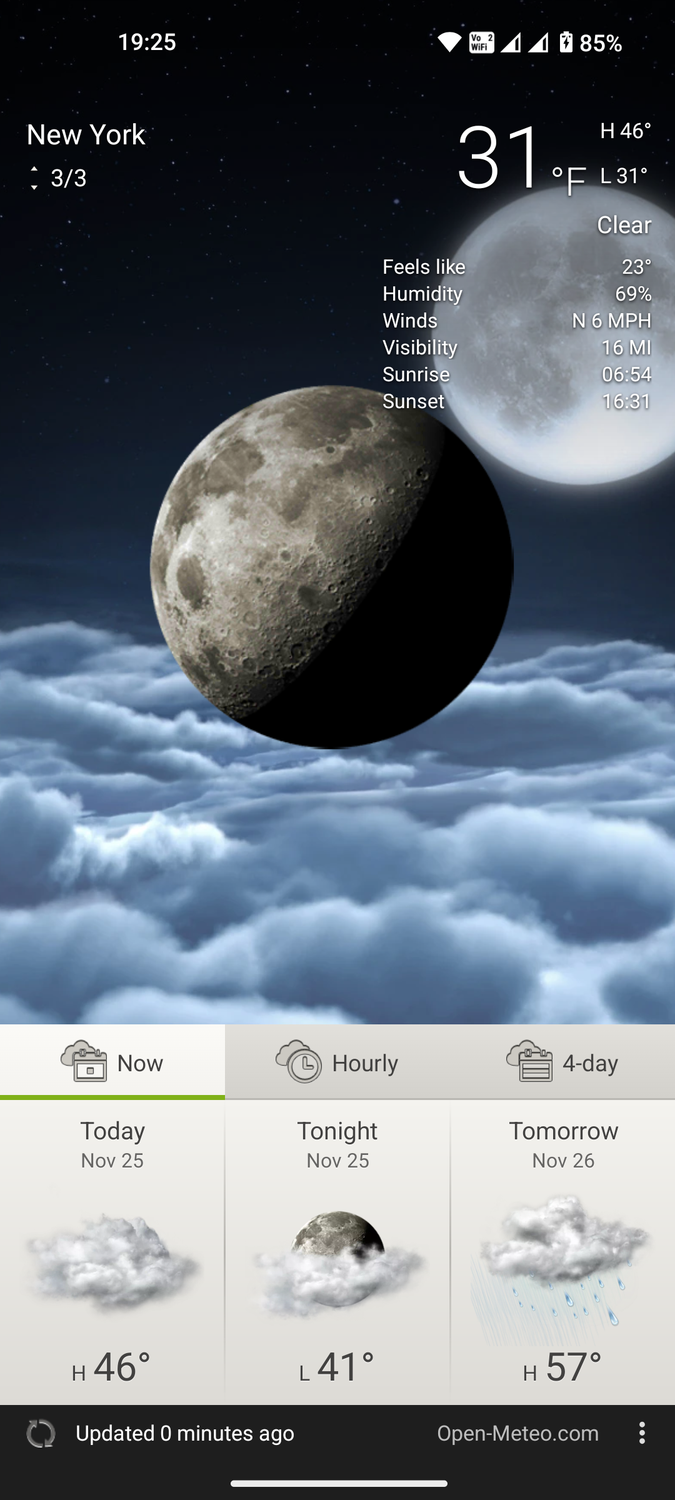
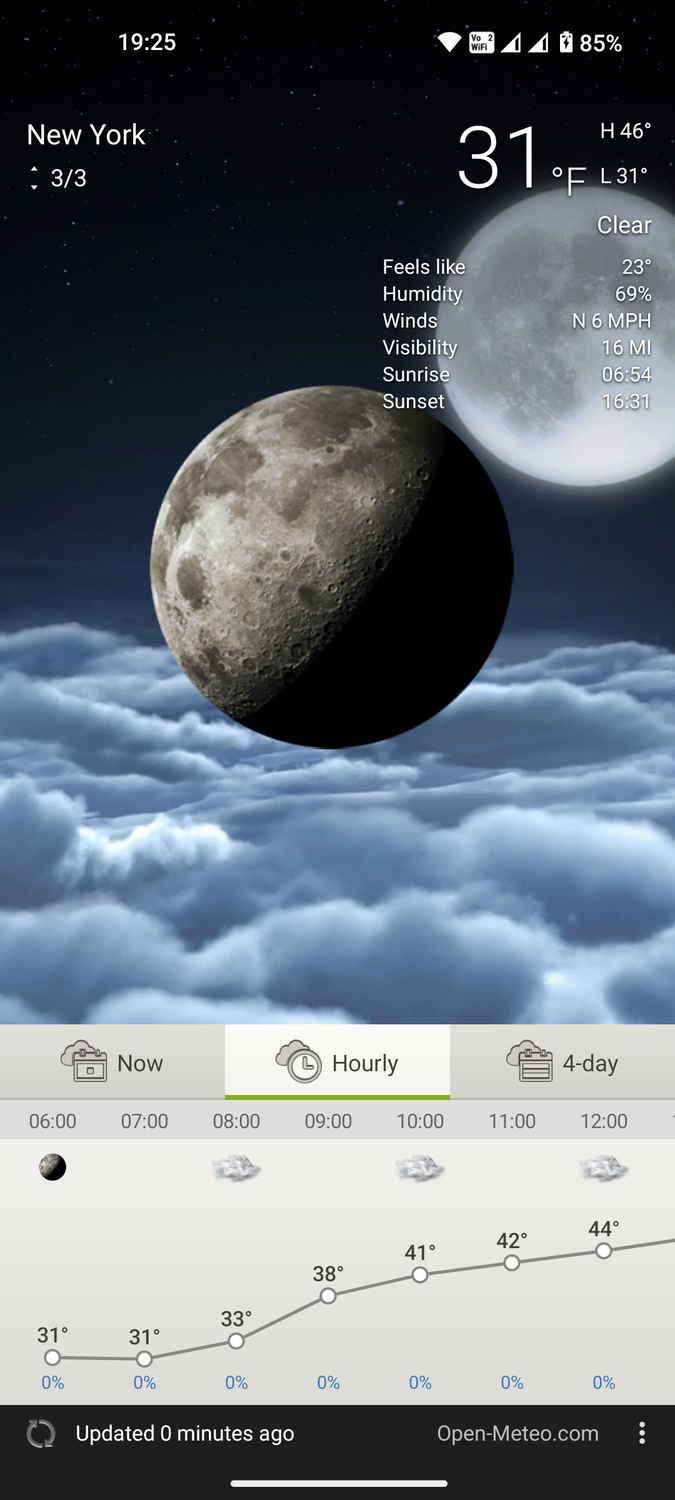
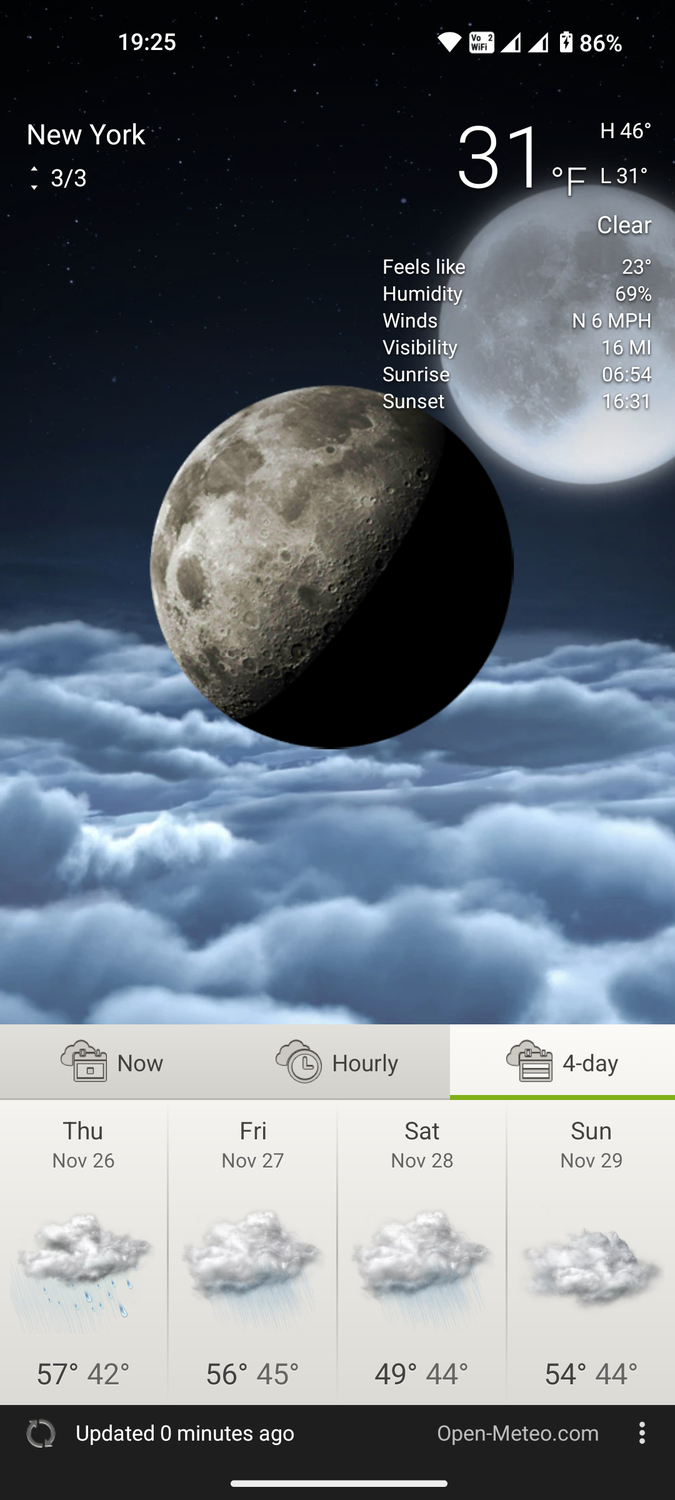
When it's raining in my selected location, rain clouds will appear. The same goes for the sun and moon showing themselves at the appropriate times of the day.
The real charm is in the 3D animations. Sun flares, thunderheads, and rain droplets automatically trigger when the weather changes and the app refreshes.
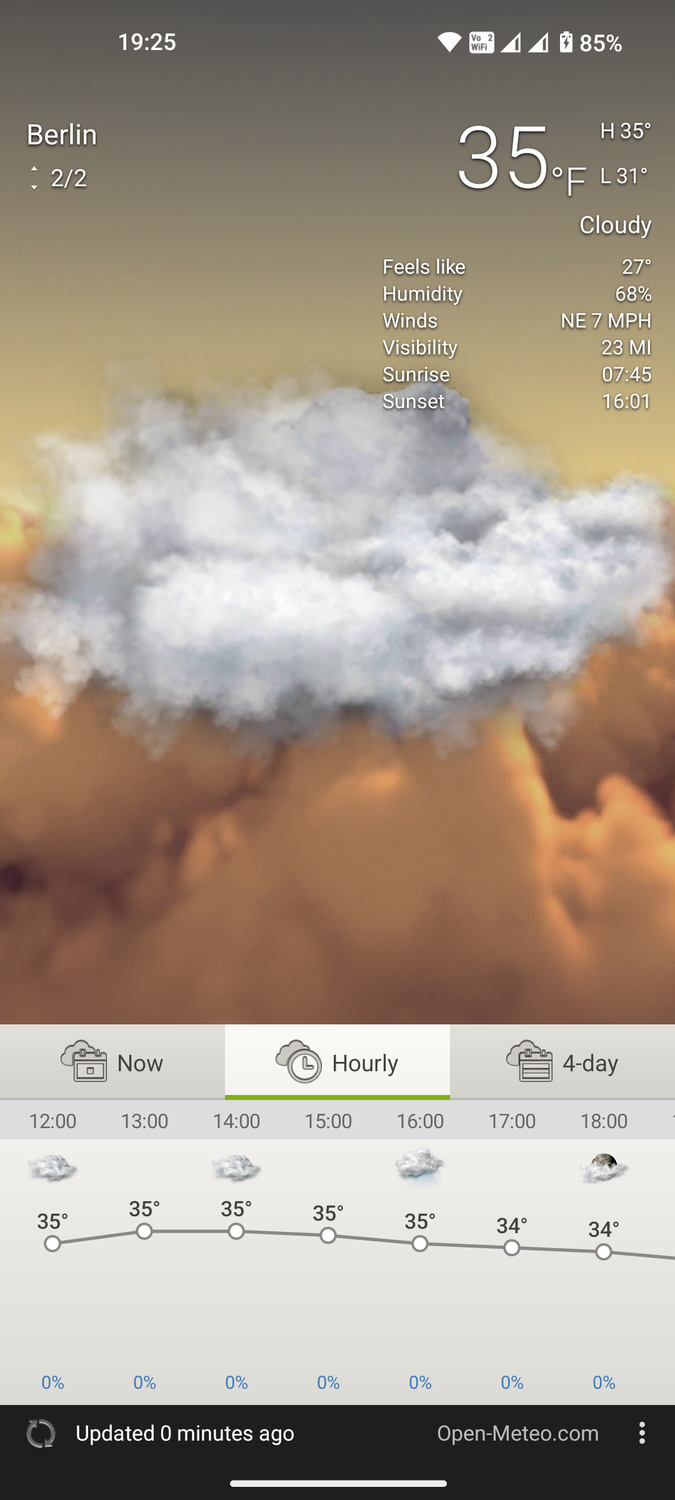
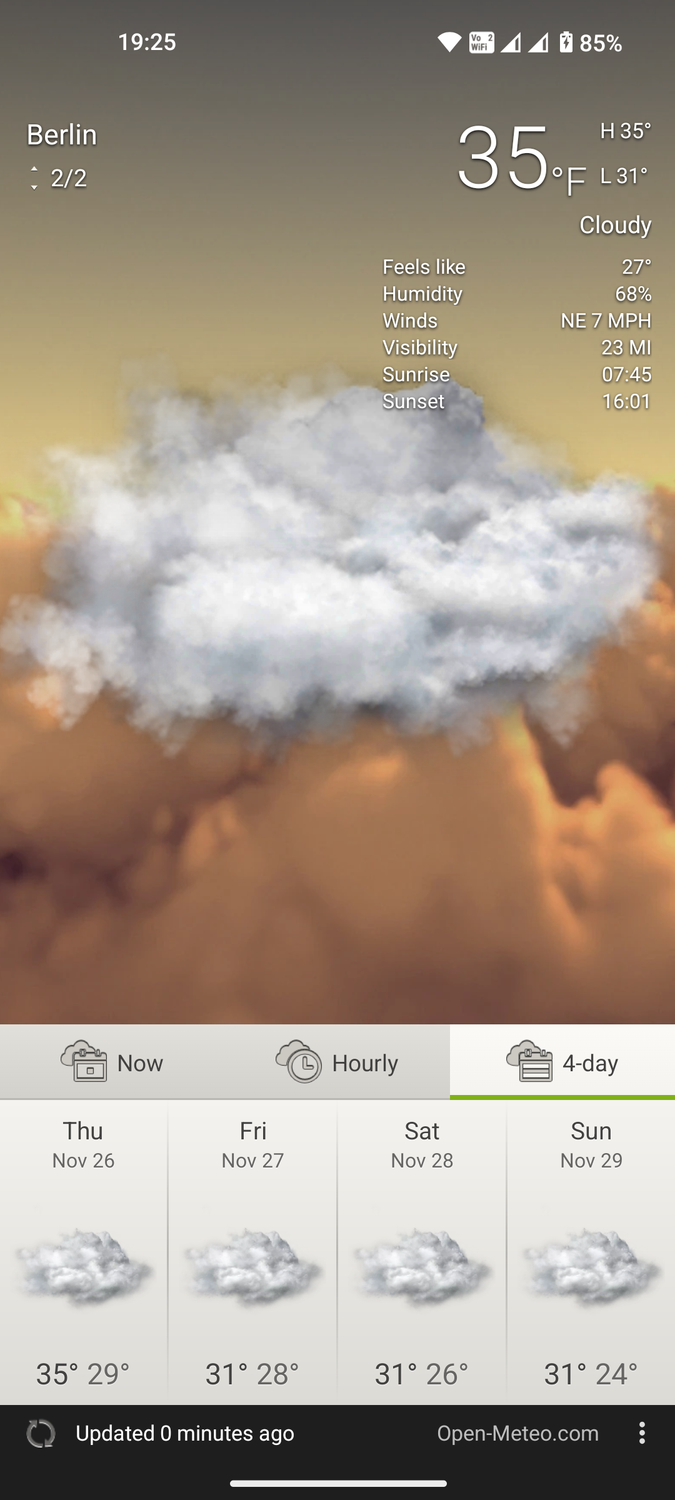
The app has three tabs at the bottom to showcase three types of data: shows today's, tonight's, and tomorrow's conditions; has forecasts up to 23 hours; and 4-day predicts the weather for up to 4 days.
No matter which screen you're on, you get a complete set of weather data aside from the usual temperature, such as humidity, wind speed, and sunrise and sunset times.
HTC Sense 4 Weather excels under the hood
It relies on an open source API
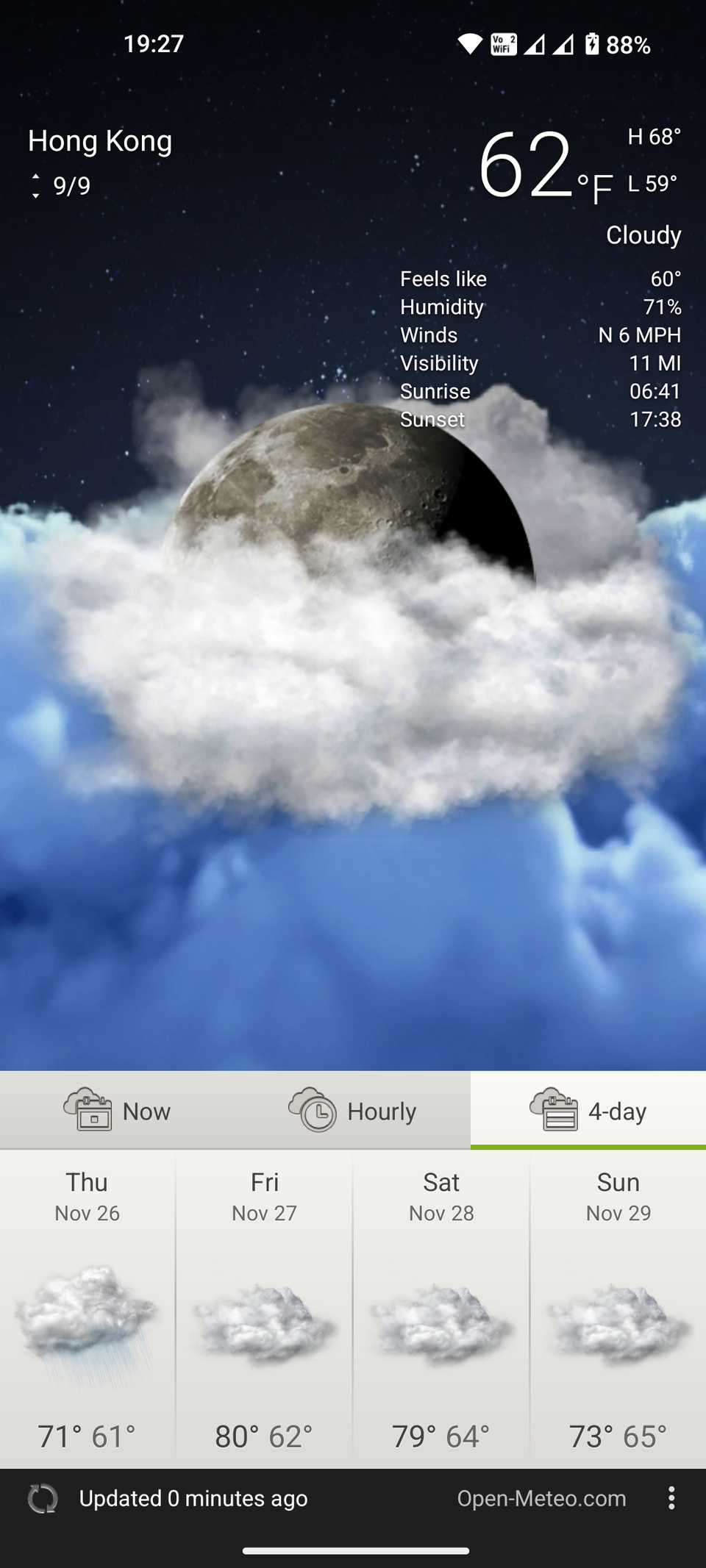
While the HTC Sense 4 Weather app itself isn't open source, it pulls its data from an API that is. is a free, open source API that aggregates multiple weather models.
Because Open-Meteo doesn't require a user account or , the app fetches current conditions and forecasts with next to no delay.
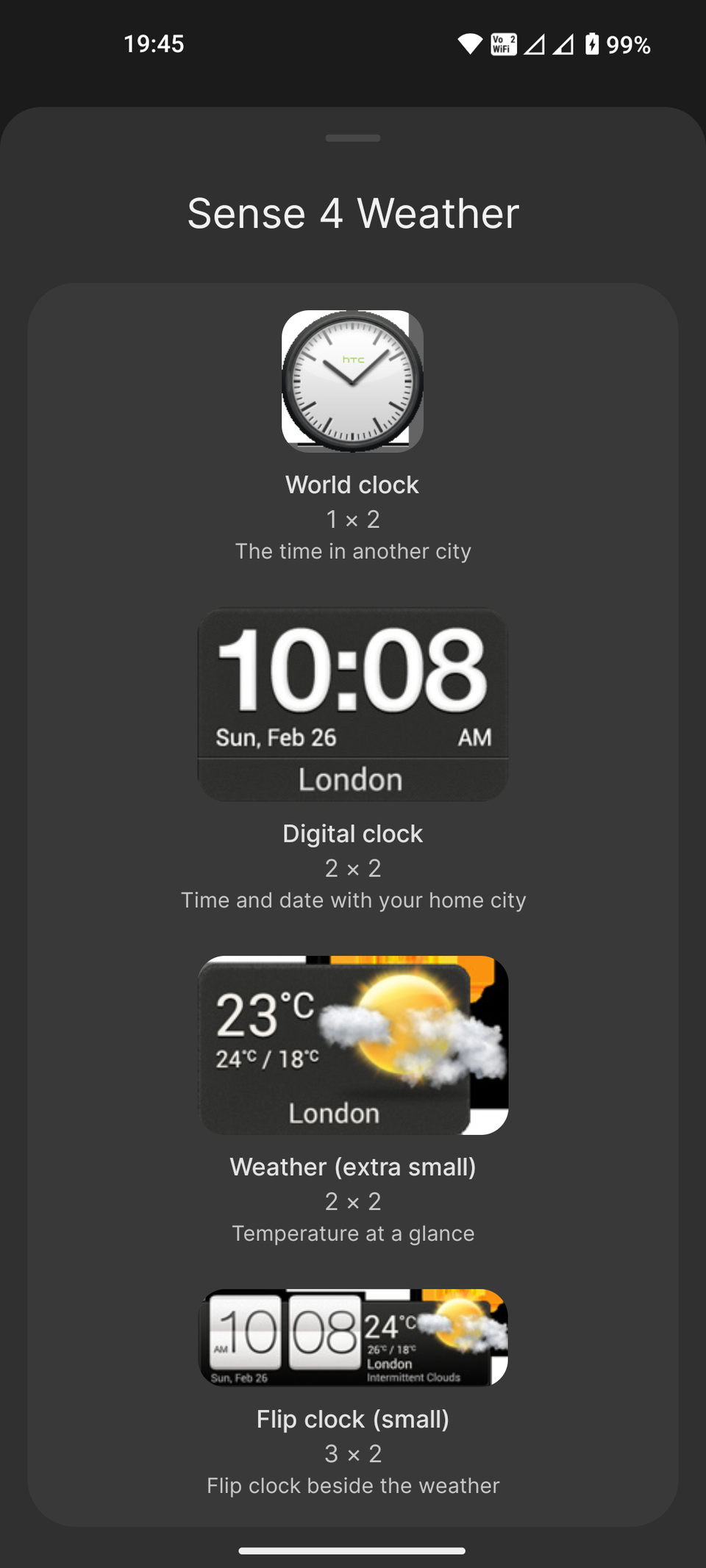
My favorite part of the app is its widgets. There are several to choose from, including 4x1 forecast strips, 4x2 weather cards, and detailed multiday layouts.
HTC Sense 4 Weather bundles a few HTC-inspired clock widgets, too. The widget, in particular, replicates the default home screen widget found on old-school HTC phones.
To stop Android from aggressively freezing the weather widget's updates, go to the main > > > App battery usage > Allow background usage and set it to .
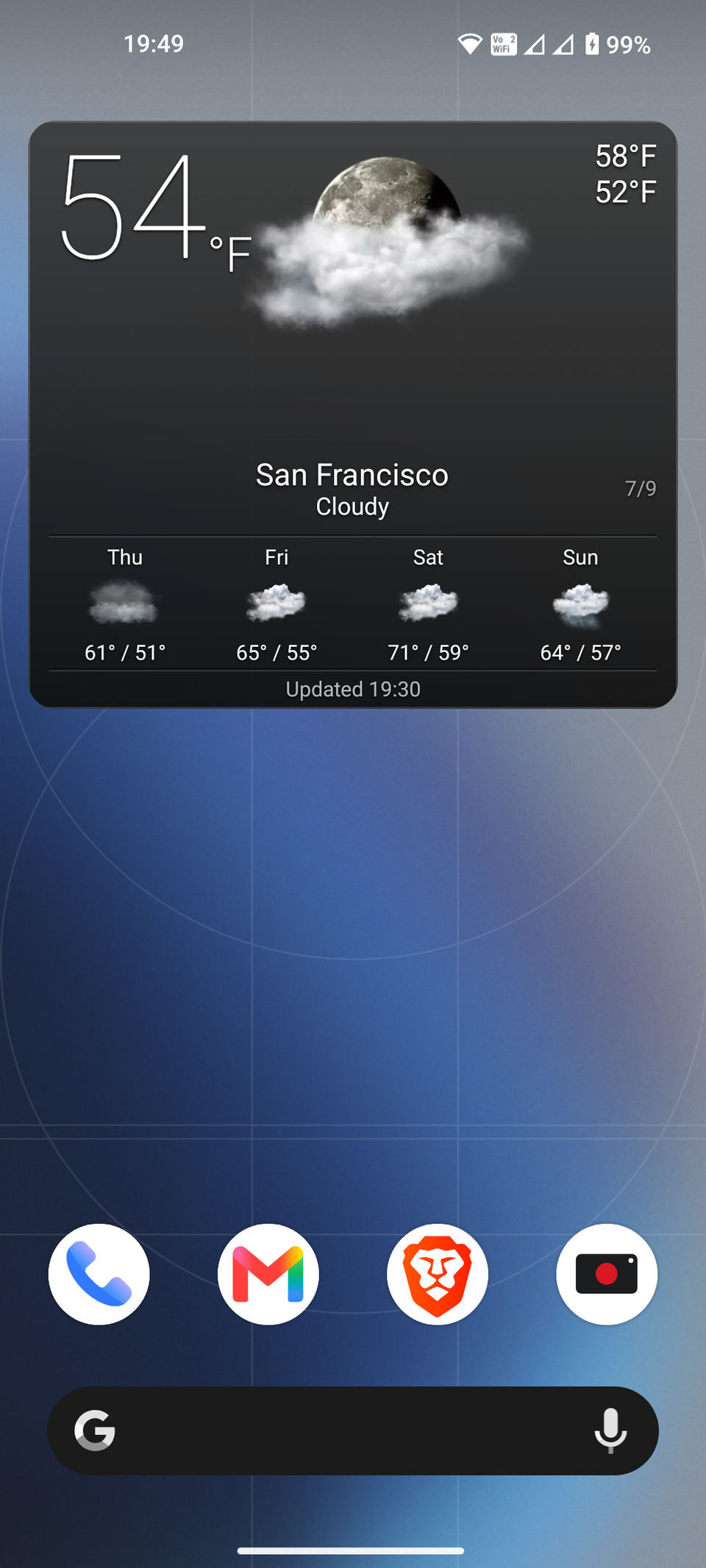
Up to 15 cities can be added to the app's list. You can swipe up or down to go from one location to the next. The order can be adjusted under Edit list in the app's main settings.
Creating a list of cities is needed to manually change the featured city on any of the widgets. After you enter the widget's settings, you'll see the full list of cities in the order you set.
The app's most novel feature is the ability to go full screen within the main screen. Simply tap the three-dot menu and select Full screen to reveal the entirety of the weather animations.
Because HTC Sense 4 Weather lives on GitHub, you need to if you want the latest updates. Unlike apps that are downloaded from Google Play, this app doesn't auto-update out of the box.
Finally, a weather app that looks and feels different
HTC Sense 4 Weather is a breath of fresh air in a sea of Material Design weather apps. It's relatively basic in functionality, but that's the charm of an old-school app.
The nostalgia hit me hard when I first installed HTC Sense 4 Weather. Although I still rely on more robust apps for my weather forecasts, I plan to keep its HTC-inspired widgets on my home screen and admire the app's animations from time to time.