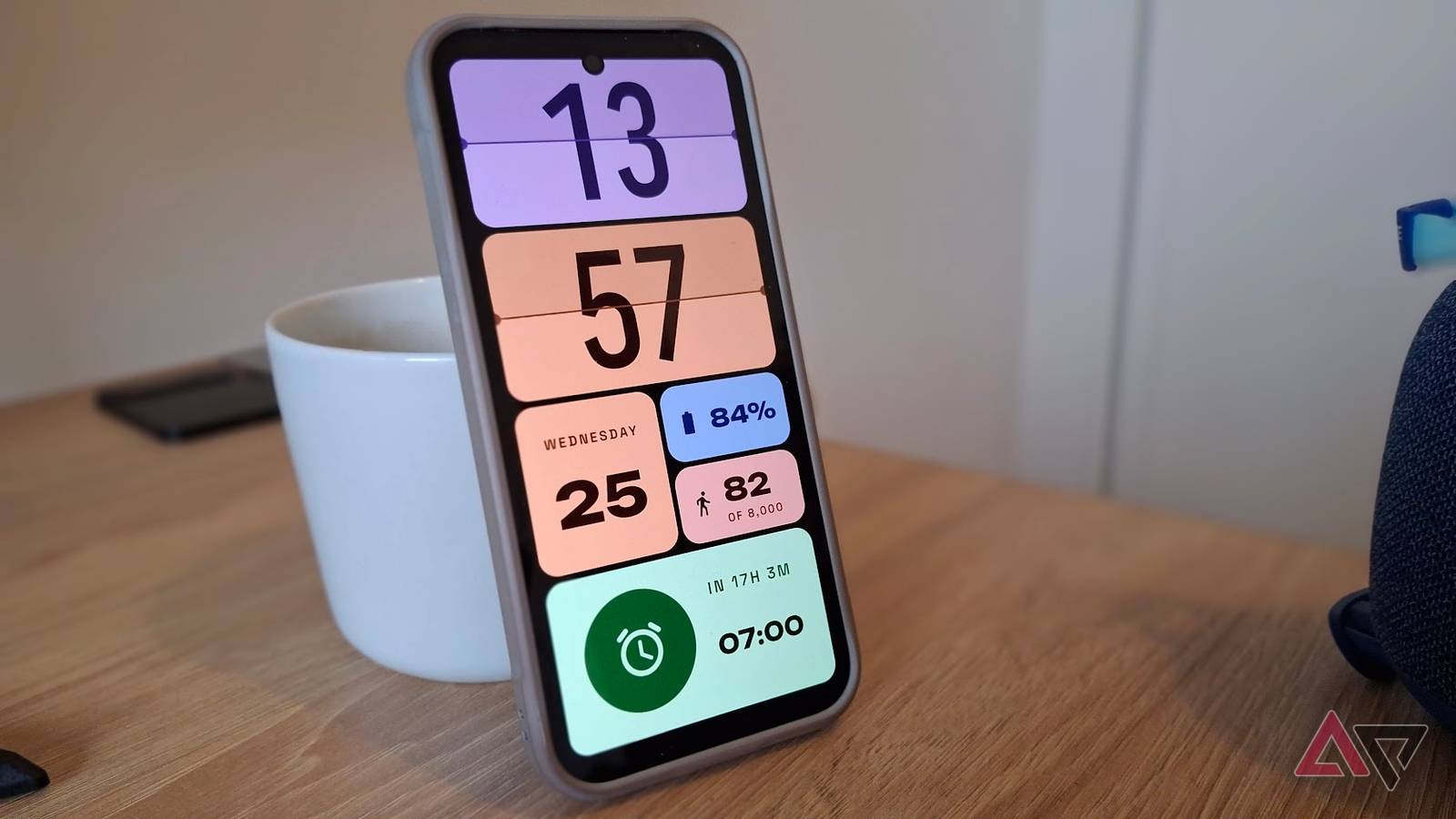
I'm a slow unpacker, so it's only now, a month after I moved house, that I set my wireless charger up on my bedside table. For a long time, I was using my e-reader as a bedside clock, but I decided to give my Pixel another chance.
My Pixel 10 Pro has a variety of screensavers, but they were dull and lifeless. I love the splash of life Material 3 Expressive brought to my phone, so why can't I have that when it's charging? Fortunately, a third-party app solved this problem.
Material Dock is the screensaver app Google should have made
I needed something better than the default option
What I want from a phone screensaver is a low-power display that presents me with simple information at a glance. The time is the most important, but battery level, date, and upcoming alarms are also vital.
Google's default screensaver is a simple clock that also shows all this information in a minimalist display. I can't fault it, but I yearn for something more.
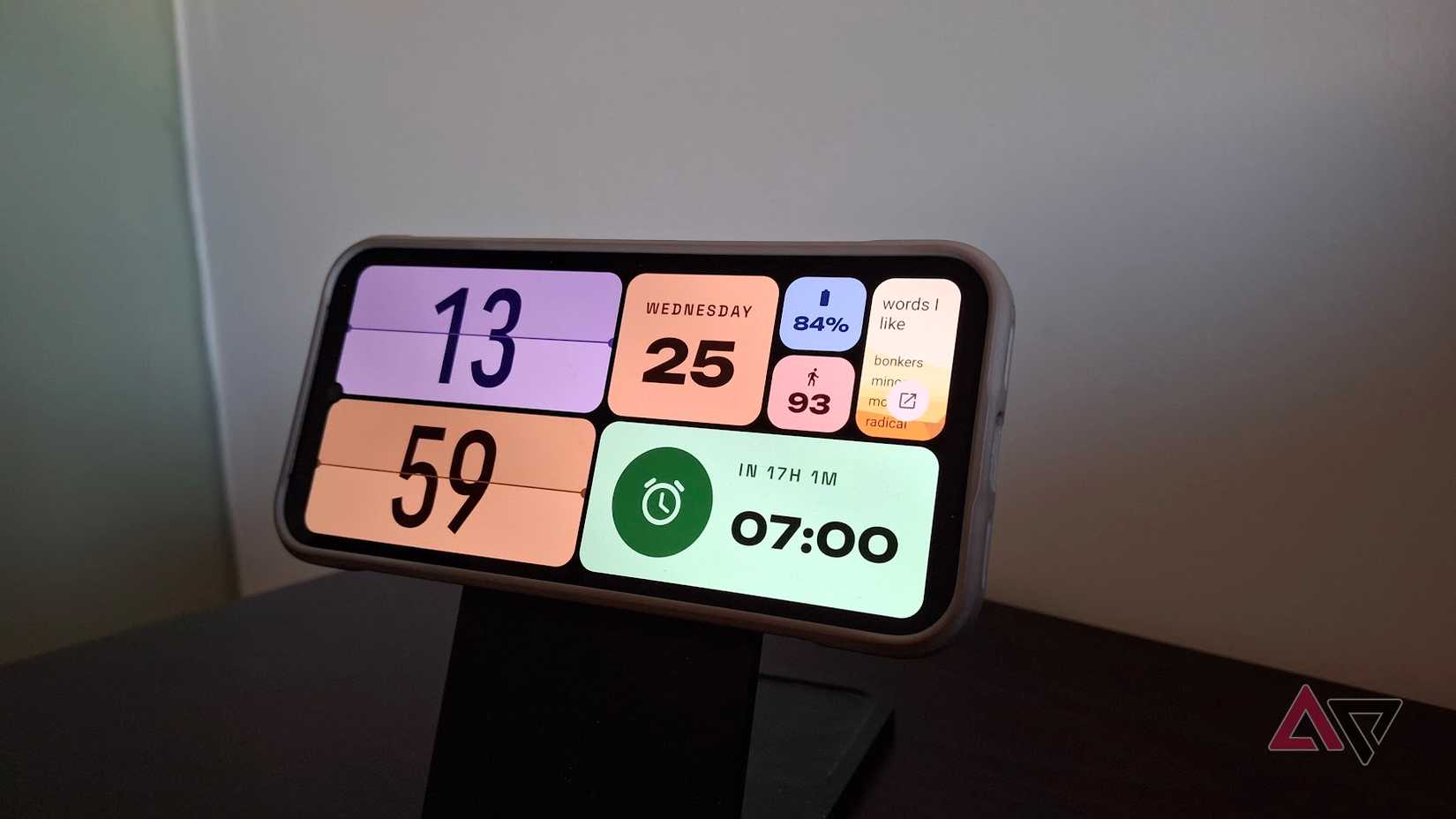
While I mostly just need to tell the time when my phone is on my bedside table, I also have it plugged in on my desk while I'm working. I like being able to check upcoming events, notifications, and my to-do list. Or maybe I want to check the weather forecast.
My Pixel's lock screen can do most of these jobs, but it's boring. Material Dock not only presents all this information in a cheerful package, but it adds a lot of functionality that I wish my Pixel had by default.
Material Dock's bold interface is perfect for wireless chargers
It's the ideal app for a desktop companion
As I mentioned earlier, when I'm not using my phone, I like to see relevant information at a glance. My Pixel's default screensaver uses such tiny font that, when my phone is on my desk, the only easily readable information is the time.
Take a look at Material Dock's default screensaver compared to the Pixel's:
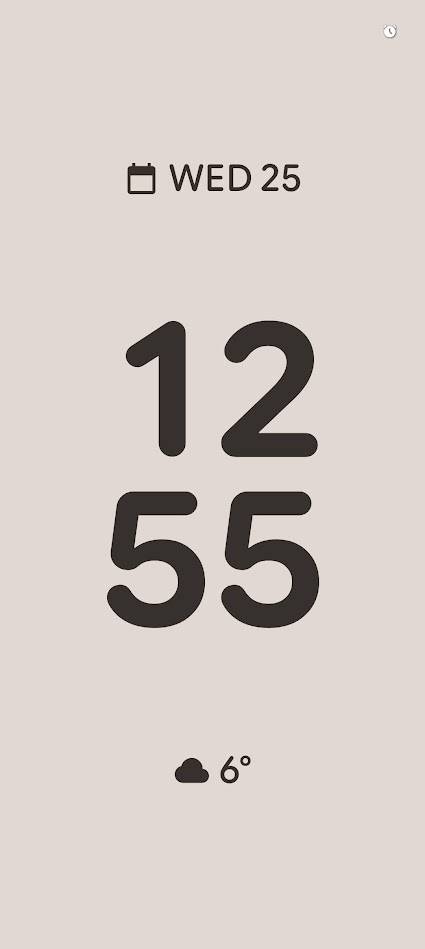
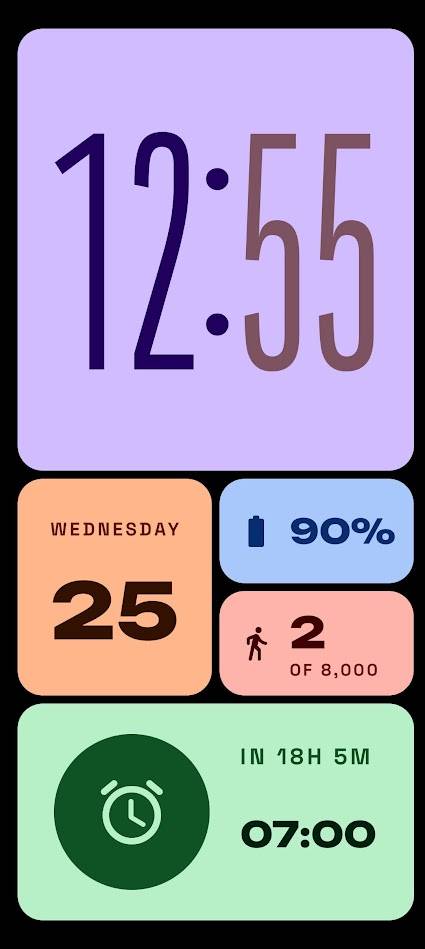
Yes, the stark contrast of Pixel's screensaver improves readability, but Material Dock manages to pack so much more in without sacrificing clarity. But of course, that's not the only option.
Material Dock offers a huge variety of prebuilt screensavers. The Material You-inspired options are the most prominent, but there are a lot of alternative options for people who prefer a more traditional screensaver.
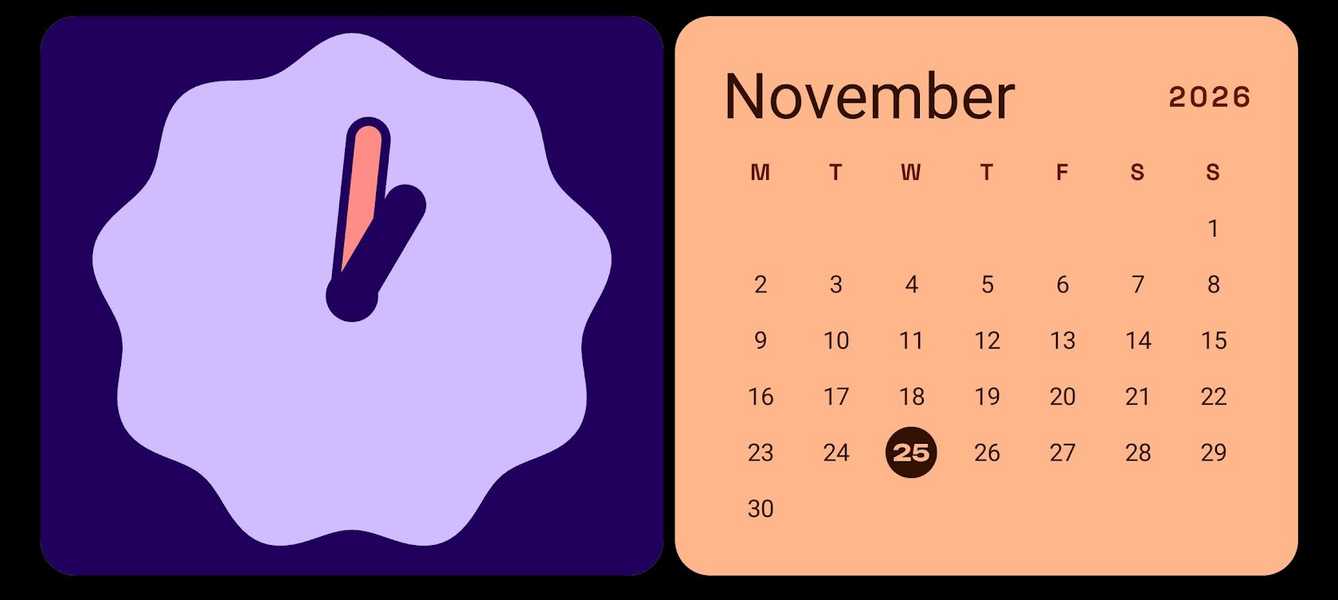
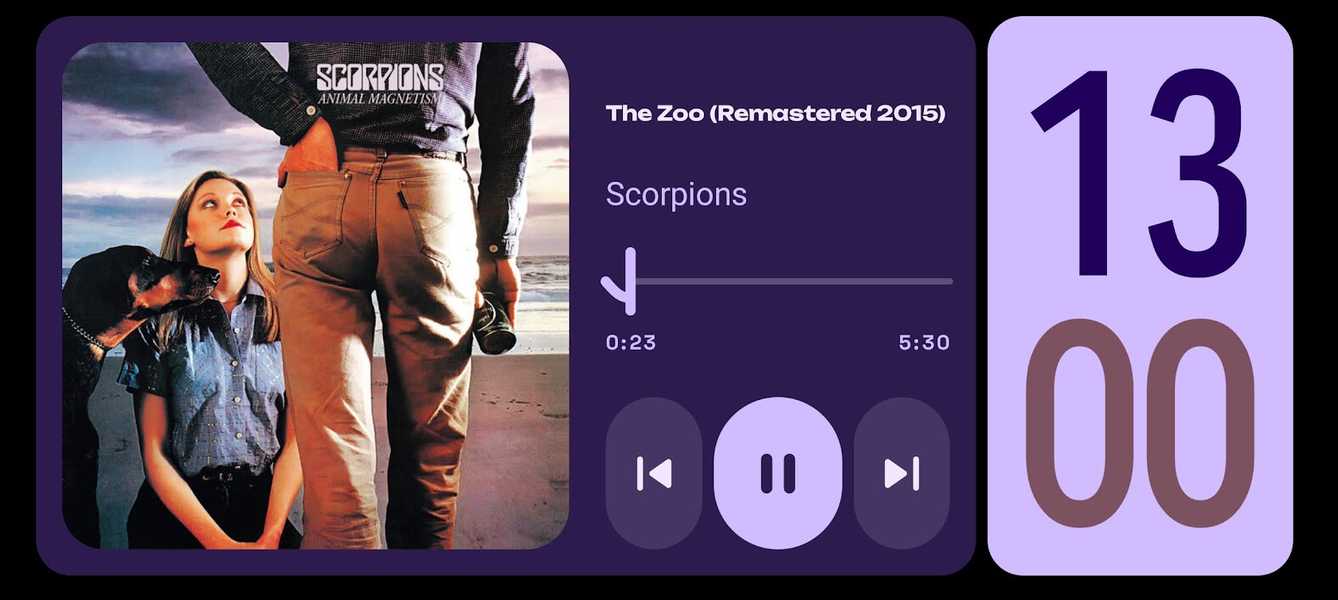
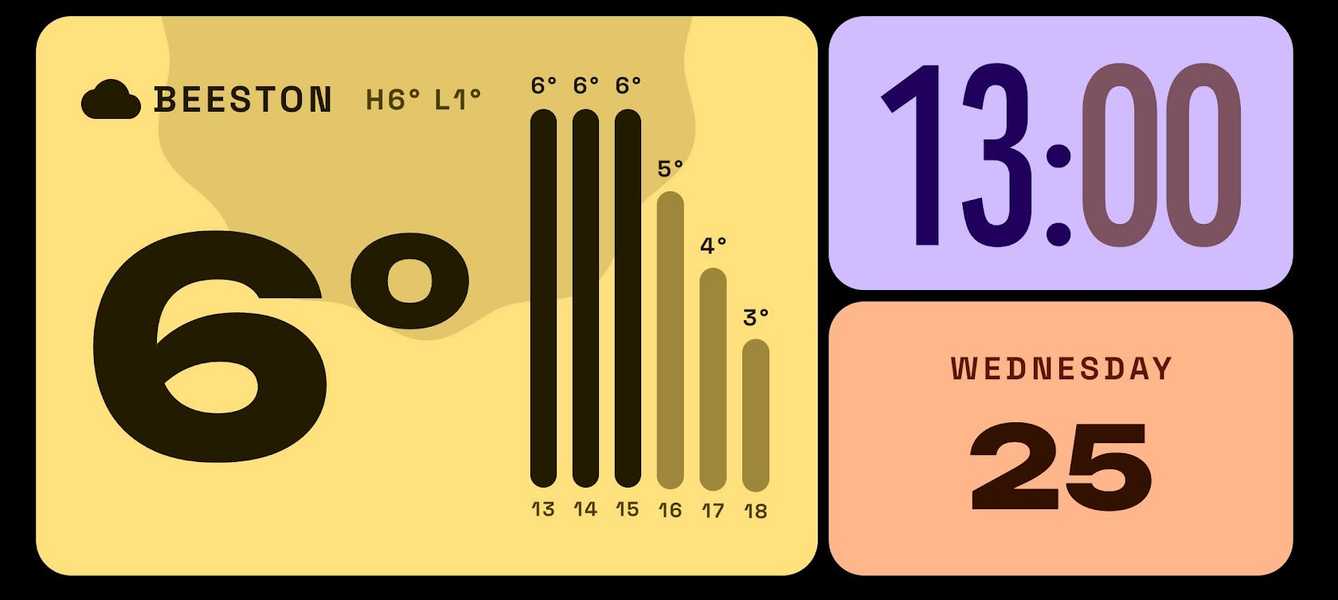
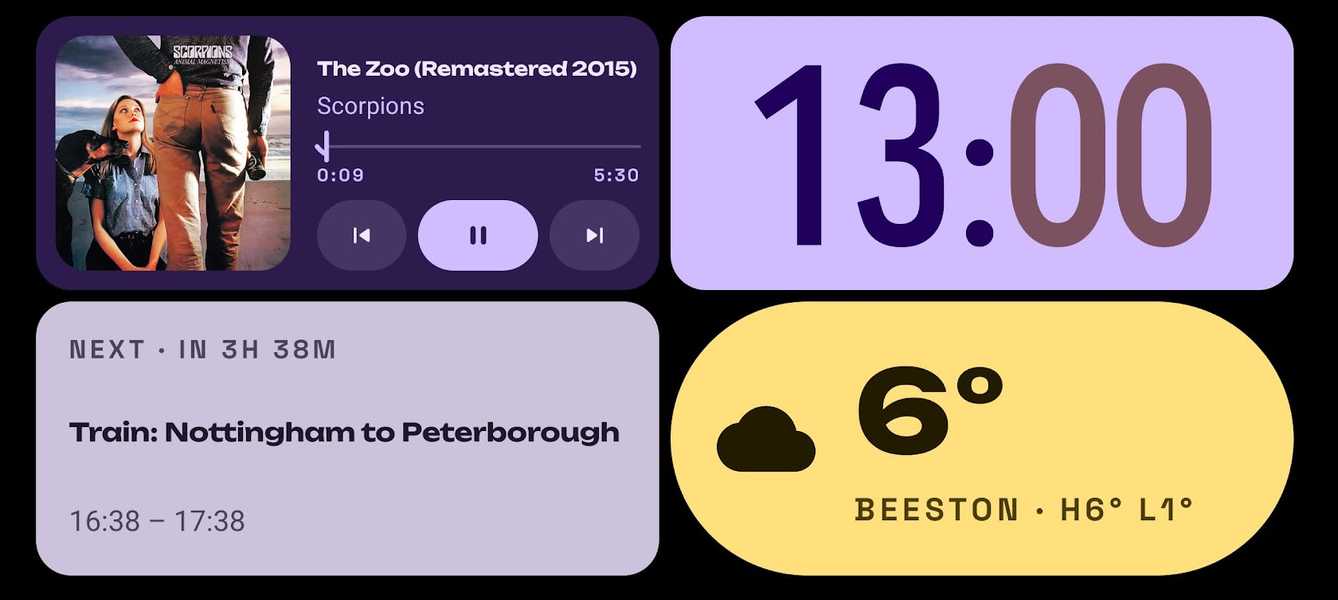
Obviously, these bright colors are . Material Dock knows this and offers a night mode in red, amber, and dim white. There's also an option to dim the screensaver below the screen's lowest brightness setting.
Night mode triggers when Material Dock detects the phone is in a dark room, or you can enable it automatically.
So bright colours for my desktop screensaver, dim ambers at night. Perfect.
But Material Dock is much more than a collection of vibrant screensavers; it's also highly customizable.
Material Dock lets me finally see the information I want
I don't have to rely on preset options
Every screensaver option in Material Dock is customizable. I can change how big tiles are, where they're located, and of course which ones appear.
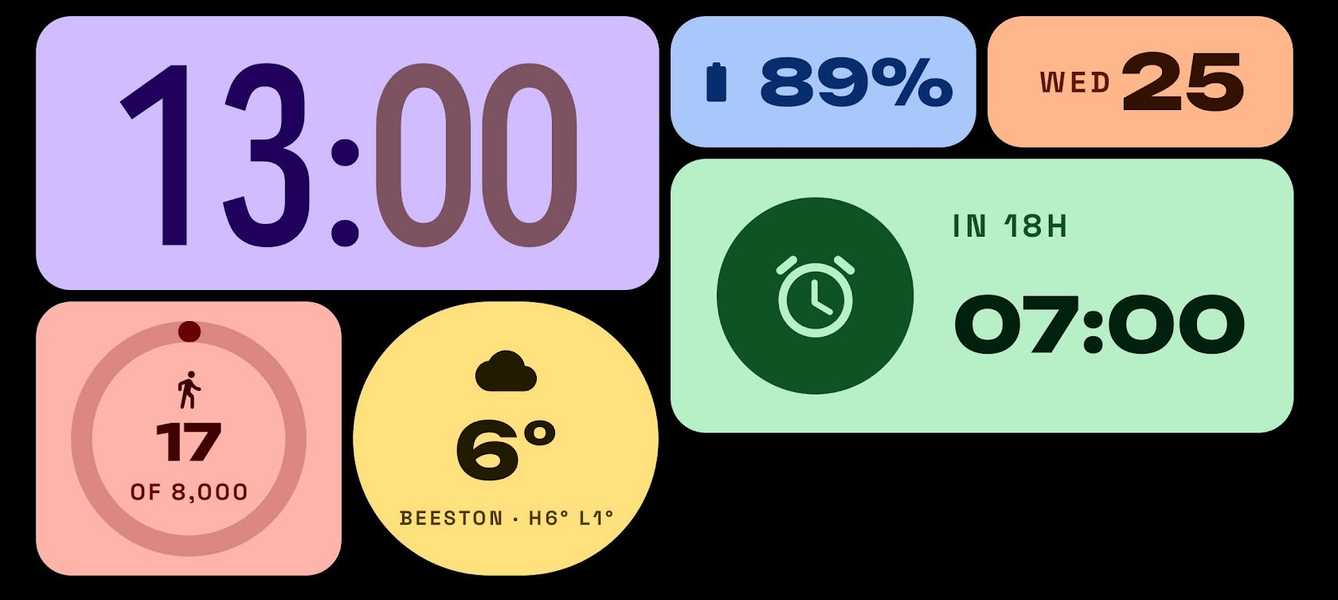
Take the Digits screensaver, for example. It's useful, but I don't really need to see how many steps I've taken today. But it's fun information to see, so I'd like to keep that tile.
The battery indicator is obviously vital, but I don't like it so big. So I shrink both tiles down to 1x1, freeing up more space.
You know what I would love to see in this space? A list of my favorite words. These are saved in a Google Keep note, but thanks to Material Dock's versatility, I can add any widget to the layout.
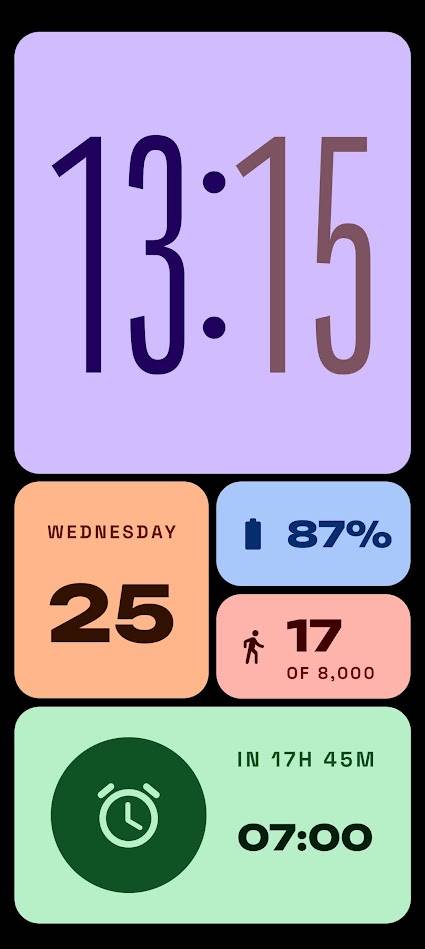
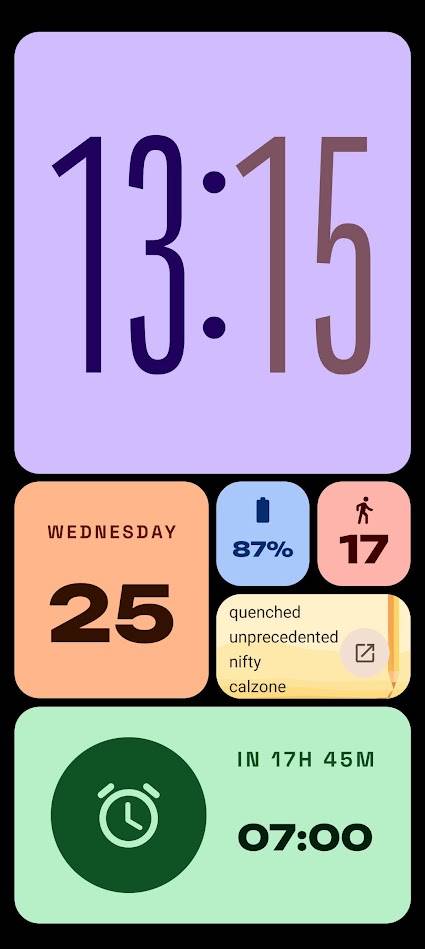
It's not a perfect implementation; Google Keep's annoying shortcut gets in the way. But I'm blown away by how versatile the app is.
I didn't think I wanted a lot from my screensaver app, but Material Dock has shown me that not only can I have everything, and that I should have been crying out for it all along.
I touched on Material Dock's night mode earlier, but plenty of other aspects of the app can be customized. For example, I prefer the mixed colors, but there are also monochrome options.
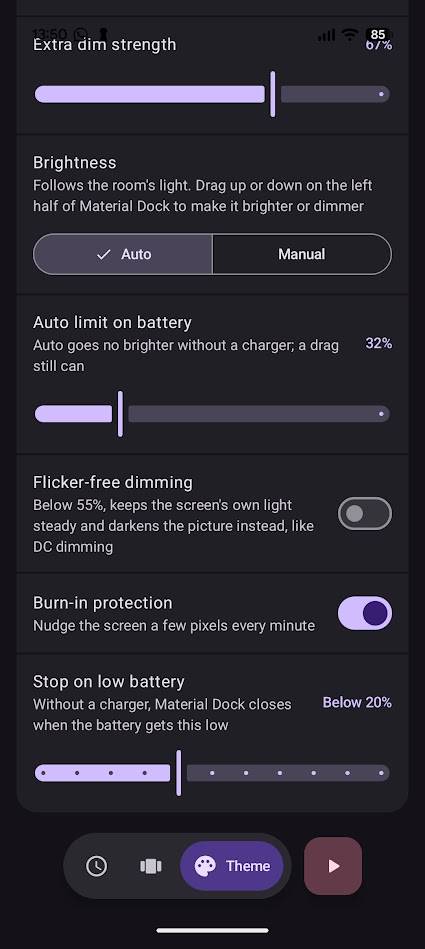
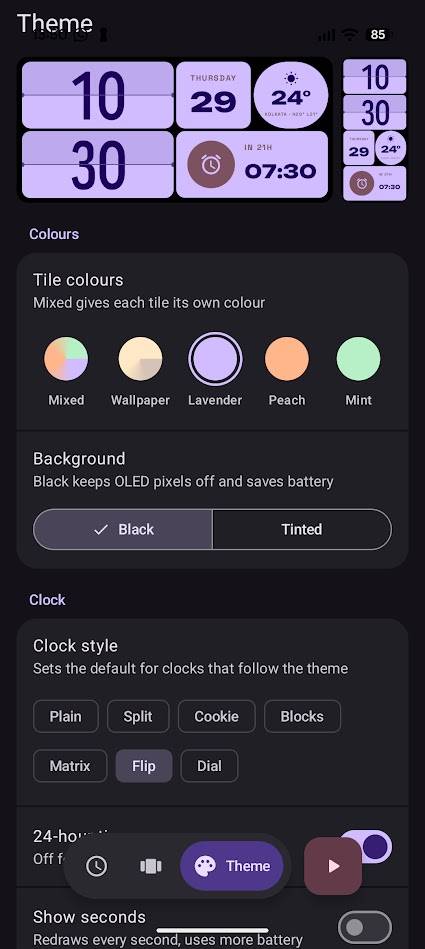
Clock styles can be changed, battery saver mode is an option, and there's even a tool to avoid screen burn-in. It truly can be customized to fit anyone.
Material Dock keeps getting better
I love using Material Dock. I have different setups for each charging mode so I can see the right information whether I'm sleeping or working at my desk.
It's also a brilliant alternative to the Pixel's lock-screen widgets, which, months later, are still underwhelming.
Material Dock is free to use, but a one-time purchase unlocks all its features.